AI Can't Read Minds ™ — AI Communication Series

Why do others get products from AI,
while you get a pile of bugs?

Because AI can't read minds. It only executes. The clearer you express, the smarter AI gets.

Learning to Express
Is More Important Than Learning to Code

An AI communication course for everyone

GoalScopeConstraintVerification
Human-AI communication

Why Did I Write This Book?

Over the past year, I've used AI to build:

Websites Mini Programs Tools Plugins

I discovered: What truly determines AI's performance isn't the model. It's your expression.

Preface: Why Does AI Always Misunderstand You?

Preface: Why Does AI Always Misunderstand You?

This chapter trainsGoalScopeConstraintVerification

You tell AI: "Help me make an accounting app."

It asks you a bunch of questions, and you don't know how to answer them. When it finally starts writing, you take a look — it's completely not what you wanted. You ask it to fix things, and the more it changes, the messier it gets. You ask it to fix one problem, and it ends up changing other places too.

In the end, you give up and conclude "AI just isn't good enough."

But the problem might not be with AI.

Could it be that AI isn't the problem — it's that you didn't explain clearly?


AI Can't Read Minds

This might be the most important sentence in the entire book.

AI Can't Read Minds.

It won't guess what you truly want. It won't fill in the blanks based on common sense. Which features matter most, which parts must not be changed, which ones are "we'll deal with later" — it knows none of this.

It can only understand what you have actually said out loud.

However much you say, that's how much it understands. If you're vague, it guesses. If it guesses wrong, you start reworking.

This isn't an AI problem. It's a universal law of all communication: the quality of your expression determines the quality of the result.

If you tell someone you just met "help me tidy up," they'd be confused too — tidy what? How? To what degree? Saying the same thing to AI confuses it even more, because it doesn't even have the unspoken rapport you share with your coworkers.


One Sentence, Ten Interpretations

You say to AI:

Help me optimize this.

You think you've been clear. But what AI hears is: make the page load faster? Make the code structure cleaner? Make the interface prettier? Reduce memory usage? Merge duplicate code?

What you have in mind is "make the page open a bit faster," but you didn't say it. AI can only guess. When it guesses wrong, you say "that's not right"; it guesses again, and you say "still not right"; eventually you get frustrated, and AI has no idea why you're upset.

This isn't AI being dumb. It's you treating "one sentence" as "one meaning."

The same sentence can have ten different interpretations in different people's minds. Leave out one detail, and AI is missing one key piece of information; leave out three, and it's basically guessing; leave out five, and what it builds might be entirely different from what you wanted.


Knowing How to Code Doesn't Mean Knowing How to Collaborate with AI

You might wonder: "Is it because I don't know how to program that AI can't understand me?"

No.

Many programmers run into the exact same problem. They even write very long instructions, and AI still goes off track.

Because — programming ability and communication ability are two completely different skills.

Programming is talking to a machine. Whatever code you write, it executes that logic. It doesn't need to understand your intent.

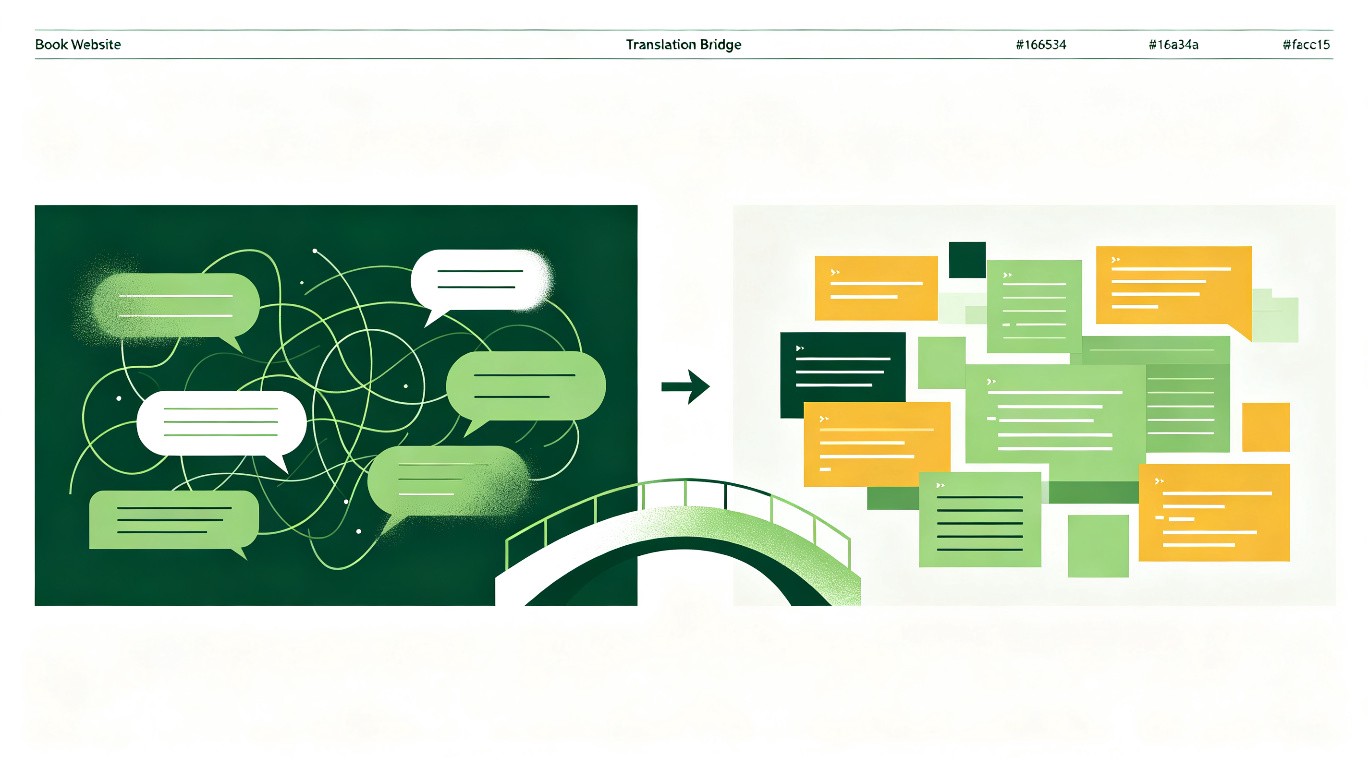
But AI is different. It needs to first understand your intent, then decide what to do. You have to translate the ideas in your head into a language it can understand. This translation process has nothing to do with programming and everything to do with communication.

So this book isn't about teaching you to program, nor about teaching you to write prompts, and certainly not about which AI tool is better.

It does one thing: help you express the ideas in your head accurately to AI.


How to Use This Book

It's not a book you need to read from cover to cover. It's more like a communication dictionary.

When you run into a problem, flip to the corresponding chapter: if AI is making things messier and messier, go to Chapter 3; if you want to add a new feature but worry about affecting existing ones, go to Chapter 4; if you want AI to help you check for problems, go to Chapter 5. Each section is self-contained — you can start reading from any section.

Every section follows the same structure:

  • First, the problem — so you know "it's not just me who runs into this."
  • Then, the reason — telling you why AI interprets things this way.
  • Then, the solution — telling you how to say it so AI understands accurately.
  • Finally, one sentence to remember — no need to memorize it, once you've read it you won't forget.

This book won't make you a programming expert, but it will make you someone AI is more willing to work with. You don't need to learn any programming knowledge — you just need to learn one thing: say what you mean, clearly.

The entire book revolves around four core principles:

1. The more specific you are, the less rework you'll have. Every sentence you omit ends up costing you in back-and-forth. 2. If you can paste it, don't describe it. Paste error messages directly, share files directly — don't make AI guess from your description. 3. Let AI know "what counts as success." Give it a verifiable standard, and AI can check its own work. 4. For big tasks, review the blueprint before swinging the hammer. For changes spanning multiple files, have AI list its plan first, then act after you confirm.

These four principles correspond to the book's core formula: Goal, Scope, Constraint, Verification. Every chapter and every section practices these four steps in different scenarios.


Back to the question from the beginning: why does AI always misunderstand you?

The answer is simple: it's not that AI misunderstood — it's that you didn't explain clearly.

This book is here to help you say things clearly.


Before You Begin: Which Tool Should You Use to Talk to AI?

You might ask: where do I talk to AI? ChatGPT? Claude? Or something else?

The answer is: the methods in this book work on any AI tool. Just like once you learn to drive, you can drive any car.

But if you haven't chosen a tool yet, here's a simple way to decide:

  • If you just want to try it out: use any web-based AI chat tool (ChatGPT, Claude, Kimi, Tongyi Qianwen, etc.). You copy the code AI gives you into a file and save it manually.
  • If you want to build a small project: it's best to use an AI coding tool (such as Trae, Cursor, etc.). They can not only chat but also directly create files and run code for you, saving you the trouble of manual copy-pasting.

Not sure how to choose? Just ask AI:

"I'm a complete beginner with zero background,

and I want to build [the project you want to build]. Please recommend an AI coding tool that suits me,

tell me what it's called, how to install it,

and why it's right for me."

AI will recommend based on your specific situation and even guide you through installation step by step.

Remember: the tool doesn't matter, the method does. This book isn't an operation manual for any specific tool — it's about how to communicate with AI. No matter which tool you switch to, the methods work universally.


Ready? Let's begin.

◆ What this chapter truly changes in you
From "AI is bad" to "I didn't explain clearly" — a shift in perspective
Chapter 1 Before the Project Starts: Help AI Understand First, Not Code First
Core skill: Build shared understanding

Chapter 1 Before the Project Starts: Help AI Understand First, Not Code First

This chapter trainsGoalScopeConstraintVerification
💡 This chapter may contain unfamiliar technical terms. When you encounter a word you don't know, check Appendix B for a plain-language explanation, or just ask AI.
1.1

Before You Begin, Don't Rush AI into Writing Code

① The Opening Problem

You open AI, and your very first sentence is "help me make a...", then you watch it rattle off code, feeling pretty pleased. But when it's done, you take a look — it's completely not what you wanted.


② Why Does This Happen

Telling AI to start writing code right away is like telling an architect to start laying bricks immediately. No blueprints. He doesn't know how many floors the building should have. Doesn't know if it's an office building or a residence. Doesn't know what style you like. Doesn't know what your budget is. But he has to lay bricks anyway, because he received the order to "start laying." So he lays a wall based on his own understanding. You take a look and say: "No, I wanted floor-to-ceiling windows." He can only tear down the wall and start over.


AI is the same. When you tell it "help me make a software app," the only information it receives is "start writing code." Everything else, it knows nothing about. It doesn't know what problem you really want to solve. It doesn't know who will use this software. It doesn't know in what scenario you'll use it. It doesn't know which features are essential and which are "later." It doesn't know if you have any special requirements. It can only guess. If it guesses wrong, you rework.


This isn't AI's fault. You skipped the most important step: Let AI understand you first, then let it write code.


③ What Many People Say
"Help me make an accounting app."

Problem: AI has no idea what kind of accounting app you want. It can only go with the most common interpretation.


④ A Better Way to Say It

You can tell AI directly:

"I want to make an expense-tracking tool to help me record how much I spend each day. Please don't write code yet — first ask me a few questions to understand my needs."

Why this is better:

  • Goal is clear: make an expense-tracking tool, not something else
  • Scope is clear: record daily spending, not all financial features
  • Constraint is clear: don't write code yet, ask questions first
  • Verification is clear: AI needs to understand your needs first

⑤ How AI Changes

With the old phrasing, AI might:

  • Start writing code directly, generating an accounting page you might not need at all
  • Take it upon itself to add lots of features, like financial reports, budget analysis, multi-account management
  • You stare at a pile of code, not knowing where to start fixing

With the new phrasing, AI will:

  • Stop and ask you questions first
  • For example: "What types of expenses do you want to record?" "Do you need categorization?" "Do you need monthly statistics?"
  • Once you answer these questions, AI truly understands what you want
  • Then it starts writing code, and the result is much closer to your idea

The Complete Iteration Process

Below is the same requirement, expressed three different ways. See how different the results are.


Round 1

"Help me make an accounting app."

AI immediately starts writing code and generates an entire application. It has income/expense categorization, budget management, report analysis, multiple accounts, data export... a whole pile of features. But you just wanted the simplest kind of accounting. Problem: Completely not what you wanted. You didn't explain anything clearly, so AI did everything based on its own understanding.


Round 2 You try a different phrasing.

"Just record how much I spend each day, no other features."

This time AI makes a simple version with fewer features. But it still starts writing code right away without asking you any questions. When you look at it, the categorization method is wrong, and the input method feels awkward. Problem: Started writing without asking about requirements. AI is still guessing, and still guessing wrong.


Round 3 You make your words more complete.

"I want to make an expense-tracking tool to record how much I spend each day. Please don't write code yet — first ask me a few questions to understand my needs."

This time AI stops. It asks: What information do you want to record? Do you need categories? Phone or computer? Do you want monthly statistics? You answer one by one. Then AI starts writing code. What it produces is finally close to what you wanted. Result: Close to what you wanted.


You see, AI is still the same AI. What changed is what you said. AI didn't get smarter — the input got more complete.


⑥ One Sentence to Remember
Let AI ask questions first, then let it write code.
1.2

When Taking Over a Project, Ask Three Layers from Big to Small

① The Opening Problem

Someone gives you an existing project and asks you to continue working on it. You open it up — dozens of files, thousands of lines of code — and you're completely lost. What should you ask AI first?


② Why Does This Happen

When facing an existing project, beginners most easily "don't know where to start asking," and then just tell AI to modify code directly. But before modifying, you need to understand how the project works. Like joining a new company — you wouldn't dive straight into a module and start changing code; you'd first ask a veteran colleague to explain "what does our company do overall," "where's the code for payments," and "how does an order flow from placement to deduction."


③ What Many People Say
"Help me look at this project."

AI doesn't know what aspect you want to understand. It might give you a vague overview, or it might start modifying code directly — when all you want right now is to understand it.


④ A Better Way to Say It
"I've just taken over this project,
help me get up to speed. Three steps: first,
give me an overall overview explaining the main modules and their responsibilities; second,
tell me which files contain the code for [the feature you care about,
e.g., 'order payment']; third,
trace the complete execution path of [a core flow,
e.g., 'an order from creation to payment']. Explain in a beginner-friendly way,
and don't modify any code yet."

⑤ How AI Changes

AI no longer "randomly guesses what you want to do." Instead, it explains the project structure layer by layer: first a panoramic view, then locating the modules you care about, and finally walking you through the core flow. After these three steps, your understanding goes from "completely lost" to "I know roughly how it works."


⑥ One Sentence to Remember
From architecture to specific files to execution paths — ask three layers from big to small.
1.3

Tell AI the Problem You Really Want to Solve, Not the Feature Directly

① The Opening Problem

You tell AI: "help me add a leaderboard," "help me add a check-in feature," "help me add a comment section." You're naming features, but AI doesn't know why you need these features.


② Why Does This Happen

You say "add a leaderboard," and AI adds a leaderboard. But what you really want is to "motivate users to use it more." The leaderboard is just one method you thought of. But maybe there are better methods? Like a points system, achievement badges, daily reminders, learning reports... You don't know about these methods. Because you're not a product manager. You're an ordinary person. You can only think of "leaderboard." But AI can think of more. The prerequisite is — you tell it your real goal.


AI works like this: Give it an action, and it executes one action. Give it a goal, and it thinks about how to achieve the goal. If you only tell it "add a leaderboard," its thinking scope is limited to "how to implement a leaderboard." If you tell it "I want to motivate users to use it more," its thinking scope becomes "what methods can motivate users." The scope is bigger, so there are more options. With more options, you're more likely to find the one that suits you best.


③ What Many People Say
"Help me add a leaderboard feature."

Problem: You only stated the feature without saying why you need it. AI doesn't know your real goal and can't help you think of better solutions.


④ A Better Way to Say It

You can tell AI directly:

"I want to find a way to motivate users to use this software more frequently. I'm thinking of a leaderboard,
but I'm not sure if that's the best approach. Please help me analyze what other methods could achieve the same effect,
and recommend the approach best suited for a small project like mine."

Why this is better:

  • Goal is clear: motivate users to use it more, not "add a leaderboard"
  • Scope is clear: analyze options, not implement directly
  • Constraint is clear: suited for a small project, not too complex
  • Verification is clear: recommend the most suitable approach

⑤ How AI Changes

With the old phrasing, AI might:

  • Directly build a leaderboard with rankings, points, avatars, and various features
  • After the leaderboard is done, you find it completely clashes with your software's style
  • You don't even know if this leaderboard will actually motivate users

With the new phrasing, AI will:

  • First analyze what methods exist for "motivating users"
  • Might list: leaderboard, points, badges, daily reminders, progress bars, weekly reports
  • Then help you analyze the pros and cons of each method
  • Based on your small project, recommend the most suitable approach
  • You might discover that a simple "consecutive check-in days" is more effective than a leaderboard

⑥ One Sentence to Remember
State the goal, don't just state the feature.
1.4

Learn to Describe Your Target Users

① The Opening Problem

The same feature feels completely different to different people. You have AI build something, and you think it's fine, but when you show it to a friend, they say "what is this, I have no idea how to use it."


② Why Does This Happen

Because AI doesn't know who your users are. It defaults to designing for "everyone." But "everyone" doesn't exist. Your users might be elementary school students, or they might be retired seniors. They might be office workers, or they might be freelancers. They might be tech experts, or they might be first-time phone users. Different people need completely different designs.


For example. The same "add a record" feature. If it's for elementary school students, buttons should be big, text minimal, colors bright. If it's for accountants, the interface should be compact, information dense, operations efficient. If it's for seniors, the text should be especially large, steps especially few, and every button should have an explanation. AI doesn't know who your users are, so it designs for an "average person." But the "average person" doesn't exist. So what it makes feels slightly off to everyone who uses it.


③ What Many People Say
"Help me make a learning app."

Problem: AI doesn't know who it's for. Elementary students, college students, and office workers need completely different learning apps.


④ A Better Way to Say It

You can tell AI directly:

"I want to make an English vocabulary learning tool. The target users are college students preparing for the graduate entrance exam. They have heavy study loads every day and only have fragmented time to memorize vocabulary. They're also already very used to using phones."

Why this is better:

  • Goal is clear: memorize vocabulary, not other learning
  • Scope is clear: college students, not elementary students or office workers
  • Constraint is clear: fragmented time, can't design features requiring long focus
  • Verification is clear: AI's designed features should suit fragmented usage

⑤ How AI Changes

With the old phrasing, AI might:

  • Make a generic learning app with many features but none precisely targeted
  • Might add gamification elements, but grad-school-bound students don't need these
  • Might design a study flow requiring long focus, unsuitable for fragmented time

With the new phrasing, AI will:

  • Know the users are grad-school-bound students and automatically filter out irrelevant features
  • Design features for fragmented time: quick browsing, review later, today's goal
  • Know the users are heavy phone users and prioritize the mobile experience
  • Make the interface style more clean and efficient, not flashy

⑥ One Sentence to Remember
Tell AI who's using it, and it'll know how to build it.
1.5

Learn to Describe Usage Scenarios

① The Opening Problem

AI builds a feature that's logically fine, but just feels awkward to use. For example, you have AI make a recording feature, and it has you fill in a dozen fields, but when you're out using your phone, you just want to jot something down in three seconds.


② Why Does This Happen

Because AI doesn't know what scenario you're using it in. Its default scenario is: you're sitting at a computer, with plenty of time and full focus. But real scenarios might be: You're on the subway, one hand holding the railing, the other holding your phone. You're in a meeting, secretly recording under the table. You're in bed before sleep, already half asleep. You just spent money, standing at the checkout counter, with people queuing behind you.


Different scenarios need completely different designs. The same "record an expense": At the computer, you can slowly fill in amount, category, notes, date, tags. On the subway, you can only quickly type a number and tap confirm. At the checkout, you might not even have time to type — it'd be best to snap a photo of the receipt and have it auto-recognized. AI doesn't know any of this. If you don't say it, it designs for the ideal scenario. But real life is never ideal.


③ What Many People Say
"Help me make an expense-tracking feature."

Problem: AI doesn't know what scenario you track expenses in. It might design a form that requires slow filling, completely mismatched with your real usage scenario.


④ A Better Way to Say It

You can tell AI directly:

"My usual expense-tracking scenario is: when I'm eating out or shopping,
I quickly record an entry on my phone. Each record takes just a few seconds — select a category and enter an amount,
that's it. No notes needed, no photos needed. When I get home,
I might look at this month's statistics on the computer."

Why this is better:

  • Goal is clear: quick expense tracking, not detailed financial management
  • Scope is clear: quick input on phone, viewing statistics on computer
  • Constraint is clear: no notes or photos needed, no complex forms
  • Verification is clear: completing a record in a few seconds counts as passing

⑤ How AI Changes

With the old phrasing, AI might:

  • Design an expense-tracking form with over a dozen fields
  • Require filling in amount, category, date, notes, tags, account, currency...
  • You can't use it at all on the subway

With the new phrasing, AI will:

  • Design a minimalist recording page: large number pad + a few category buttons
  • Enter amount, select category, done
  • Default date is today, no manual selection needed
  • Create a separate statistics page for the computer, where you can browse at leisure
  • Phone and computer each do their part, without interfering with each other

⑥ One Sentence to Remember
Tell AI where you'll use it, and it'll know how to build it.
1.6

Ask AI to Help Organize Requirements, Not Start Developing Directly

① The Opening Problem

You have lots of ideas in your head but can't articulate them clearly. You roughly know what you want, but once you try to write it out, you don't know where to start.


② Why Does This Happen

This is normal. You're not a product manager. You haven't been trained in requirements organization. What you have in your head is a vague idea. Like "I want to make a useful learning tool." But what does "useful" mean? What does "learning tool" include? You don't know how to break it down.


But AI does. AI is excellent at one thing: organizing your vague ideas into clear requirements. You just need to dump all the scattered thoughts from your head. Don't worry about logic. Don't worry about order. Don't worry about missing anything. Just like chatting with a friend — say whatever comes to mind. Then AI organizes it for you.


It's like telling someone who's great at organizing: "My room is too messy, help me figure out how to clean it up." You don't need to tell them where to put every item. You just need to tell them your thoughts. They'll categorize, organize, and propose a plan. AI is the same.


③ What Many People Say
"I want to make a learning app, but I don't know exactly how to do it."

Problem: The sentence stops there. The reader doesn't know how to move forward.


④ A Better Way to Say It

You can tell AI directly:

"I want to make a learning tool,
but I'm not sure exactly which features I need. Let me tell you what I can think of first,
and you help me organize it. Then tell me: what do you think is missing,
which features are most important,
and what order you suggest doing them in."

Why this is better:

  • Goal is clear: need AI to help organize requirements, not develop directly
  • Scope is clear: you say what you can think of first, AI supplements
  • Constraint is clear: AI needs to tell you priorities and order
  • Verification is clear: AI needs to output an organized requirements list

⑤ How AI Changes

With the old phrasing, AI might:

  • Not know where to start, because there's too little information
  • Might directly start making the simplest learning app
  • After it's done, you find many things are missing

With the new phrasing, AI will:

  • First patiently listen as you pour out everything in your head
  • Then help you categorize: these are core features, these are auxiliary, these are "later"
  • Tell you what's missing: for example, "You didn't mention a review feature — do you need one?"
  • Help you prioritize: what to do first, what to do later
  • You see the organized list and everything suddenly becomes clear

⑥ One Sentence to Remember
Let AI be your requirements organizer.
1.7

Ask AI to Proactively Fill in Gaps

① The Opening Problem

You tell AI a lot, and AI does what you said, but after it's done you find many things are still missing. Some you forgot to mention, some you never even thought of.


② Why Does This Happen

You're just an ordinary person. You can't possibly think of everything the first time you describe requirements. This is normal. But AI won't proactively remind you. Because the instruction AI received is: do what you said. It won't say: "You also need a login feature." It won't say: "You mentioned adding records, but what about deleting records?" It won't say: "What if the user forgets their password?"


But if you explicitly tell AI: please help me fill in the gaps. AI switches to "checking mode." It systematically thinks: what else does this feature need? What else hasn't been considered in this scenario? This kind of thinking, AI is very good at. But the prerequisite is — you have to ask it to do it.


③ What Many People Say
"Help me make a vocabulary book where I can add words, view words, and search words."

Problem: Only three features mentioned, but a complete vocabulary book needs many supporting features. AI won't proactively remind you.


④ A Better Way to Say It

You can tell AI directly:

"I want to make a vocabulary book. The features I've thought of so far are: add words, view words, search words. This definitely isn't complete — please help me fill in the gaps: what other features does a complete vocabulary book need?
What have I missed?
"

Why this is better:

  • Goal is clear: need AI to fill in missing features
  • Scope is clear: supplement based on the "vocabulary book" direction, don't go off-topic
  • Constraint is clear: AI needs to proactively think and remind
  • Verification is clear: AI needs to list features you didn't mention

⑤ How AI Changes

With the old phrasing, AI might:

  • Just do the three features you mentioned
  • After it's done, you find: can't delete words, can't edit, can't categorize, can't import/export
  • You have to add them one by one, with each addition requiring modification

With the new phrasing, AI will:

  • Proactively list features you might have missed:

- Delete words, edit words - Organize by category (nouns, verbs, adjectives) - Mark as mastered / not mastered - Import word lists - View study history by date - Favorites - Review reminders

  • Then you can choose which you need and which you don't
  • Cover everything that should be considered in one go

⑥ One Sentence to Remember
Let AI proactively tell you what you missed.
1.8

Let AI Break Big Projects into Small Tasks

① The Opening Problem

You want to make a "big project," but after opening AI, you don't know where to start. There's too much to do, and you're overwhelmed right from the beginning.


② Why Does This Happen

What you see is a complete "finished product." What you imagine is: a fully-featured website, or a complete software application. But AI can't build a complete software application all at once. It needs to do one feature at a time. What you need isn't to do everything at once. But to break a big project into many small tasks. Then complete them one by one.


It's like moving house. You can't move everything at once. You need to sort things: move big furniture first, then clothes, then miscellaneous items. Making software is the same. You need to break it down first: which are core features, which are auxiliary, which can wait. But you might not know how to break it down. AI can help you break it down.


③ What Many People Say
"Help me make a complete online course platform."

Problem: A "complete online course platform" is too huge. AI doesn't know where to start, and neither do you.


④ A Better Way to Say It

You can tell AI directly:

"I want to make an online course platform. The ultimate goal is to let teachers upload courses and students learn online,
but it definitely can't be done all at once. Please help me: break this big project into multiple small phases,
where each phase does only one thing,
and tell me roughly what each phase involves."

Why this is better:

  • Goal is clear: ultimate goal is a complete platform, but in phases
  • Scope is clear: do one thing at a time
  • Constraint is clear: don't try to finish everything at once
  • Verification is clear: need AI to provide a phased plan

⑤ How AI Changes

With the old phrasing, AI might:

  • Not know where to start, might randomly pick a feature to begin
  • Get halfway through and find it depends on another feature, go back to add it
  • The whole process is chaotic, and you're anxious

With the new phrasing, AI will:

  • Break it into clear phases:

- Phase 1: Course display page (students can see what courses are available) - Phase 2: User registration and login - Phase 3: Teachers upload courses - Phase 4: Student learning records - Phase 5: Comments and discussion

  • Each phase is small, so you only focus on one thing at a time
  • You clearly know: where you are now, what's next

⑥ One Sentence to Remember
Break big projects into small ones, do one thing at a time.
1.9

Let AI Compare Different Options Instead of Picking One Directly

① The Opening Problem

AI gives you a solution, you follow it, but later discover there was a better way. You think: "If only AI had told me there were other choices."


② Why Does This Happen

AI tends to give you "the solution it thinks is best." But AI doesn't know your preferences. It doesn't know whether you value speed or quality more. It doesn't know whether you care more about simplicity or feature completeness. It doesn't know your budget. Its "best" might not be your "best."


But if you ask AI to list multiple options and compare their pros and cons. You can choose for yourself. For example: Option A: Simple and fast, done in three days, but few features. Option B: Feature-complete, but takes two weeks and has high maintenance costs. Option C: A middle-ground option, done in one week, sufficient features. You didn't know these options existed. AI needs you to explicitly tell it: list the options, let me choose.


③ What Many People Say
"Help me make a user login feature."

Problem: AI will directly pick one method to implement. But it won't tell you what other methods exist, nor the pros and cons of each.


④ A Better Way to Say It

You can tell AI directly:

"I need a user login feature. Please list several common implementation approaches,
compare their pros and cons, and tell me what each approach is suited for. Don't start writing code directly — let me see which one suits me best first."

Why this is better:

  • Goal is clear: need a login feature, but choose an approach first
  • Scope is clear: compare different implementation approaches
  • Constraint is clear: don't write code directly
  • Verification is clear: need to see option comparison before deciding

⑤ How AI Changes

With the old phrasing, AI might:

  • Directly pick one method to implement login
  • You don't know if there's a better way
  • After it's done, you find this method doesn't suit your project

With the new phrasing, AI will:

  • List several options:

- Email + password login (simplest, suitable for small projects) - Phone verification code login (no need to remember passwords, but requires SMS service) - Third-party login (WeChat, QQ, convenient but requires extra configuration) - Email + password + third-party login (most complete, but most development work)

  • Tell you the pros, cons, and suitable scenarios for each
  • You can choose the most appropriate one based on your situation

⑥ One Sentence to Remember
Let AI list the options, you choose.
1.10

Let AI Recommend the Approach Best Suited for You

① The Opening Problem

After seeing the several options AI listed, you still don't know how to choose. Each option has advantages, each has disadvantages. You think: "If only I understood technology, I'd know which one suits me best."


② Why Does This Happen

Making a choice requires two conditions: One, knowing what options exist. Two, knowing which option suits you best. The previous section solved the first condition (letting AI list options). But the second condition requires you to tell AI your situation.


You don't need to understand technology. You just need to tell AI your real situation: Are you working alone, or do you have a small team? Do you want to launch ASAP, or can you take your time polishing? Do you value simplicity more, or feature completeness more? How much money are you willing to spend? How many users do you have? This information, AI can't obtain on its own. But once you tell it, it can help you judge.


③ What Many People Say
"Which of these options do you think is good?"

Problem: AI doesn't know your specific situation, so its recommendation might not suit you.


④ A Better Way to Say It

You can tell AI directly:

"I'm doing this project alone, with no technical background,
and I hope to launch as soon as possible. I probably have only a few dozen users,
so it doesn't need to be too complex. Based on these conditions,
please recommend the approach best suited for me."

Why this is better:

  • Goal is clear: need a recommendation for the most suitable approach
  • Scope is clear: solo, zero background, small user base
  • Constraint is clear: pursue simple and fast, no need for complexity
  • Verification is clear: AI's recommendation must match your actual situation

⑤ How AI Changes

With the old phrasing, AI might:

  • Recommend a "technically best" approach
  • But that approach might be too complex for you to do alone
  • Or recommend a "simplest" approach that might not suit your long-term needs

With the new phrasing, AI will:

  • Recommend based on your actual situation:

- "Since you're working alone and want to launch quickly, I recommend email + password login. It's the simplest — no need to configure third-party services or spend money on SMS. When your user base grows, you can add third-party login later."

  • This recommendation is tailor-made for you
  • And it also tells you how to upgrade in the future

⑥ One Sentence to Remember
Tell AI your situation, and it can help you choose.
1.11

Before Starting Work, Agree on the Working Rules for the Entire Project

① The Opening Problem

Every time AI modifies code, the style is different. Sometimes it writes comments in Chinese, sometimes in English. Sometimes it puts code in one file, sometimes it splits it into many. After each change, you don't know what it actually did.


② Why Does This Happen

Because AI "starts fresh" every time. It doesn't remember how it did things last time. It doesn't know what style you want to maintain. It doesn't know how you want it to report progress. It doesn't know which things it should ask you about and which it can decide on its own.


But if you tell AI clearly at the very beginning of the project: "From now on, every time you modify code, follow these rules." AI will comply. Because one of the things AI is best at is "following rules." Give it a rule, and it will keep following it. But if you don't give it rules, it goes by its own habits. And its habits might be different every time.


③ What Many People Say
"Start writing code."

Problem: No rules agreed upon. AI goes by its own understanding each time, style is inconsistent, process is uncontrollable.


④ A Better Way to Say It

You can tell AI directly:

"Before we officially start writing code,
let's set a few rules: 1. Do only one feature at a time,
and wait for my confirmation before starting the next. 2. Write all comments in English. 3. Before modifying code,
tell me how you plan to change it. 4. After modifying,
tell me which files you changed and which features are affected. 5. For anything you're unsure about,
ask me first — don't decide on your own. Please follow these rules throughout the entire project."

Why this is better:

  • Goal is clear: establish collaboration rules for the entire project
  • Scope is clear: 5 rules covering communication, style, modification scope
  • Constraint is clear: ask first when unsure, don't decide on your own
  • Verification is clear: report what was changed after each modification

How to Write Effective Rules

Not all rules are equally effective. A good rule lets you tell at a glance whether it's been violated; a bad rule is like saying nothing at all. | Bad Rule (useless) | Good Rule (effective) | |---------------------|----------------------| | Code should be fairly clean | Functions must not exceed 50 lines; if they do, they must be split | | Try to write tests | Every new function must have a corresponding test | | Watch out for security | User input must be validated before entering the database | | Don't touch that directory | Never modify any file under the legacy directory | Good rules share one trait: they're specific enough to verify at a glance. Before writing each rule, ask yourself "can I tell at a glance whether this has been violated?" If not, it's too vague — go back and make it specific. Five common categories worth establishing rules for: project overview (one sentence describing what the project is), tech stack (what language and framework), common commands (how to run tests, how to build), code conventions (naming style, max lines per file), and restricted areas (which files must not be touched, which operations require asking first).


⑤ How AI Changes

With the old phrasing, AI might:

  • Have a different style each time, code getting messier
  • Not tell you what it changed after modifying, you have no idea what happened
  • Make important decisions on its own that you only discover later
  • Change many places at once, making problems hard to track down

With the new phrasing, AI will:

  • Follow the same rules every time, with consistent code style
  • Tell you its plan before each modification, and only act after your confirmation
  • Tell you which files it changed and which features are affected after each modification
  • Proactively ask you about anything uncertain
  • The whole process becomes controllable and predictable

⑥ One Sentence to Remember
Set rules before starting work, and the whole project is hassle-free. ## Chapter Takeaways Learn to let AI think first, then develop. You've learned: not rushing AI into writing code, telling it the real problem instead of features, describing users and scenarios, letting it help organize requirements and fill gaps, breaking big tasks into small ones, comparing multiple options, recommending the most suitable approach, and agreeing on rules before starting work. These ten things all help you do one thing: build shared understanding before AI writes its first line of code. Once understanding is in place, the development that follows goes smoothly. Without proper understanding, every step afterward might require rework.
1.12

Before AI Writes Code: Two Things You Must Know First

First: How to Get Code Running

The code AI writes for you can't be used directly — it needs a "runtime environment." What's a runtime environment? It's like buying a potted flower — you can't just put it on the desk; you need to prepare a pot, soil, and a watering can first. Code is the same — it needs some "tools" to run. The good news is: you don't need to set it up yourself. Just tell AI:

"I'm a complete beginner who has never run code on a computer before. Please teach me step by step how to install the runtime environment. For each step, tell me: where to click, what to type, and what counts as success. If something goes wrong along the way, what should I do?
"

AI will give you a "foolproof" installation guide based on your computer (Windows or Mac) and your project type. Common issues:

  • If AI asks you to type a command (like npm install), you need to enter it in the "command line." Don't know what the command line is? Ask AI: "Please tell me how to open the command line. I'm a Windows/Mac user."
  • If you get an error during installation, screenshot or copy the error message to AI, and it'll tell you how to fix it. Remember the core method of this book: don't describe emotions, describe facts. Give AI the complete error message, not just "it won't install."

Second: Where Does Data Go?

Does your project need to save data? Like user registration info, article content, order records? If so, you need to tell AI how to store data. But you might not know what options exist. That's fine — ask AI:

"I want to make [your project type] and need to save [the data you want to save,
like user info, article content]. Please tell me what data storage options exist,
the pros and cons of each, and which one you recommend. I'm a beginner — please explain in the most accessible way."

AI usually recommends one of these:

  • File storage: Simplest, like writing data in a text file. Suitable for small or temporary projects.
  • SQLite: A lightweight database that doesn't require a separate server — one file stores everything. Suitable for small-to-medium projects.
  • MySQL / PostgreSQL: Professional databases, powerful but require configuration. Suitable for large projects.

You don't need to understand the differences between these options. You just need to tell AI: "Go with your recommended approach, and please set up the data storage part for me too."


Remember: Before AI writes its first line of code,
make sure of two things — the environment can run,
and data has a place to be stored. Both of these can be done with AI guiding you step by step.
What you truly learned in this chapterLearn to let AI think first, then build.
◆ ◆ ◆
◆ What this chapter truly changes in you
From "just start" to "align understanding first" — building order
Chapter 2 After AI Starts Coding: How to Keep Development Under Control
Core skill: Control the development process

Chapter 2 After AI Starts Coding: How to Keep Development Under Control

This chapter trainsGoalScopeConstraintVerification
💡 This chapter may contain unfamiliar technical terms. When you encounter a word you don't know, check Appendix B for a plain-language explanation, or just ask AI.
2.1

Do One Feature at a Time

① The Opening Problem

You tell AI "do all these features," and it modifies dozens of files in one go. You look at the screen full of changes, panicking — what changed? Is it correct? If one thing broke, you can't even find it.


② Why Does This Happen

AI receives the instruction "do all these features" and starts processing them simultaneously. It won't proactively tell you "this is too much, let's do them one at a time." It just tries its best to complete the task you gave. But the problem is: the more changes, the greater the chance of errors. The more changes, the harder for you to check. The more changes, the harder to troubleshoot when problems arise.


It's like asking someone to move ten pieces of furniture at once. They might break one or two. But you don't know which step caused the breakage. You don't know if all the furniture ended up in the right place. But if you have them move one piece at a time and confirm after each. No problems. AI is the same.


③ What Many People Say
"Help me do login, registration, and password recovery all at once."

Problem: Three features done at once, AI modifies dozens of files, you don't know where to start checking.


④ A Better Way to Say It

You can tell AI directly:

"Let's do the login feature first — that's the only thing to do today. After it's done,
wait for my confirmation that it's fine,
then start on registration. After registration is done,
then do password recovery. One at a time."

Why this is better:

  • Goal is clear: do login first, nothing else
  • Scope is clear: only the login feature, not registration or password recovery
  • Constraint is clear: finish one, confirm one, then do the next
  • Verification is clear: only move to the next after confirming no issues

⑤ How AI Changes

With the old phrasing, AI might:

  • Do all three features at once, with massive code changes
  • Features interfere with each other, prone to problems
  • When checking, you have no idea where to look

With the new phrasing, AI will:

  • Only do login, with a small scope of changes
  • Easy for you to check: if login works, you can confirm
  • After confirmation, do registration, advancing steadily
  • Even if a problem arises, it's easy to locate

The Complete Iteration Process

The same requirement, three phrasings, completely different results.


Round 1

"Help me add a search feature, and while you're at it,
make the homepage look better,
and fix the login too."

AI does all three at once, modifying a bunch of files. Search was added, but the homepage layout is broken. Login crashes as soon as you open it. Three features interfere with each other — all broken. Problem: Three features interfere with each other, all broken. Too many changes, no idea what went wrong.


Round 2 You learn your lesson and mention only one thing this time.

"Just add the search feature, don't touch anything else for now."

AI adds search, the feature itself is fine. But you notice the page header style changed — it looks different from before. AI modified the header code while doing the search. Problem: Scope still not controlled. AI expanded the changes on its own.


Round 3 You make your words even more absolute.

"Only modify this one file, search.js,
to add the search feature. Don't change any other files. When done,
tell me what you changed."

This time AI only touched search.js. After adding it, it tells you: I changed three places — the search box, search button, and search result display. No other files were touched. You check: search works, all other features are normal. Result: Success.


Doing one thing at a time isn't inefficient — it's about making fewer mistakes.


⑥ One Sentence to Remember
Do one feature at a time, confirm before continuing.
2.2

Before Modifying, Analyze the Problem First

① The Opening Problem

You find a feature has a problem and tell AI directly: "Fix it." AI starts changing code, and after it's done, the problem is still there. You say "fix it again," AI changes again, problem still there. Back and forth several times, you're exhausted.


② Why Does This Happen

AI receives the "fix it" instruction and starts fixing. But it doesn't know where the problem is. It can only guess: maybe the problem is here, let me try changing it. After changing, you try it — doesn't work. It guesses again: maybe the problem is there, let me change that. After changing, still doesn't work.


It's like going to the doctor and only saying "I don't feel well." The doctor can only guess: maybe it's a cold, here's some cold medicine. You take it and don't get better, so they guess again: maybe it's a stomach issue, here's some stomach medicine. Still not better after taking it, guess again... But if you tell the doctor "I have a headache, started yesterday, running a fever of 38°C, took fever medicine but it didn't work." The doctor can directly run tests and prescribe the right medicine. AI is the same. When you tell it to "fix it," it can only guess. When you tell it to "analyze the problem first," it can find the root cause.


③ What Many People Say
"This feature has a problem, fix it."

Problem: AI doesn't know where the problem is, can only blindly try, extremely inefficient.


④ A Better Way to Say It

You can tell AI directly:

"The login feature has a problem: after entering the correct username and password and clicking the login button,
the page doesn't respond and shows no prompt. Please first analyze the possible causes,
tell me where you think the problem is,
and how you plan to fix it. I'll confirm before you start."

Why this is better:

  • Goal is clear: find the cause of the login feature not responding
  • Scope is clear: only analyze the problem, don't modify yet
  • Constraint is clear: confirm the plan before acting
  • Verification is clear: AI needs to provide cause and solution

⑤ How AI Changes

With the old phrasing, AI might:

  • Blindly modify code, changing here and trying there
  • Go through several rounds without solving the problem
  • You waste time, AI wastes compute

With the new phrasing, AI will:

  • First analyze: is the button click event bound? Did the network request go out? Are there any error messages?
  • Tell you the most likely cause and solution
  • After you confirm, it acts and gets it right in one go
  • Or, if it can't find the cause, it tells you in advance instead of randomly changing

⑥ One Sentence to Remember
Analyze before fixing, don't rely on guessing.
2.3

Tell Me Your Plan First

① The Opening Problem

You tell AI a requirement, and it starts writing code directly. You wait a long time, it finishes, and you look: "No, that's not what I meant." You have to make it start over.


② Why Does This Happen

AI's default behavior pattern is: receive instruction, execute immediately. It won't proactively stop and say "here's what I plan to do, does that work for you?" Because the instruction it received is "do," not "tell me your plan first."


But if you ask AI to state its plan first, you can catch problems before it writes code. For example, it says "I plan to put all user info on one page." You look and think, no, user info should be split across several pages. You tell it to change the plan. Changing a plan is much faster than changing code.


It's like renovating. You tell the worker to start directly, and he builds walls and wires based on his own ideas. When it's done, you look: "The kitchen isn't on this side." He can only tear down the walls and redo. But if you ask the worker to sketch a draft for you first, you can spot the problem at a glance. Changing a sketch takes ten minutes. Tearing down and rebuilding walls takes ten days. AI is the same.


③ What Many People Say
"Help me make a user management page."

Problem: AI starts writing code directly, and you only discover it's wrong after it's done — high rework cost.


④ A Better Way to Say It

You can tell AI directly:

"Help me make a user management page, but before writing code, please tell me first: how do you plan to design this page?
What features will it have?
What's the page structure?
Let me see if it matches my idea, and start writing code only after I confirm."

Why this is better:

  • Goal is clear: produce design first, then code
  • Scope is clear: only discuss page design, don't act yet
  • Constraint is clear: must wait for confirmation before writing code
  • Verification is clear: you see the design and confirm before it can act

⑤ How AI Changes

With the old phrasing, AI might:

  • Write code directly, and what it produces might not match your idea
  • High rework cost — changing code is much slower than changing a plan

With the new phrasing, AI will:

  • First list the page structure and feature list
  • If you see something wrong, you can adjust immediately
  • Once the plan is confirmed, then write code, getting it right in one go
  • The whole process is much faster

⑥ One Sentence to Remember
See the plan first, then let it act.
2.4

Pause After Each Step

① The Opening Problem

You ask AI to build a feature, and it does it all in one go, then stops to wait for you. You look for a long time and realize a step in the middle was already wrong, making everything after it wasted effort.


② Why Does This Happen

After receiving a task, AI completes all steps in one go. It won't stop midway to ask "was this step done right?" Because its default mode is "complete the entire task." But the problem is: if the first step goes off track, all subsequent steps go off track too. And the later you discover it, the higher the rework cost.


It's like asking someone to cook a dish without telling you what they did at each step. When it's served, you take a bite and find the seasoning was wrong from the very first step. But now it's too late — the whole dish is inedible. If they had asked you "is this amount right?" before adding the seasoning. You could have corrected it in time. AI is the same.


③ What Many People Say
"Help me build this feature."

Problem: AI does it all in one go, you can't catch it going off track midway, everything needs rework.


④ A Better Way to Say It

You can tell AI directly:

"Let's do this feature in several steps. After completing each step,
pause and tell me what you did,
and let me confirm. Once I confirm it's fine,
continue to the next step."

Why this is better:

  • Goal is clear: complete in steps, confirm each step
  • Scope is clear: do one thing per step
  • Constraint is clear: must pause after each step, wait for your confirmation
  • Verification is clear: you confirm before it continues to the next step

⑤ How AI Changes

With the old phrasing, AI might:

  • Do it all in one go, and by the time you find a problem, it's too late
  • A step in the middle goes off track, making everything after it wrong

With the new phrasing, AI will:

  • Complete the first step, stop and tell you: "I did A, is that right?"
  • After you confirm, it does the second step
  • Each step is confirmed by you, so the direction won't drift
  • Even if a step needs adjustment, it only affects that one step

⑥ One Sentence to Remember
Confirm each step, do no wasted work.

What to Check When Pausing: Give a Verifiable Standard

Pausing is for checking, but many people only ask "is it done?" when they pause. AI says "yes," and you still don't know if it's actually correct. A better approach: when pausing, ask about a specific verifiable condition — if it's met, it's done; if not, it's not done yet. | Asking this way when pausing | A better way to ask | |------------------------------|---------------------| | "Is the login feature done?" | "Can it jump to the homepage with the correct account, and show a wrong password prompt with an incorrect account — are both of these passing?" | | "Is this page fixed?" | "Does the page display normally on both computer and phone, and are all buttons clickable — can you run through it and confirm?" | | "Is the bug fixed?" | "Can you walk through the original bug's reproduction steps again — does the error still occur?" | | "Is the feature complete?" | "Is [specific condition] per our agreed verification standard met?" | The key: let AI answer with "pass" or "fail," not with "pretty much done." Common types of verifiable standards:

  • Test passes/fails
  • Screenshot comparison with expected result
  • Build succeeds (no errors)
  • Specific input produces specific output

2.5

Only Modify the Current Task, Don't Expand the Scope

① The Opening Problem

You ask AI to change the login button's color, and after it's done, you find the registration button's color changed too, and the homepage buttons too. You only wanted to change one button, but AI changed the colors of the entire app.


② Why Does This Happen

AI receives "change the button color" and thinks: button colors should be consistent, let me change all buttons. This is AI's "kindness" — it thinks unifying the style is better for you. But you didn't ask it to do that. You only wanted to change the login button. AI expanded the modification scope, changing things you were already satisfied with.


It's like telling a barber to "trim the sideburns a bit." They interpret it as "give a short haircut" and give you a buzz cut. You look in the mirror, speechless. Their intention was good — they thought short hair suits you better. But you didn't ask them to decide your hairstyle. You just wanted the sideburns trimmed. AI is the same — it "helpfully" expands the scope. You need to explicitly tell it: only change this, don't touch anything else.


③ What Many People Say
"Change the login button to blue."

Problem: AI might change all buttons to blue, and you have to spend time changing them back.


④ A Better Way to Say It

You can tell AI directly:

"Only change the login button's color to blue. Don't change any other button's color, and don't change any other page's style. Just change this one button."

Why this is better:

  • Goal is clear: only change the login button color
  • Scope is clear: only this one button, no other buttons involved
  • Constraint is clear: don't modify any other buttons or pages
  • Verification is clear: only the login button color changed, everything else stays the same

⑤ How AI Changes

With the old phrasing, AI might:

  • Change all buttons to blue
  • You might not know which places it changed
  • You have to spend time checking what shouldn't have been changed

With the new phrasing, AI will:

  • Only change the login button, other buttons stay as they were
  • Minimal change scope, you can confirm at a glance
  • No "fixed here, broke there" situations

⑥ One Sentence to Remember
Say clearly what to change, and also what not to change.
2.6

New Features Shouldn't Affect Existing Features

① The Opening Problem

You ask AI to add a new feature to your app. The new feature is added, but the previously working login suddenly stops working. You think: "I asked you to add a feature, not to change login."


② Why Does This Happen

When adding new features, AI might modify existing code. It might think "the old code isn't good enough, let me improve it while I'm at it." Or the new feature and old feature share some code, and it changed the shared part, affecting the old feature. But you didn't ask it to change the old feature. You only asked it to add something new.


It's like asking a worker to add a balcony to your house. While adding the balcony, they also replaced your living room windows. They say: "The new windows look better." But you only wanted a balcony, you didn't ask for new windows. AI is the same — it "incidentally" changes things you don't think need changing. You need to explicitly tell it: not a single existing feature may be touched.


③ What Many People Say
"Help me add a search feature."

Problem: AI might modify page layout, navigation bar, and other existing features to add search, causing the original features to break.


④ A Better Way to Say It

You can tell AI directly:

"Help me add a search feature, but with one important principle: all existing features must remain exactly as they are,
with no changes whatsoever. If adding search requires modifying existing code,
tell me what needs to change first,
and only act after I confirm."

Why this is better:

  • Goal is clear: add search while protecting existing features
  • Scope is clear: add search, don't modify any existing features
  • Constraint is clear: if existing code must be changed, report first
  • Verification is clear: new feature works, old features all work normally

⑤ How AI Changes

With the old phrasing, AI might:

  • Modify the page layout while adding search
  • You find login no longer works and have to spend time fixing it
  • You don't know what existing things it changed

With the new phrasing, AI will:

  • Prioritize adding the new feature without touching existing code
  • If existing code must be changed, tell you first and let you decide
  • New feature added, old features completely unaffected

⑥ One Sentence to Remember
Add new features, don't touch old ones.
2.7

If You Can Change Less, Don't Change More

① The Opening Problem

You ask AI to fix a small problem, and it modifies dozens of files. You look at the screen full of change records, alarmed — does one small problem really need this many changes?


② Why Does This Happen

AI sometimes "over-modifies." It sees a piece of code and thinks "this could be written better," so it changes it. It sees another file and thinks "this structure could be optimized," so it changes that too. It keeps "incidentally improving" until it's modified dozens of files. But you didn't ask it to optimize. You just wanted to fix one small problem.


Every change carries risk. The more changes, the greater the risk. The more changes, the harder for you to check. The more changes, the more likely to introduce new problems. So, if you can change less, don't change more. This is the iron law of software development. AI also needs you to explicitly tell it this law.


③ What Many People Say
"This page loads too slowly, help me improve it."

Problem: AI might completely refactor the entire page, with massive changes that could introduce new problems.


④ A Better Way to Say It

You can tell AI directly:

"This page loads too slowly. Please improve loading speed with minimal changes — only modify what truly affects speed. Don't refactor the entire page,
and don't incidentally optimize unrelated code. After making changes,
tell me what you changed and how many places."

Why this is better:

  • Goal is clear: improve loading speed, not refactor the page
  • Scope is clear: only change what affects speed, leave the rest alone
  • Constraint is clear: use minimal changes, no refactoring or incidental optimization
  • Verification is clear: change volume should be small, and report the change scope

⑤ How AI Changes

With the old phrasing, AI might:

  • Refactor the entire page, modifying dozens of files
  • You don't dare to deploy because the changes are too large
  • If new problems are introduced, the troubleshooting scope is huge

With the new phrasing, AI will:

  • Precisely locate what affects speed, possibly only changing a few lines of code
  • Small change volume, easy to check
  • Greatly reduced chance of problems
  • Even if a problem arises, it's easy to locate

⑥ One Sentence to Remember
Use minimal changes to solve the biggest problems.
2.8

When Unsure, Ask Me First

① The Opening Problem

You ask AI to build a feature, describing it not very clearly. AI doesn't ask you, guesses a solution, and starts writing code. When it's done, you look and it's completely not what you wanted. You think: "If you weren't sure, why didn't you ask me?"


② Why Does This Happen

When AI receives a vague instruction, it has two choices: One, stop and ask you, clarify before acting. Two, guess a solution and act directly. AI defaults to the second. Because the instruction it received is "do," not "ask me when unsure." It won't proactively question your instructions. It just executes based on its own understanding.


But if you explicitly tell AI: when unsure, ask me first. AI switches to "confirmation mode." It proactively tells you: I'm not sure about this part, how would you like me to handle it? You tell it, then it acts. This way, the "guessed wrong" situation doesn't happen.


③ What Many People Say
"Help me add a notification feature."

Problem: AI doesn't know if you want email notifications, SMS notifications, or in-app popup notifications. It can only guess, and if wrong, rework.


④ A Better Way to Say It

You can tell AI directly:

"Help me add a notification feature. If there's anything you're unsure about,
ask me first — don't guess. Things like notification method,
timing, and content — I need you to confirm with me before deciding."

Why this is better:

  • Goal is clear: add notification feature, but key decisions need your confirmation
  • Scope is clear: uncertain parts are decided by you
  • Constraint is clear: AI can't guess or decide on its own
  • Verification is clear: uncertain parts must be asked

⑤ How AI Changes

With the old phrasing, AI might:

  • Guess a notification method and build something you didn't want
  • You have to spend time making it change
  • You find it made many "self-decided" things

With the new phrasing, AI will:

  • Proactively tell you: "I plan to use in-app popup notifications — is that OK? Or do you need email notifications?"
  • You make the choice, then it acts
  • No "guessed wrong" situations
  • You always retain decision-making power

⑥ One Sentence to Remember
Ask when unsure, don't let AI guess.
2.9

Keep the Entire Project Style Consistent

① The Opening Problem

AI builds a software app for you, but every page has a different style. The homepage is blue, settings page is green, profile page is red. Every button has a different shape, size, and color. The whole app looks like it was made by several different people and stitched together.


② Why Does This Happen

AI completes each task independently. It doesn't remember what color it used last time. It doesn't remember what button style it used last time. It doesn't remember how it wrote comments last time. Every time you ask it to build a new feature, it starts fresh. So the first page is blue, the second might become green.


It's like having different people write different chapters of the same book. Everyone has their own style. When you put it all together, readers can immediately tell "this wasn't written by one person." You need to give everyone a unified style guide. AI also needs you to give it a unified style guide.


③ What Many People Say
"Help me make a new page."

Problem: AI doesn't know what style the existing pages use, so the new page might completely clash with the old ones.


④ A Better Way to Say It

You can tell AI directly:

"Help me make a new page. Before starting,
please look at the existing pages: what colors do they use,
what fonts, what button styles,
what overall layout style. The new page should maintain a completely consistent style with the existing pages."

Why this is better:

  • Goal is clear: new page style matches existing pages
  • Scope is clear: study existing style first, then make the new page
  • Constraint is clear: can't create a new style
  • Verification is clear: new page looks like it was made by the same person as the existing ones

⑤ How AI Changes

With the old phrasing, AI might:

  • Make the new page in its default style
  • Each page has a different style, looking cobbled together
  • You spend a lot of time unifying styles later

With the new phrasing, AI will:

  • First analyze the style characteristics of existing pages
  • Design the new page in the same style
  • The whole app looks unified and professional
  • No need to spend time unifying styles later

⑥ One Sentence to Remember
Let AI look at the existing first, then make the new.
2.10

Write Human-Readable Code

① The Opening Problem

AI writes code for you, the feature works, but when you look back at the code, you can't understand it at all. Variable names are a, b, c, function names are func1, func2 — you have no idea what each piece of code does.


② Why Does This Happen

AI defaults to pursuing "functional correctness." As long as the code runs, its job is done. Whether the code is readable or maintainable, it won't proactively consider. Because no one told it "code should be written so humans can read it." Its default reader is a machine, not a human.


But code isn't just for machines to read. Later you'll need to modify, maintain, and have other AI help you change it. If the code reads like hieroglyphics, whoever modifies it later will suffer. Including yourself. So, you need to tell AI: code should be written so humans can read it. Variable names should be meaningful, function names should indicate their purpose, no abbreviations, no inexplicable letters.


③ What Many People Say
"Help me implement this feature."

Problem: AI might use the shortest variable and function names — code works but is completely unreadable.


④ A Better Way to Say It

You can tell AI directly:

"Help me implement this feature. Code should be written so humans can read it: variable and function names should use meaningful English words,
not meaningless letters like a,
b, x, and no abbreviations. Each function should do one thing. When I or someone else looks at this code later,
they should understand it at a glance."

Why this is better:

  • Goal is clear: code should be readable, not just functional
  • Scope is clear: naming conventions, function responsibilities
  • Constraint is clear: no meaningless letters, no abbreviations
  • Verification is clear: you can understand it at a glance later

⑤ How AI Changes

With the old phrasing, AI might:

  • Use meaningless variable names like a, b, temp, data
  • Code runs but is completely unreadable
  • Extremely high maintenance cost later

With the new phrasing, AI will:

  • Use meaningful names like "userName," "orderList," "calculateTotalPrice"
  • Code reads like an article, flowing smoothly
  • Easy to modify and maintain later
  • You can also understand what AI wrote

⑥ One Sentence to Remember
Code is written for humans to read, and incidentally for machines to execute.
2.11

Comments Are for Your Future Self

① The Opening Problem

AI writes a piece of code for you, and three months later you come back and can't remember at all what this code does. You want to change it but don't dare, because what if you break it?


② Why Does This Happen

When AI writes code, it knows what it's doing. But it won't proactively add comments. Because comments are useless to machines — machines don't read comments. But comments are lifesavers for humans. You, three months later, need comments to understand the thinking at the time. Another person taking over your project needs comments to understand the code. Even another AI coming to help you modify the code needs comments to understand the context.


Comments aren't written for AI — they're written for your future self. One sentence can save you half an hour of trying to remember.


③ What Many People Say
"Help me write this feature."

Problem: AI might write code without comments, and three months later even you can't understand it.


④ A Better Way to Say It

You can tell AI directly:

"Help me write this feature. Add comments to every key section of code, explaining what it does and why it's written this way. Comments should be written so someone who doesn't understand this code at all can follow along. Write them as if for your future self three months from now."

Why this is better:

  • Goal is clear: code must have comments, and comments must be understandable
  • Scope is clear: all key code sections need comments
  • Constraint is clear: written for people who don't understand the code
  • Verification is clear: your future self three months later can understand

⑤ How AI Changes

With the old phrasing, AI might:

  • Write code without any comments
  • Three months later you come back and can't make sense of it
  • You don't dare to change it because you don't know what will happen

With the new phrasing, AI will:

  • Add clear comments at key code sections
  • Explain "what this code does" and "why it's done this way"
  • Three months later you come back and can understand by reading the comments
  • Much more peace of mind when modifying

⑥ One Sentence to Remember
Comments are written for your future self.
2.12

After Modifying, Check Yourself First

① The Opening Problem

AI finishes modifying code, hands it to you, and says "fixed." You try it and find there's still a problem. You say "still has a problem," it changes again, and there's a new problem. Back and forth, you're about to lose your mind.


② Why Does This Happen

AI's default work mode is: modify code, submit to you. It won't proactively check whether its changes are correct. Because the instruction it received is "fix," not "fix and then check." But if you tell AI: after fixing, check yourself first. AI adds an extra step before submitting. It checks: are there obvious errors in the code? Anything missed? Does the feature work? This is like adding a quality filter for you. Errors AI can find itself won't reach you.


③ What Many People Say
"Is it fixed?"

Problem: AI submits right after changing without checking. You become its tester, finding problems for it.


④ A Better Way to Say It

You can tell AI directly:

"After modifying, don't hand it to me directly. Please check yourself first: did the modification solve the problem?
Did it introduce new problems?
Was anything missed?
Did it affect other features?
After checking and confirming no issues, then hand it to me."

Why this is better:

  • Goal is clear: AI self-checks first, then delivers
  • Scope is clear: check four aspects: problem solved, new problems, omissions, impact scope
  • Constraint is clear: can only submit after confirming no issues
  • Verification is clear: AI self-check passes before it's considered done

⑤ How AI Changes

With the old phrasing, AI might:

  • Submit right after changing, you test for it
  • You find a problem, it changes again, new problem after that
  • Back and forth, extremely inefficient

With the new phrasing, AI will:

  • Check itself after modifying
  • Problems it can find itself are fixed before reaching you
  • The code you receive is noticeably higher quality
  • You don't need to repeatedly find problems for it

⑥ One Sentence to Remember
Let AI self-check first, then hand it to you.
2.13

Tell Me What This Modification Affected

① The Opening Problem

AI finishes modifying code and tells you "done." You ask "what did you change," and it says "some files." You open it up and find it modified a dozen files. You have no idea what changed in each file, let alone whether these changes affect other places.


② Why Does This Happen

AI doesn't proactively report modification scope by default. It thinks "done" is enough. But as the project owner, you need to know: Which files were changed? What changed in each file? Will these changes affect other features? Are there any risks? AI knows all this information, but it won't say it proactively. Unless you explicitly require it to report.


③ What Many People Say
"Is it done?"

Problem: AI replies "done," you don't know what specifically changed, impact scope is completely opaque.


④ A Better Way to Say It

You can tell AI directly:

"After modifying, please tell me: which files you changed,
what content you changed in each file,
and whether these changes will affect other features. If there's an impact,
specify which features are affected."

Why this is better:

  • Goal is clear: need a complete modification report
  • Scope is clear: file list, modification content, impact scope
  • Constraint is clear: must report all impacts
  • Verification is clear: you see a complete modification report

⑤ How AI Changes

With the old phrasing, AI might:

  • Only say "done," you have no idea what it did
  • You don't know what changed, so you don't dare use it
  • When problems arise, you don't know where to look

With the new phrasing, AI will:

  • Report: changed 3 files — A, B, and C
  • Detail: File A changed login validation logic, File B changed button style, File C added error prompts
  • Impact analysis: login feature has changes, other features unaffected
  • You know what's going on and can use it with confidence

⑥ One Sentence to Remember
Let AI tell you what it changed.
2.14

When It Can't Be Fixed, Don't Keep Trying

① The Opening Problem

AI helps you fix a problem — once, not fixed. Again, still not fixed. Third time, fourth time... you watch it try over and over, code getting messier, problem getting more complex.


② Why Does This Happen

AI has a kind of "stubbornness": if you tell it to fix, it must fix it. It won't proactively say "I can't fix this problem, we need a different approach." It keeps trying — change here, change there, change here again. But some problems can't be solved by "trying a few more times." The more it tries, the messier it gets; the more it changes, the more complex. In the end, not only is the problem unsolved, the code is a mess too.


It's like asking someone to fix a leaking pipe. They fix it once, still leaking. Fix it again, still leaking. They get anxious and start trying all kinds of methods randomly. Finally the pipe bursts, water everywhere. The right approach is: if it still doesn't work after two tries, stop and try a different approach. AI also needs you to tell it: if it doesn't work after two tries, stop and think of another way.


③ What Many People Say
"Still has a problem, fix it again."

Problem: AI falls into a blind trial-and-error loop, getting messier, code getting more complex.


④ A Better Way to Say It

You can tell AI directly:

"You've tried twice on this problem and still haven't fixed it. Please stop — don't modify code anymore. Re-analyze the root cause of the problem,
try a different approach, or tell me what difficulty you're encountering. Don't keep trying the same method repeatedly."

Why this is better:

  • Goal is clear: stop, re-analyze, don't blindly try
  • Scope is clear: don't change code, analyze the cause first
  • Constraint is clear: can't repeatedly try the same method
  • Verification is clear: AI needs to provide new analysis or explain the difficulty

⑤ How AI Changes

With the old phrasing, AI might:

  • Repeatedly try, getting messier
  • Code getting more complex, problem getting harder to fix
  • You waste a lot of time, problem still unsolved

With the new phrasing, AI will:

  • Stop, no more blind modifications
  • Re-analyze the root cause of the problem
  • Try a different approach, or tell you what additional info it needs
  • Stop making the code messier

⑥ One Sentence to Remember
If two tries don't work, stop and switch approaches.
2.15

When There's Risk, Warn Me First

① The Opening Problem

AI modifies a piece of code, and after it's done, your database has problems — data is lost. You confront AI: "Why didn't you tell me this was risky before changing?" AI says: "You didn't ask."


② Why Does This Happen

AI doesn't proactively warn you when doing high-risk operations. Like modifying database structure, deleting files, modifying shared code. It thinks you asked it to do it, so it does it. It won't say "this operation is risky and might cause data loss — are you sure you want to do this?" Because it defaults to assuming: you know what you're doing. But often, you don't. You don't know this operation carries risk. You don't know that changing this file will affect other places.


You need to tell AI: when encountering potentially risky operations, you must warn me first. Give me a chance to "change my mind."


③ What Many People Say
"Help me change the user table structure."

Problem: AI directly modifies the database structure, which could cause data loss, and you have no idea about this risk.


④ A Better Way to Say It

You can tell AI directly:

"Help me change the user table structure. But before modifying, please first analyze: is there any risk in this operation?
Could it cause data loss?
Could it affect running features?
If there's any risk, tell me first and only act after I confirm."

Why this is better:

  • Goal is clear: modify the user table, but must assess risk first
  • Scope is clear: analyze risk, not act directly
  • Constraint is clear: must report risks first, no unauthorized operations
  • Verification is clear: risk analysis complete and you confirm before acting

⑤ How AI Changes

With the old phrasing, AI might:

  • Directly modify the database, data lost
  • You have no backup, heavy losses
  • You had no idea this operation was risky

With the new phrasing, AI will:

  • First tell you: "Modifying the user table structure may cause existing data loss — backup is recommended. Also, the login feature might be briefly interrupted."
  • Knowing the risks, you can decide: backup first, or choose a low-traffic time
  • No more "find out after changing that something went wrong"

⑥ One Sentence to Remember
For high-risk operations, warn before acting. ## Chapter Takeaways Learn to manage AI, not be led by AI. You've learned: do one feature at a time, analyze before modifying, see the plan before acting, confirm each step, don't expand scope, new features don't affect old ones, use minimal changes, ask when unsure, keep style consistent, write readable code, add comments, let AI self-check, require modification reports, switch approaches when stuck, warn about high risks first. These fifteen things all help you do one thing: always retain the initiative while AI writes code. AI is the tool, you are the master. Don't be led by AI — you lead AI.
What you truly learned in this chapterOne thing at a time keeps development fully controlled.
◆ ◆ ◆
◆ What this chapter truly changes in you
From "do it all at once" to "one thing at a time" — building control
Chapter 3 When Something Feels
Core skill: Describe problems, not emotions

Chapter 3 When Something Feels "Off": How to Tell AI Exactly What's Wrong

This chapter trainsGoalScopeConstraintVerification
💡 This chapter may contain unfamiliar technical terms. When you encounter a word you don't know, check Appendix B for a plain-language explanation, or just ask AI.
3.1

Code Keeps Growing

Why Does This Happen

Every time AI adds a feature for you, it just appends to the end. It doesn't proactively organize. Like stuffing purchases into a closet without ever folding — clothes pile up, the closet gets messier, and finding one thing takes forever.

What Many People Say
"The code is too much, help me trim it down."

This is too vague. AI doesn't know where it's too much, how much counts as too much, or how much trimming counts as trimmed. It might delete useful things or just do surface-level work.

A Better Way to Say It
"The main file of this expense tracker now has 1,
800 lines. Goal: trim to under 1,
000 lines. Scope: only modify the main page logic,
don't touch the data processing. Constraint: all existing features must be preserved,
not a single expense record can be lost. Verification: after changes,
I'll run through add, delete, and query — all three operations must work."

You'll notice this statement has four key pieces of information:

  • Goal is clear: trim to under 1,000 lines
  • Scope is clear: only modify main page logic
  • Constraint is clear: no features lost, no data lost
  • Verification is clear: add, delete, query all work

How AI Changes AI no longer blindly deletes code. It first analyzes which code is duplicated, which is redundant, then provides a consolidation plan. What you see is a logical "slimming plan," not random deletion. One Sentence to Remember Telling AI how much to trim beats just saying "it's too fat."


3.2

Lots of Content Is Duplicated

Why Does This Happen

AI completes each page independently. It doesn't automatically discover "this feature was written before." Like hiring three different chefs who each buy their own salt — you end up with three bags of salt in the kitchen.

What Many People Say
"There's a lot of duplicate code, help me optimize."

AI doesn't know which parts are duplicated, what degree of similarity counts as duplicate, or what it should look like after optimization.

A Better Way to Say It
"The project has three pages — add words,
review words, test words — each with nearly identical code for displaying the word list. Goal: extract the duplicated parts into a shared component. Scope: only extract the list display logic,
don't touch word data. Constraint: the functionality of all three pages can't change — they work the same as before. Verification: after changes,
open all three pages and the word lists all display correctly."

Here: what's the goal, what to change, where's the boundary, how to verify — all spelled out. How AI Changes AI precisely finds those three duplicate code blocks, extracts a common part, and makes all three pages reference it. Next time you change the display logic, you only need to change one place. One Sentence to Remember Code is like salt — one bag is enough, no need to buy three.


3.3

A Single File Keeps Getting Bigger

Why Does This Happen

AI doesn't proactively split files for you. It thinks "as long as it runs, it's fine." Like using one notebook for every subject — math, language, English all mixed together. Over time, even you can't make sense of it.

What Many People Say
"This file is too big, help me split it."

AI might split randomly, putting related code into two separate files, causing the program to error.

A Better Way to Say It
"The course.js file is now 3,000 lines and contains four modules: course management,
assignment management, exam management,
grade management. Goal: split into four independent files,
one per module. Scope: only split course.js,
don't touch other files. Constraint: all features must work,
and all references to course.js in other files must be updated accordingly. Verification: after splitting,
run each module's features — all must pass."

All four key pieces are here: Goal, Scope, Constraint, Verification. How AI Changes AI first analyzes the code structure, figures out which code belongs to which module, then splits them in order. It also checks other files' references to ensure the program runs after splitting. One Sentence to Remember When splitting files, specify how to split and how to verify.


3.4

A Single Function Keeps Getting Longer

Why Does This Happen

Every time you add a feature, AI adds a few lines to this function. It won't proactively say "this function is too long, it should be split." Like adding food to the same bowl at every meal without ever switching bowls — eventually it overflows.

What Many People Say
"This function is too long, help me refactor."

AI doesn't know if "too long" means 50 lines or 500, or how many functions you want to split it into.

A Better Way to Say It
"The process task function is now 180 lines and contains five operations: add,
delete, complete, remind, notify. Goal: split each operation into an independent function,
with the main function only handling dispatch. Scope: only modify the file containing this function. Constraint: each operation's functionality can't change,
parameter passing stays consistent. Verification: test each of the five operations three times — all correct."

Goal, Scope, Constraint, Verification — all present. How AI Changes AI splits the function into independent functions according to the five operations you specified. The main function becomes a short, lean "dispatcher," and each operation gets its own "private office." Unit testing also becomes easier. One Sentence to Remember A function is like a bowl — one dish per bowl.


3.5

The Page Keeps Getting More Complex

Why Does This Happen

AI doesn't say no to your requests. You ask it to add something, it adds it, never reminding you "this page already has too much information." Like sticking sticky notes on a wall — one after another, never removing any, until the whole wall is covered.

What Many People Say
"This page is too complex, help me simplify."

AI doesn't understand what "simplify" means. It might delete features you consider important, or just shrink the font.

A Better Way to Say It
"The article list page now has 12 fields: title,
date, author, category, tags, view count,
like count, comment count, status,
cover image, summary, action buttons. Goal: trim to 6 fields. Scope: keep the core fields — title,
date, category, status, view count,
action buttons. Constraint: don't modify backend APIs,
only change frontend display. Verification: after changes,
open on both computer and phone — information is clear and readable."

All four elements present, and AI knows what to do. How AI Changes AI redesigns the page layout based on the 6 core fields you specified. Other fields might go into the detail page or become expandable collapsed sections. The page is clean, but no information is lost. One Sentence to Remember A page isn't a warehouse — the fuller it is, the harder to find things. Trimming makes it clean.


3.6

AI Makes Things Messier and Messier

Why Does This Happen

Each time AI modifies, it's based on the current code, but it doesn't know you've already changed it several times. Like having three people relay-repair a bike — each only sees what the previous person left, not knowing what the bike originally looked like. By the end, the wheels are on backwards.

What Many People Say
"What did you change, it's getting messier!"

This is emotion, not an instruction. AI only knows you're angry, not how you want it to change.

A Better Way to Say It
"This is the fourth time modifying the filter feature. Goal: go back to the original state and start over. Scope: only modify filter-related code. Constraint: other features (list display,
pagination, search) can't be touched. Verification: select 'completed' filter,
list shows only completed courses; select 'not started,
' shows only not-started courses; select 'all,
' shows all courses."

Goal is to start fresh, scope is only the filter, constraint is don't touch other features, verification is testing each of the three conditions. How AI Changes AI first reverts previous changes to a clean state, then re-understands the requirement. It no longer patches on top of messy code but implements the filter feature from scratch.

The Complete Iteration Process

The filter feature was modified several times, getting messier. Let's see how three different phrasings produce different results.


Round 1

"Wrong, rewrite it."

AI deleted all the filter feature code and rewrote it from scratch. When you look, the parts that worked before are gone too. Pagination is gone, sorting is gone. Problem: The good parts are gone too. "Rewrite" — AI tore everything down.


Round 2 You try a different phrasing.

"It's even messier after your changes, check what's wrong."

AI starts checking, then changes a bit here, a bit there. After changing, it's even messier than before. Because it added another layer of changes on top of already-messy code. Problem: Getting messier. AI has no direction, just stacking mess on top of mess.


Round 3 You list the problems one by one.

"The current code has three problems: first,
the search box position is wrong; second,
the button color changed; third,
the login page redirect is wrong. Please fix each one,
tell me after each fix, and don't touch other places."

AI fixes the first one: search box position. Tells you when done, didn't touch anything else. You confirm it's fine. It fixes the second: button color. Tells you when done. Finally fixes the third: login redirect. Three problems, solved one by one, crystal clear. Result: Problems precisely solved.


Saying "wrong" is useless. Saying "what's wrong" is useful.

The Safe Approach to Refactoring

"Getting messier and messier" has another common cause: changing too much at once. You want AI to "clean up the code," and it changes ten files in one go — too many to review. This kind of "code cleanup" has a more precise name: refactoring. Refactoring is different from bug fixing — bug fixing at least has a clear standard (the error is gone), but refactoring's goal is "cleaner code with identical functionality." If functionality changes, you're secretly introducing bugs under the guise of refactoring — the worst kind of bug, because nobody tests code that was "just cleaned up." So refactoring has one iron rule: behavior must not change. The safe refactoring process is four steps: Step 1: Have AI explain the current state first. Understand what this code currently does, including easily overlooked edge-case behaviors. Step 2: State the refactoring goal clearly. Do you want to "split functions," "change the approach," or "remove duplication"? Be specific. Step 3: Make small changes. Don't let AI rewrite everything at once — change one thing at a time, verify, then change the next. Step 4: Tests must pass both before and after changes. Run tests before refactoring to establish a baseline, then run again after — results must be identical. If there are no tests for this code yet, the first step of refactoring isn't changing — it's adding tests. Use tests to "snapshot" the current behavior, then verify against the snapshot after refactoring. Behavior unchanged means success. Never let AI refactor code that has no test coverage. One Sentence to Remember When things get messier, have AI go back to the starting point and start over; when cleaning up code, unchanged behavior is the only measure of safety.


3.7

Fixing Here Breaks There

Why Does This Happen

Different features share some code. You changed a shared part, and other features depending on it crashed. Like in a building, you fix a water pipe and the lights in the next room go out — because the pipes and wires run through the same conduit.

What Many People Say
"Fixed A and B broke, are you even capable?"

AI hears a complaint, not a problem description. It doesn't know the relationship between A and B.

A Better Way to Say It
"After fixing the save logic for adding words,
the pronunciation feature in review mode broke. Goal: both features work normally. Scope: focus on checking the shared code between the save logic and pronunciation feature. Constraint: can't break the save logic while fixing pronunciation. Verification: after adding a word,
save succeeds; enter review mode and click pronunciation,
voice plays normally."

Goal, Scope, Constraint, Verification — laid out one by one. How AI Changes AI checks the shared code and finds the coupling point between A and B. It doesn't just stare at one feature but considers "if I change this, will that be affected?" After fixing, it proactively checks related features. One Sentence to Remember Tell AI what's connected, don't just yell about what broke again.


3.8

Naming Gets More and More Inconsistent

Why Does This Happen

AI may use different naming conventions each time it generates code. It has no sense of a "global naming standard." Like going to a coffee shop — today you order "medium," tomorrow "the middle one," the day after "not too big, not too small." The barista gets it, but the menu says "standard cup."

What Many People Say
"Naming is too messy, help me unify it."

AI doesn't know what style you want. CamelCase? snake_case? Chinese? English?

A Better Way to Say It
"The project has three ways of writing customer name: userName,
customer_name, clientName. Goal: unify to customerName (camelCase). Scope: all files in the project,
search and replace. Constraint: don't change database field names,
only variable names in code. Verification: after replacement,
project starts normally; test the customer list,
add customer, and edit customer pages."

Four steps complete: Goal, Scope, Constraint, Verification. How AI Changes AI searches the entire project, finds all inconsistent names, then uniformly replaces them in the style you specified. It also distinguishes between variable names and database field names — won't replace everything in one sweep. One Sentence to Remember Specify the naming style — don't let AI guess which you prefer.


3.9

Lots of Code Is Already Useless

Why Does This Happen

When AI helps you remove a feature, it often only deletes the page entry while leaving the underlying code. It's afraid of deleting the wrong thing and causing other features to error. Like moving house — you think the old sofa looks bad, so you move it to the storage room instead of throwing it away. The house gets bigger, the storage room fills up.

What Many People Say
"There's a lot of useless code, help me clean it up."

AI doesn't know what counts as "useless." It might consider code that's still referenced as useful, even if that feature is deprecated.

A Better Way to Say It
"Three features in the project are deprecated: draft box,
old comments, early statistics — no page entries exist for them. Goal: delete all code related to these three features. Scope: includes page files,
logic files, and API calls. Constraint: can't delete the currently-used blog publishing,
article display, or user login features. Verification: after deletion,
project starts normally; publish article,
browse article, and login all work."

Goal, Scope, Constraint, Verification — all four dimensions spelled out. How AI Changes AI first maps out the code boundaries of these three deprecated features, confirms they're no longer referenced by any active feature, then safely deletes them. It won't "hold back" like before, because you gave it clear boundaries and safety constraints. One Sentence to Remember Without clear boundaries, AI won't dare delete — it'll only dare to hide.


3.10

Lots of Files Are Already Useless

Why Does This Happen

AI doesn't proactively check which files in the project are unreferenced. It focuses on "adding," not "subtracting." Like getting a new phone but leaving the old one in the drawer — the drawer gets fuller.

What Many People Say
"There are a lot of useless files in the project, help me delete them."

AI doesn't know how to judge "useless." It might check whether each file is referenced, but the analysis might be inaccurate.

A Better Way to Say It
"There might be unreferenced old files in the project. Goal: find all js files not referenced by any other file,
list them for my confirmation before deleting. Scope: only check js files in the project's src directory. Constraint: don't auto-delete — list them first,
let me confirm one by one. Verification: each file in the list must come with a reference analysis,
and after confirmed deletion, the project runs normally."

The key here is "list first, let me confirm" — adding a safety lock for AI. How AI Changes AI systematically scans the project, analyzes each file's reference relationships, and generates a clear list. You confirm one, it deletes one — no accidental deletion. One Sentence to Remember Before deleting files, have AI list them — confirm one, delete one.


3.11

Can't Understand Previously Written Code

Why Does This Happen

AI doesn't add comments by default when writing code, unless you explicitly ask. It thinks "code is the best documentation." But for you, code from three months ago might as well be written by a stranger.

What Many People Say
"I can't understand this code, help me explain it."

AI might give you an explanation, but if the code structure itself is chaotic, the explanation is just a band-aid.

A Better Way to Say It
"The schedule.js file in this course schedule project was written three months ago and I can't understand it at all now. Goal: add comments to every function explaining input,
output, and core logic. Scope: only modify schedule.js. Constraint: only add comments,
don't change any code logic. Verification: after adding comments,
someone who doesn't understand the code can understand what each function does by reading the comments."

Goal, Scope, Constraint, Verification — all present. And "only add comments, don't change logic" is a critical constraint. How AI Changes AI analyzes each function and adds clear comments, including parameter descriptions, return value descriptions, and logic overviews. The code logic stays untouched, but readability improves dramatically. One Sentence to Remember When code is unreadable, have AI add comments — don't let it change the logic.


3.12

Conditional Logic Gets More and More Complex

Why Does This Happen

Every time you add a rule, AI adds another layer of if to the existing logic. It won't proactively say "too many rules, time to reorganize." Like a power strip — plugs keep getting added, cords tangle into a ball.

What Many People Say
"This conditional logic is too complex, help me simplify."

AI doesn't know what "simplify" means. It might delete some rules, causing discount checks to be wrong.

A Better Way to Say It
"The discount qualification check now has 5 rules,
nested 4 layers deep in if-statements. Goal: split these 5 rules into independent checks,
with the main logic only aggregating results. Scope: only modify discount check related code. Constraint: the content of all 5 rules can't change,
the check results must be identical to before. Verification: prepare 5 test users (satisfying different rule combinations) — results must be exactly the same as before changes."

Four-step formula, nothing missing. How AI Changes AI splits each rule into an independent check, and the main logic becomes "check one by one, aggregate results." Nesting disappears, each rule is clearly readable. Next time you add a new rule, just add one independent check — no need to find a spot in the mille-feuille. One Sentence to Remember Many rules isn't necessarily a curse — cramming them together is.


3.13

Features Interfere with Each Other

Why Does This Happen

Different features share data, state, and global variables. Changing one might affect another. AI didn't do proper "isolation" when writing code. Like living in a dorm — you turn off your room's light, but your roommate's room goes dark too, because you share a master switch.

What Many People Say
"Features interfere with each other, help me decouple."

AI hears "decouple," but doesn't know which features are coupled, to what degree, or how much you want to decouple.

A Better Way to Say It
"Student info modification and course scheduling affect each other. Goal: separate the data and state of both features,
manage independently. Scope: focus on checking the shared data between the student info page and course scheduling page. Constraint: neither feature's data can be lost,
page display can't change. Verification: after modifying student info,
course scheduling is unaffected; after adding a course,
the student list refreshes normally."

Goal, Scope, Constraint, Verification — translating the big word "decouple" into concrete actions. How AI Changes AI finds the shared data sources and state, then establishes independent data management for each feature. The two features communicate through explicit "messaging channels" instead of sharing one "megaphone." One Sentence to Remember Features need their own rooms — don't share a master switch.


3.14

Every Change Is Painful

Why Does This Happen

The project structure didn't achieve proper "separation of concerns." Modifying one feature requires touching multiple files because logic is scattered everywhere. When AI set up the project early on, it didn't consider "will this be easy to modify later." Like electrical wires buried in walls — to add an outlet, you have to chisel open the entire wall.

What Many People Say
"Changing code is too painful, help me refactor the entire project."

AI receiving "refactor the entire project" will likely mess it up. The scope is too large — it doesn't know where to start or what you want the end result to look like.

A Better Way to Say It
"Every time I modify blog features now,
I have to touch five or six files — it's too painful. Goal: consolidate article-related features (publish,
edit, display, recommend) into two files or fewer. Scope: only organize the article module,
don't touch comments and user modules. Constraint: all existing features must be preserved,
article data can't be lost. Verification: after changes,
test publish article, edit article,
view article, recommend article — all four work normally."

Goal is specific, scope is controllable, constraint is clear, verification is executable. How AI Changes AI won't "refactor the entire project" right away. It focuses on the article module, gathering scattered logic into one or two files. After changes, when you modify article features, you only need to touch one or two files — no longer need to search through the entire project. One Sentence to Remember Say where it hurts to change — don't let AI operate on the whole project.


3.15

The Project Gets Harder and Harder to Maintain

Why Does This Happen

During the project's growth, there was no regular "tidying and cleaning." AI only helps add features, not maintain structure. Code debt piles up. Like living in a house for a year without cleaning — dust everywhere, cabinets stuffed full, can't find anything.

What Many People Say
"The project is too messy, help me rewrite everything."

A complete rewrite is extremely risky. The old project might have "hidden features" you don't know about — after rewriting, these features would be lost.

A Better Way to Say It
"This vocabulary learning project has been going for six months and is now very hard to maintain. Goal: tidy the project to an easily maintainable state — not perfect,
but clear. Scope: prioritize the two messiest modules: word management and review mode. Constraint: no rewriting,
no changing features, only reorganize structure. Verification: after tidying,
adding a new feature (like filtering words by difficulty) can be done within 30 minutes."

Goal, Scope, Constraint, Verification — all present. And "no rewriting" is a critical constraint. How AI Changes AI starts from the messiest parts and tidies step by step, not tearing everything down. It keeps features unchanged, only optimizing structure and readability. You can also use "time to add a new feature" to verify the tidying effect. One Sentence to Remember When maintenance is hard, tidy the two messiest parts first — don't tear it all down.


3.16

Configuration Gets More and More Chaotic

Why Does This Happen

AI tends to mix configuration and logic together when writing code. It won't proactively say "this should be extracted for unified management." Like a restaurant where every chef memorizes their own menu prices — if someone remembers wrong, the price is different.

What Many People Say
"Config is too messy, help me organize it into config files."

AI doesn't know what counts as config, what counts as logic, where config files should go, or what format they should use.

A Better Way to Say It
"Database connection, API addresses,
and color/font configs are scattered across different files. Goal: consolidate these three types of config into three independent config files. Scope: database config,
API addresses, style config. Constraint: only move config,
don't change logic or features. Verification: after moving,
switch between dev and production environments — config loads correctly,
features work normally."

All four elements present, AI won't be confused. How AI Changes AI scans the project, finds all scattered config, and sorts them into three files by category. It also replaces "hardcoding" with "references" in the code — next time you change config, you only need to change one file. One Sentence to Remember Centralize config management — don't let every corner hide a copy.


3.17

The Page Gets Slower and Slower

Why Does This Happen

When adding features, AI defaults to loading all data at once. It won't proactively say "there's too much data, we should paginate" or "images should lazy-load." Like a waiter bringing every dish on the menu at once — the table can't hold it all.

What Many People Say
"The page is too slow, help me optimize."

AI doesn't know where it's slow — is it images, too many requests, or inefficient code? It might do irrelevant optimizations with little speed improvement.

A Better Way to Say It
"The image display page now loads 50 images at once,
taking 8 seconds to open. Goal: first-screen load under 2 seconds. Scope: only change the image loading method,
don't swap the images themselves. Constraint: image quality can't decrease,
all images must still be viewable via scrolling or pagination. Verification: after changes,
use browser developer tools to measure first-screen load time — under 2 seconds."

Goal 2 seconds, scope only loading method, constraint no quality loss, verification use tools to measure time. How AI Changes AI analyzes the cause of slowness, then implements lazy loading (load as you scroll) or pagination. It won't blindly delete images or compress quality, because your constraint says "quality can't decrease." One Sentence to Remember Saying where it's slow and how much faster is ten times more effective than "optimize a bit."


3.18

The API Gets Slower and Slower

Why Does This Happen

When writing APIs, AI defaults to returning all data at once. It doesn't proactively paginate, cache, or filter fields. Like going to a library to borrow a book, and the librarian brings the entire library's collection for you to search through yourself.

What Many People Say
"The API is too slow, help me optimize."

AI doesn't know the cause — is it data volume, slow database queries, or too many fields returned?

A Better Way to Say It
"The course list API now returns 500 records,
taking 3 seconds per request. Goal: reduce response time to under 500 milliseconds. Scope: only modify the API's query and data return logic. Constraint: don't change the frontend's calling method,
API address stays the same. Verification: request the API with the same parameters — response time under 500ms,
returned data is correct."

Goal, Scope, Constraint, Verification — AI has a clear direction. How AI Changes AI implements paginated queries (return only 20 at a time), field trimming (don't return fields the frontend doesn't need), and database query optimization (add indexes). Three approaches together, speed naturally improves. One Sentence to Remember When the API is slow, tell AI how slow and how fast it should be.


3.19

Data Processing Gets Slower and Slower

Why Does This Happen

When writing statistics logic, AI uses the simplest direct approach: iterate one by one, calculate one by one. Fine with little data, ridiculously slow with more. Like counting coins — 100 you can count one by one, 10,000 and you'd go crazy.

What Many People Say
"Statistics are too slow, help me optimize."

AI doesn't know if it's data volume, algorithm inefficiency, or whether pre-computing is an option.

A Better Way to Say It
"The annual spending statistics now iterate through 3,
000 records, taking 15 seconds. Goal: reduce statistics time to under 2 seconds. Scope: only modify the statistics calculation logic. Constraint: statistics results must be exactly the same as before,
with no user-perceptible computation process. Verification: take 3 months of data — statistics results before and after optimization are numerically identical,
but time is significantly reduced."

Goal, Scope, Constraint, Verification — all present. How AI Changes AI considers multiple optimization strategies: caching intermediate results, using more efficient data structures, even moving some computation to write-time pre-processing. No longer just "counting one by one." One Sentence to Remember When data processing is slow, give AI a time target — it'll find methods on its own.


3.20

Memory Usage Keeps Rising

Why Does This Happen

When processing files, AI defaults to reading the entire file into memory. Fine for small files, but large files blow up memory. Like moving house with a car — stuffing the sofa in, stuffing the fridge in — a small sedan can't fit an entire household.

What Many People Say
"Memory usage is too high, help me optimize."

AI doesn't know what "high" means, how much counts as high, or what's acceptable.

A Better Way to Say It
"The file splitting tool uses 2GB of memory when processing a 100MB file. Goal: keep memory usage under 200MB. Scope: only modify the file reading and writing method. Constraint: split results must be identical to before, file content can't be lost. Verification: process the same 100MB file — memory usage in Task Manager doesn't exceed 200MB."

Goal, Scope, Constraint, Verification — AI has precise metrics. How AI Changes AI changes "read all at once" to "streaming processing": read a bit, process a bit, write a bit, release a bit. Memory usage stays at a low level regardless of file size. One Sentence to Remember When memory is high, give AI a number — don't just say "too high."


3.21

Frequent Errors

Why Does This Happen

When writing code, AI's error handling isn't thorough enough. Some paths aren't considered, some data formats aren't validated, some edge cases aren't handled. Like going out without an umbrella — you only realize when it rains.

What Many People Say
"The console is full of errors, help me fix them."

AI doesn't know which to fix first, or which errors are important and which can be ignored.

A Better Way to Say It
"The console currently has 15 errors. Goal: zero errors. Scope: first fix the 3 errors that cause feature failures,
then fix the 5 errors that don't affect features but appear frequently,
finally fix the 7 errors that appear occasionally. Constraint: the fix process can't introduce new errors. Verification: after fixes,
console red errors = 0, all features work normally."

Goal, Scope, Constraint, Verification — and you've given AI a priority order. How AI Changes AI fixes errors in the priority order you specified, from high to low. It doesn't jump around — it proceeds methodically. After each batch, you see fewer red lines in the console. One Sentence to Remember When fixing errors, give AI a priority — fix the fatal ones first, then the annoying ones.


The Standard Bug Fix Process: Four Steps

The above covers how to categorize and handle errors. But regardless of the type of error, bug fixing should follow a standard process. Many people struggle with bug fixes because their process is wrong — they paste an error and say "fix it," and AI just covers up the error while the root cause stays buried. The correct bug fix process has four steps, none optional: Step 1: Paste the error and reproduction steps. Give AI the complete error message (including file name, line number, call stack) along with "what I did to trigger it." Summarizing the error is like deleting key coordinates — AI has to guess from scratch. Step 2: Have AI locate the root cause first, don't let it rush to fix. When you visit a doctor, you don't walk in and say "give me painkillers" — you let the doctor diagnose the cause first. Same with bugs — first have AI explain "why the error occurred," then let it act. Step 3: Confirm the root cause is correct, then let AI fix it. With the right root cause, the fix has direction. Step 4: Add a regression test. This is the step beginners most easily skip, yet it's the most valuable one. After fixing, add a test that can reproduce this bug — this puts a lock on it. If anyone accidentally reverts the fix in the future, the test will immediately flag it. Every bug fix should include Step 4. A fix without a regression test means the same bug will eventually come back.


3.22

Errors Only Occur Occasionally

Why Does This Happen

Intermittent errors are usually related to timing, network fluctuations, or concurrent operations. AI tests fine under normal flow but doesn't consider extreme cases. Like a light at home that's usually on but occasionally flickers — when the electrician comes, it stops flickering, and the problem can't be found.

What Many People Say
"Sometimes submission fails, help me fix it."

AI can almost never fix a "sometimes" problem. It doesn't know how to reproduce it, what triggers it, or where to start looking.

A Better Way to Say It
"Exam submissions fail about 1 in 20 times,
showing a network error. Goal: find the cause and fix it. Scope: first add logging to record the complete process of each submission (request content,
response content, timing), collect 5 failure logs then analyze. Constraint: adding logging can't affect normal submission speed. Verification: 50 consecutive submissions with no failures."

The key here is "add logging first, collect data, then analyze." Turning an intermittent problem into a trackable one. How AI Changes AI first adds detailed logging to your code. After collecting failure logs, it can analyze the cause (timeout? concurrency conflict? data format issue?) and then fix it precisely. One Sentence to Remember For intermittent problems, add logging first, collect evidence, then have AI analyze.


3.23

A Bug Comes Back After Being Fixed

Why Does This Happen

When fixing bugs, AI only fixes the surface symptom, not the root cause. Or the fix was incorrect and got overwritten by subsequent code changes. Like wiping mold off a wall without fixing the leak behind it — the mold will always come back.

What Many People Say
"This bug appeared again, did you even fix it?"

AI might fix it the same way again, and the bug reappears in a few weeks.

A Better Way to Say It
"The article save failure bug was fixed but keeps reappearing. Goal: find the root cause and fix it permanently. Scope: focus on checking the save logic and related data write code. Constraint: not only fix it,
but also add an automated test so that every future code change automatically checks whether this bug has recurred. Verification: after fixing,
add 3 test cases covering normal save,
empty content save, and network interruption save — all pass."

Goal, Scope, Constraint, Verification — and requiring "add automated tests" to prevent recurrence. How AI Changes AI won't use "Band-Aid" fixes anymore. It digs to the root cause, then adds automated tests. Every time you change code in the future, this test runs — if the bug recurs, it's caught immediately. One Sentence to Remember Fixing a bug and adding a test puts a lock on the bug — preventing its return.


3.24

AI Can't Fix It No Matter What

Why Does This Happen

The root cause might not be in the code AI is fixing, but in deeper data read/write, transaction handling, or concurrency control. AI only sees the "symptom," not the "disease." Like taking painkillers for a headache caused by a neck problem — no amount of painkillers will help.

What Many People Say
"Fixed five times and still not working, you're terrible."

This is an evaluation, not an instruction. AI won't suddenly get smarter because you criticized it.

A Better Way to Say It
"The points redemption problem has been attempted five times without success. Goal: try a different approach — don't just fix the surface. Scope: have AI first fully analyze the entire flow of points deduction and prize issuance,
draw a flowchart, identify all points where problems could occur,
then troubleshoot one by one. Constraint: don't rush to change code this time — analyze clearly first,
then act. Verification: test with 10 accounts redeeming simultaneously — points deduction and prize issuance are perfectly consistent,
no omissions."

Changing "fix code" to "analyze flow first, then act." This shifts AI's working mode. How AI Changes AI stops and no longer blindly patches. It first draws a flowchart, analyzes the entire business chain, and finds weak points. This process might reveal problems that the previous five attempts missed — like data inconsistency during concurrency. One Sentence to Remember If it can't be fixed, it's not that AI is dumb — your instructions didn't make it switch approaches.


3.25

I Don't Know Where the Problem Is

Why Does This Happen

"Something feels off" is human intuition, but AI doesn't understand intuition. AI needs specific data, observable phenomena, quantifiable metrics. Like going to the doctor and only saying "I feel unwell all over" — the doctor doesn't know what tests to run.

What Many People Say
"I feel like the project has problems, but I don't know where. Take a look for me."

AI might randomly find a few issues, but not necessarily the ones you care about. It has no direction and can only guess.

A Better Way to Say It
"I feel like something's off with the project but can't pinpoint the specific problem. Goal: help me do a comprehensive project health check. Scope: check four areas — code quality (duplicate code,
naming conventions, file sizes),
performance (page load speed, API response time),
errors (console error count and types),
structure (whether module division is clear). Constraint: only inspect,
don't modify anything, summarize results into a report. Verification: every issue in the report must have specific data,
like '3 files exceed 500 lines,
' not 'files are a bit big.'"

Turning vague "something feels off" into specific "checklist items." AI has a clear inspection list. How AI Changes AI acts like a health check doctor, inspecting item by item according to the four areas you specified. It gives specific data and conclusions, not vague judgments. After you get the report, you know where the problems are, then can return to any section from 3.1 to 3.24 and solve them with the corresponding method. One Sentence to Remember When you don't know where the problem is, have AI do a full checkup — let the data speak.


## Chapter Summary This chapter covered 25 kinds of "something feels off" sensations and how to translate them into language AI can understand. You'll notice that in every section's "Better Way to Say It," there are four key pieces of information:

  • Goal is clear
  • Scope is clear
  • Constraint is clear
  • Verification is clear

This isn't a coincidence. These four steps are the core formula for "describing problems." No matter what problem you encounter, as long as you think through these four steps, AI can accurately understand your intent and provide effective solutions. Remember one sentence: Translate feelings into data, translate emotions into instructions — only then can AI truly help you solve problems. In the next chapter, we'll talk about how to manage complex code structures with AI as your project grows.

What you truly learned in this chapterLearn to translate "something feels wrong" into AI-actionable problems.
◆ ◆ ◆
◆ What this chapter truly changes in you
From "feels wrong" to "exactly what's wrong" — building precision
Chapter 4 Adding, Removing, and Modifying Features: What to Say
Core skill: Stable iteration, not starting over

Chapter 4 Adding, Removing, and Modifying Features: What to Say

This chapter trainsGoalScopeConstraintVerification
💡 This chapter may contain unfamiliar technical terms. When you encounter a word you don't know, check Appendix B for a plain-language explanation, or just ask AI.
4.1

Don't Vaguely Say "Add a Feature" — Describe the Specific Behavior

Why Does This Happen

"Search feature" is too abstract. AI doesn't know what to search, how to search, or what to display after searching. It can only build the simplest version based on its own understanding.

What Many People Say
"Help me add a search feature."
A Better Way to Say It
"Help me add a search feature. Specific requirements: 1) The search box is in the top-right of the page. 2) After entering keywords,
click search to match article titles and content. 3) Results are sorted by relevance. 4) Clicking a result opens the full article. 5) If no results,
show 'No articles found.'"

Why It Works You translate the abstract "search feature" into 5 specific behaviors. AI doesn't need to guess — it just follows each point. One Sentence to Remember Describe behavior, don't describe concepts.


4.2

When Adding a Feature, Also Describe What It Shouldn't Touch

Why Does This Happen

When adding new features, AI might modify existing code to accommodate the new feature. It doesn't know which existing things you consider off-limits.

What Many People Say
"Help me add a favorites feature."
A Better Way to Say It
"Help me add a favorites feature. But there are two existing features that absolutely cannot be affected: the like feature and the comment feature. If adding favorites requires modifying their code, tell me first and let me decide."

Why It Works You've drawn a clear boundary for AI: here's what to add, and here's what not to touch. AI will prioritize "not touching" existing code and only add new code. One Sentence to Remember When saying what to add, also say what not to touch.


4.3

New Features Should Follow Existing Patterns

Why Does This Happen

AI doesn't proactively look at existing page styles. It builds the new page in its default style, which might clash with the existing ones.

What Many People Say
"Help me make a new settings page."
A Better Way to Say It
"Help me make a new settings page. Please first look at the existing homepage and profile page: observe their button styles,
form layouts, color schemes, and font sizes. The new settings page should follow these same styles — it should look like it was made by the same person."

Why It Works You ask AI to "study first, then build." It will analyze existing styles and apply them to the new page, maintaining overall consistency. One Sentence to Remember Let AI look at the old before building the new.


4.4

When Removing a Feature, Describe the Boundary Clearly

Why Does This Happen

When removing a feature, AI might delete code that's shared with other features. It doesn't know which code is "exclusively for the draft box" and which is "shared."

What Many People Say
"Help me remove the draft box feature."
A Better Way to Say It
"Help me remove the draft box feature. But note: the edit article feature might share some code with the draft box. Before deleting,
please check which code is shared — shared code must be kept,
only delete draft box exclusive code. After removal,
test the edit article feature to make sure it works normally."

Why It Works You proactively remind AI of shared code risks and require it to check before deleting. This avoids "removing A and breaking B." One Sentence to Remember When removing a feature, also remind AI what to keep.


4.5

Remove the Feature, Keep the Data

Why Does This Happen

AI treats "removing a feature" as "removing everything related to it," including data. It doesn't know you might want to keep the data.

What Many People Say
"Help me remove the statistics feature."
A Better Way to Say It
"Help me remove the statistics feature from the page — remove the entry,
the page, and the related logic. But the historical statistics data must be kept in the database,
don't delete it. I might use this data later."

Why It Works You clearly distinguish between "feature" and "data." AI removes the feature but keeps the data, leaving room for future use. One Sentence to Remember Removing a feature doesn't mean deleting data — say it clearly.


4.6

When Modifying a Feature, Describe the "Before" and "After"

Why Does This Happen

"Change" is ambiguous. AI doesn't know if you want to replace, add, or adjust. It defaults to "replace."

What Many People Say
"Help me change the login method."
A Better Way to Say It
"Help me modify the login feature. Current state: users log in with username and password. Target state: after entering username and password,
also require phone verification code. The original password login stays — add verification code as an extra step on top of it,
not replace it."

Why It Works You describe both "before" and "after" states. AI knows exactly what to keep and what to add, with no ambiguity. One Sentence to Remember When modifying, describe both the current state and the target state.


4.7

When Modifying, Specify Which Parts to Keep Unchanged

Why Does This Happen

"Change display style" is too broad. AI might think "since we're changing the display, let me also optimize sorting and pagination."

What Many People Say
"Help me change the article list's display style."
A Better Way to Say It
"Help me change the article list's display style — change from the current list view to card view. But the following must stay unchanged: 1) sort order (still by date),
2) pagination (still 20 per page),
3) fields shown (still title, date,
author). Only change the visual presentation,
not the data or logic."

Why It Works You specify what to change and what to keep, eliminating AI's "incidental optimization" behavior. One Sentence to Remember When saying what to change, also say what to keep.


4.8

When Adding a Feature, Describe the Complete User Flow

Why Does This Happen

You only described "posting comments," so AI only built the posting function. It doesn't know you also want delete, edit, and reply.

What Many People Say
"Help me add a comment feature."
A Better Way to Say It
"Help me add a comment feature. Complete user flow: 1) User sees a comment input box below the article. 2) Enter text,
click submit, comment appears in the list. 3) User can edit their own comments. 4) User can delete their own comments. 5) User can reply to others' comments,
replies are nested under the original comment. 6) Comments are sorted by time,
newest first."

Why It Works You describe the complete user flow, not just one action. AI builds the entire feature chain, not just a single function. One Sentence to Remember Describe the complete flow, not just one action.


4.9

When Adding a Feature, Consider Edge Cases

Why Does This Happen

AI builds the "happy path" — the normal flow. It doesn't proactively consider edge cases unless you remind it.

What Many People Say
"Help me add a file upload feature."
A Better Way to Say It
"Help me add a file upload feature. Normal flow: user selects a file,
clicks upload, shows progress bar,
upload completes and shows success. Edge cases to handle: 1) file exceeds 50MB — show 'file too large' message. 2) file type not in allowed list (jpg,
png, pdf, doc) — show 'file type not supported.' 3) network interruption during upload — show 'upload failed,
please retry.' 4) user uploads duplicate file — ask whether to overwrite."

Why It Works You proactively list edge cases. AI will handle each one, not just the happy path. One Sentence to Remember Don't just describe the happy path — also list the edge cases.


4.10

When Removing a Feature, Also Remove Related Content

Why Does This Happen

AI only removes what it considers "the feature" — usually the page. It doesn't proactively clean up related database tables, API endpoints, menu items, and configuration.

What Many People Say
"Help me remove the leaderboard feature."
A Better Way to Say It
"Help me remove the leaderboard feature. Please remove everything related: 1) the leaderboard page,
2) the leaderboard entry in the navigation menu,
3) the leaderboard API endpoints,
4) the leaderboard-related database tables. After removal,
check that no other features reference leaderboard-related code — if they do,
tell me before removing."

Why It Works You give AI a complete removal checklist. It won't leave "half-removed" debris. One Sentence to Remember When removing a feature, remove it completely — page, menu, API, data.


4.11

When Modifying, Don't Forget to Update Related Parts

Why Does This Happen

AI might only modify one layer (e.g., the database) and forget to update other layers (frontend, API). It doesn't proactively check all related parts.

What Many People Say
"Help me change the user name field from username to displayName."
A Better Way to Say It
"Help me change the user name field from 'username' to 'displayName.' This change affects three places: 1) database field name,
2) API return field name, 3) frontend display. Please update all three,
and after updating, test: add a user,
view the user list, edit the user — all three operations should use the new field name."

Why It Works You list all affected parts and require AI to update them all. You also specify verification steps. One Sentence to Remember When modifying, list all affected parts — don't let AI update only half.


4.12

When Adding a Feature, Describe the Priority

Why Does This Happen

Multiple features built simultaneously are more likely to interfere with each other. AI doesn't know which is most important, so it treats them all equally — and might get none of them right.

What Many People Say
"Help me add registration, password recovery, and email verification."
A Better Way to Say It
"I need to add three features, but let's do them in order of priority: 1) First,
registration — this is most important,
must work. 2) After registration is done and confirmed,
add email verification. 3) After email verification is done and confirmed,
add password recovery. One at a time,
confirm before moving on."

Why It Works You give AI a clear priority order. Each feature is built and confirmed independently, reducing interference. One Sentence to Remember When adding multiple features, prioritize and do them one at a time.


4.13

When Removing, First Back Up, Then Remove

Why Does This Happen

AI removes code immediately upon your request. It doesn't proactively suggest backing up first, because it assumes you're sure.

What Many People Say
"Help me remove this feature."
A Better Way to Say It
"Help me remove this feature, but before removing,
please: 1) back up all related code to a folder called 'backup.' 2) List all files and code sections that will be deleted. 3) Let me confirm the list before you actually delete anything."

Why It Works You add a "back up first, confirm, then delete" safety step. Even if you regret it later, you can restore from the backup. One Sentence to Remember Before removing, back up — before deleting, confirm.


4.14

When Modifying, Describe the Expected Outcome, Not the Implementation

Why Does This Happen

You described the implementation detail ("red button") instead of the expected outcome. AI might "over-interpret" your instruction and change more than necessary.

What Many People Say
"Help me change the submit button to red."
A Better Way to Say It
"The submit button on the form is currently blue. Please change only its color to red. Don't change the button's size,
position, text, or click behavior. Don't change the form's submission method. Only change the CSS color property."

Why It Works You describe the expected outcome (button is red) and explicitly exclude other changes. AI only modifies the CSS color, nothing else. One Sentence to Remember Describe the outcome, exclude everything else.


4.15

When Adding a Feature, Consider Future Extensibility

Why Does This Happen

AI builds for the current requirement only. It doesn't proactively consider "what if you want to add more login methods later?"

What Many People Say
"Help me add WeChat login."
A Better Way to Say It
"Help me add WeChat login. But please design the login module with extensibility in mind: the login logic should be a unified interface,
and WeChat login is just one implementation. In the future,
I might add QQ login and email login — it should be easy to add new login methods without rewriting existing code."

Why It Works You tell AI to consider future needs. It will design an extensible architecture, making future additions easy. One Sentence to Remember When adding a feature, tell AI to leave room for future expansion.


4.16

When Removing, Describe the Impact on Users

Why Does This Happen

AI removes the feature but doesn't consider the impact on existing users who were using it. It doesn't proactively suggest a migration plan.

What Many People Say
"Help me remove the guest mode feature."
A Better Way to Say It
"Help me remove the guest mode feature. But some users might currently be using guest mode — please also: 1) Add a prompt on the login page: 'Guest mode has been removed,
please register an account.' 2) Provide a 'register now' button. 3) If guest users had any data,
provide an export option so they don't lose it."

Why It Works You consider the user impact of removal and ask AI to provide a transition plan. Users aren't left stranded. One Sentence to Remember When removing a feature, also describe the impact on users and a transition plan.


4.17

When Modifying, Test Before and After

Why Does This Happen

You didn't record what the search results looked like before the change, so you can't compare before and after. AI also doesn't proactively provide a comparison.

What Many People Say
"Help me change the search to sort by relevance."
A Better Way to Say It
"Help me change the article search to sort by relevance. Before changing: 1) Record the current search results for the keyword 'JavaScript' — take a screenshot. 2) Make the change. 3) After changing, search 'JavaScript' again and compare with the before screenshot. 4) Tell me which results changed and why."

Why It Works You establish a "before and after comparison" mechanism. AI (and you) can clearly see what changed, and whether the change is correct. One Sentence to Remember Before modifying, record the "before" — after modifying, compare.


4.18

When Adding, Describe the Relationship with Existing Features

Why Does This Happen

AI built the tag feature as a standalone module. It didn't know tags should be associated with articles, because you didn't describe the relationship.

What Many People Say
"Help me add a tag feature."
A Better Way to Say It
"Help me add a tag feature. Tags need to work with the existing article feature: 1) On the article edit page,
add a tag selector — users can add one or more tags to an article. 2) On the article display page,
show the article's tags. 3) On the article list page,
add a tag filter — clicking a tag shows all articles with that tag. 4) Tags and articles are many-to-many: one article can have multiple tags,
one tag can be on multiple articles."

Why It Works You describe not just the feature itself, but its relationship with existing features. AI builds the connections, not just the standalone module. One Sentence to Remember When adding a feature, describe how it connects with existing ones.


4.19

When Removing, Don't Leave "Half-Removed" Code

Why Does This Happen

AI removes the main feature code but doesn't clean up related references, imports, and helper functions. It considers "the feature is gone" as done.

What Many People Say
"Help me remove this feature."
A Better Way to Say It
"Help me remove this feature completely. After removing the main code,
please also: 1) Search for all references to the removed code and delete them. 2) Remove unused imports. 3) Delete orphaned helper functions that are no longer called. 4) Remove commented-out code related to this feature. The project should be clean,
with no leftover debris."

Why It Works You give AI a complete cleanup checklist. The project stays clean after removal, not littered with debris. One Sentence to Remember When removing, clean up completely — no leftover rubble.


4.20

When Modifying, Keep a Change Log

Why Does This Happen

AI doesn't keep a change log by default. Each modification is independent, and there's no record of the history.

What Many People Say
"Help me change this feature."
A Better Way to Say It
"Help me change this feature. After changing, please record in a CHANGELOG.md file: 1) Date of change. 2) What was modified. 3) Which files were affected. 4) Why the change was made. This way I can always look back at what I've changed."

Why It Works You ask AI to maintain a change log. Every modification is recorded, and you can always review the project's evolution. One Sentence to Remember Let AI keep a change log — future you will thank present you.


## Chapter Summary In this chapter, we covered 20 scenarios for adding, removing, and modifying features. The core principles are: 1. When adding: Describe specific behaviors, complete user flows, edge cases, relationships with existing features, and future extensibility. 2. When removing: Describe clear boundaries, keep data, remove completely, back up first, consider user impact, and clean up debris. 3. When modifying: Describe before and after states, specify what to keep unchanged, update all related parts, test before and after, and keep a change log. No matter which operation, remember the four-step formula: Goal, Scope, Constraint, Verification. In the next chapter, we'll talk about how to make AI learn to check its own work.

What you truly learned in this chapterWhen adding, removing, or modifying features, state scope and impact clearly.
◆ ◆ ◆
◆ What this chapter truly changes in you
From "start over" to "stable iteration" — building sustainability
Chapter 5 Teaching AI to Check Its Own Work
Core skill: From executor to reviewer

Chapter 5 Teaching AI to Check Its Own Work

This chapter trainsGoalScopeConstraintVerification
💡 This chapter may contain unfamiliar technical terms. When you encounter a word you don't know, check Appendix B for a plain-language explanation, or just ask AI.
5.1

Why AI Needs to "Check Itself"

5.2

Basic Self-Check: "Check Yourself Before Handing It to Me"

What Many People Say
"Is it done?"
A Better Way to Say It
"After modifying, don't hand it to me directly. Please check yourself first: 1. Did the modification solve the original problem?
2. Did it introduce any new problems?
3. Was anything missed?
4. Did it affect other features?
After checking and confirming no issues, then hand it to me. If you find a problem during self-check, fix it yourself before handing it over."

Why It Works You add a mandatory self-check step. AI checks four aspects before submitting. Problems it can find itself won't reach you. One Sentence to Remember Let AI self-check first, then hand it to you.


5.3

Feature Self-Check: "Test Each Feature According to the Requirements"

What Many People Say
"Check if the login feature works."
A Better Way to Say It
"Please test the login feature according to these test cases: 1. Enter correct username and password — should log in successfully and redirect to the homepage. 2. Enter correct username,
wrong password — should show 'password incorrect.' 3. Enter non-existent username — should show 'user does not exist.' 4. Leave username empty,
click login — should show 'please enter username.' 5. Leave password empty,
click login — should show 'please enter password.' Run each case and tell me the results. If any case fails,
fix it before handing it over."

Why It Works You give AI specific test cases, not vague "check if it works." AI tests each case and reports results. You know exactly which scenarios pass and which don't. One Sentence to Remember Give AI test cases, not vague "check it."


5.4

Boundary Self-Check: "Test Edge Cases"

What Many People Say
"The upload feature is done, check it."
A Better Way to Say It
"Please test these edge cases for the upload feature: 1. Upload a 0-byte file — should show 'file is empty.' 2. Upload a file exactly at the size limit (50MB) — should upload successfully. 3. Upload a file 1 byte over the limit — should show 'file too large.' 4. Upload a file with a double extension (e.g.,
file.exe.jpg) — should be treated as jpg. 5. Upload a file with a Chinese filename — should upload and display correctly. 6. Upload while disconnected — should show 'network error,
please retry.' Report the results of each case."

Why It Works Edge cases are where bugs hide. You proactively list them, and AI tests each one. Bugs that would only surface in production get caught now. AI acts like a disaster prevention inspector, assuming everything will go wrong. It checks every operation that could fail, looking for whether there's "what if it fails" code. If it finds an operation with only a "success path" and no "failure path," it flags it and adds the corresponding handling.

Boundary Case Quick Reference Table

When you ask AI to check for exceptions, if you just say "check for exceptions," it defaults to only checking "normal cases." Here are common boundary case types — name them specifically when checking: | Boundary Case | Example | |---------------|---------| | Null/empty input | User submits without filling in anything | | Zero value | Division by zero, quantity of 0 | | Negative numbers | Age of -1, negative amount | | Extremely large values | Input of one million characters | | Wrong type | Text entered in a number field | | Format errors | Email without @ symbol, wrong date format | | Concurrent/simultaneous operations | Two people modifying the same record at the same time | When checking, don't vaguely say "check for exceptions" — name them specifically: "focus on checking empty input, zero values, negative numbers, extremely large values, and wrong types." You can also add "also help me think of boundary cases I haven't listed" to let AI fill in gaps. One Sentence to Remember Edge cases are where bugs hide — have AI test them all.


5.5

Impact Self-Check: "Check if Other Features Are Affected"

What Many People Say
"Did you change anything else?"
A Better Way to Say It
"After modifying the search feature, please check if the following features are still working: 1. Article list pagination — still works?
2. Article sorting — still works?
3. Category filter — still works?
4. Article detail page — still opens normally?
Test each one and report the results. If any feature is affected, tell me before fixing it."

Why It Works You give AI a list of features to verify. It systematically checks each one, instead of you discovering problems later. One Sentence to Remember After changes, have AI check all related features — not just the one it modified.


5.6

Code Quality Self-Check: "Check Code Quality"

What Many People Say
"Is the code okay?"
A Better Way to Say It
"After writing the code, please self-check the following quality aspects: 1. Are variable and function names meaningful?
No a, b, temp, etc.?
2. Are there duplicate code blocks that should be extracted?
3. Are there any hardcoded values that should be constants?
4. Are there any missing error handling (try-catch)?
5. Are comments added for complex logic?
If you find any issues, fix them before handing over."

Why It Works You give AI a code quality checklist. It checks its own code against the list and fixes issues before submitting. The code you receive is higher quality. One Sentence to Remember Code quality isn't optional — have AI check it every time.


5.7

Performance Self-Check: "Check if Performance Is Acceptable"

What Many People Say
"Is it fast enough?"
A Better Way to Say It
"After implementing the feature, please check performance: 1. Page load time — is it under 2 seconds?
2. API response time — is it under 500 milliseconds?
3. Are there any unnecessary loops or repeated database queries?
4. Are images and static resources optimized?
5. Is memory usage reasonable?
If any metric doesn't meet the standard, optimize it before handing over."

Why It Works You give AI specific performance metrics. It checks each one and optimizes if needed. Performance issues get caught early, not after launch. One Sentence to Remember Give AI performance numbers — don't just ask "is it fast enough."


5.8

Security Self-Check: "Check for Security Issues"

What Many People Say
"Is it secure?"
A Better Way to Say It
"After writing the code, please self-check for security issues: 1. Are all user inputs validated and sanitized?
(Prevent SQL injection, XSS) 2. Are passwords hashed, not stored in plain text?
3. Are sensitive data (like API keys) not hardcoded in the code?
4. Are file upload types restricted?
(Prevent uploading malicious files) 5. Are API endpoints protected by authentication?
If you find any security issues, fix them immediately."

Why It Works Security is often overlooked. By giving AI a security checklist, it proactively checks for common vulnerabilities. This is especially important for projects that handle user data. One Sentence to Remember Security can't be an afterthought — have AI check it every time.


5.9

Consistency Self-Check: "Check if Style Is Consistent"

What Many People Say
"Does it look consistent?"
A Better Way to Say It
"After building the new page, please check consistency with existing pages: 1. Are button colors and styles the same as other pages?
2. Are font sizes and families the same?
3. Is the layout structure (header, sidebar, content area) the same?
4. Are form input styles the same?
5. Are error messages and prompts styled the same way?
If anything is inconsistent, align it with the existing style before handing over."

Why It Works You give AI a consistency checklist. It compares the new page with existing ones and aligns any differences. The whole project looks unified. One Sentence to Remember Consistency is a checklist, not a feeling — have AI check item by item.


5.10

Completeness Self-Check: "Check if Anything Is Missing"

What Many People Say
"Is it complete?"
A Better Way to Say It
"After building the feature, please check for completeness: 1. Are all the requirements I listed implemented?
2. Are there any features I mentioned but you didn't build?
3. Are there any pages that have no 'back' button or navigation?
4. Are there any forms with no submit button?
5. Are there any error states with no user-friendly message?
List anything that's missing, then complete it before handing over."

Why It Works AI might implement 80% of your requirements and consider it "done." With a completeness checklist, it verifies each requirement is implemented and identifies gaps. One Sentence to Remember "Done" doesn't mean "complete" — have AI check against the requirements list.


5.11

Let AI Write Test Cases

What Many People Say
"Help me test this feature."
A Better Way to Say It
"Please write automated test cases for this feature. Cover: 1. Normal flow — the happy path that should work. 2. Edge cases — extreme inputs and boundary conditions. 3. Error cases — what happens when things go wrong. 4. Integration — does it work with related features?
Write the tests, run them, and report which pass and which fail. Fix any failures before handing over."

Why It Works Instead of manually testing each time, AI writes automated tests. These tests can be run again and again — every time you change code, the tests catch regressions automatically. One Sentence to Remember Automated tests are a one-time investment that pays off forever.


5.12

Let AI Create a Checklist for Itself

What Many People Say
"Check everything."
A Better Way to Say It
"Before we start this feature, please create a checklist for yourself. The checklist should cover: 1. All the requirements I've described. 2. All the edge cases you can think of. 3. All the related features that might be affected. 4. All the quality,
performance, and security checks. After creating the checklist,
show it to me for confirmation. Then implement the feature. After implementation,
go through the checklist item by item and report the results."

Why It Works AI creates its own checklist before starting work. This forces it to think through the entire task upfront. After implementation, the checklist serves as a verification tool. You see the complete picture: what was planned, what was done, what passed. One Sentence to Remember Let AI make its own checklist — then check against it.


5.13

Let AI Do a "Pre-Submission Review"

What Many People Say
"Show me the code."
A Better Way to Say It
"Before submitting the code, please do a self-review as if you were reviewing someone else's code: 1. Read through all the code you wrote. 2. Ask yourself: 'If I didn't know what this code does, would I understand it from reading?
' 3. Check for any 'quick fixes' or 'temporary solutions' that should be properly implemented. 4. Check for any TODO comments that indicate unfinished work. 5. Check for any debugging code (console.log, print statements) that should be removed. Fix any issues you find, then submit."

Why It Works You ask AI to review its own code from a "reviewer's perspective." This catches issues that "the writer" misses but "the reviewer" sees — like leftover debugging code, TODO comments, and unclear logic. One Sentence to Remember Have AI review its own code as if it were someone else's.


5.14

Let AI Simulate User Operations

What Many People Say
"Does it work for users?"
A Better Way to Say It
"Please simulate a user using this feature step by step: 1. User opens the page — what do they see?
2. User clicks the 'add' button — what happens?
3. User fills in the form and submits — what happens?
4. User makes a mistake (e.g., enters invalid data) — what happens?
5. User tries to do something they shouldn't (e.g., submit without logging in) — what happens?
Walk through each step and report any issues you find."

Why It Works AI simulates the user's perspective, not just the developer's. It catches UX issues that code review misses — like confusing error messages, missing navigation, or unclear button labels. One Sentence to Remember Have AI walk in the user's shoes — not just the developer's.


5.15

Let AI Compare Before and After

What Many People Say
"Did you change anything else?"
A Better Way to Say It
"Before and after the modification, please compare: 1. Which files were changed?
2. In each file, which lines were added, deleted, or modified?
3. Were any changes made outside the scope of the task?
4. Did any existing functionality change?
Present the comparison in a clear format. If there are unexpected changes, explain why."

Why It Works AI provides a clear before-and-after comparison. You can see exactly what changed, and spot any unexpected modifications. No more "I don't know what it did" situations. One Sentence to Remember Before and after comparison — let the changes speak for themselves.


5.16

Let AI Rate Its Own Confidence

What Many People Say
"Are you sure this is correct?"
A Better Way to Say It
"After completing the modification, please rate your confidence: 1. Confidence that the problem is solved: X/10 2. Confidence that no new problems were introduced: X/10 3. Confidence that other features are unaffected: X/10 4. Which parts are you least confident about?
5. What additional testing or verification would increase your confidence?
Be honest — don't rate everything 10/10 if you're not sure."

Why It Works AI rates its own confidence and identifies weak spots. You know which parts to focus your testing on, and which parts you can trust. This is much more useful than a blanket "it should work." One Sentence to Remember Ask AI for a confidence rating — and where it's least confident.


5.17

Let AI Summarize Known Issues

What Many People Say
"Are there any problems?"
A Better Way to Say It
"After completing the feature, please summarize: 1. Known issues that haven't been fixed. 2. Potential risks that might cause problems later. 3. Technical debt introduced by this change. 4. Things that work but could be improved. Be transparent — don't hide issues. I'd rather know about them now than discover them later."

Why It Works AI proactively discloses known issues and risks. You're not surprised later, and you can decide which issues to fix now and which to defer. This builds trust between you and AI. One Sentence to Remember Let AI disclose known issues — no surprises later.


5.18

Establish a "Definition of Done"

What Many People Say
"Is it done?"
A Better Way to Say It
"Let's agree on a 'definition of done' for this feature. A feature is 'done' only when ALL of the following are met: 1. All requirements are implemented. 2. All test cases pass. 3. No new errors in the console. 4. Related features are verified to still work. 5. Code has been self-reviewed. 6. Known issues are documented. Before you say 'done,
' go through this list. If any item is not met,
it's not done — tell me what's missing."

Why It Works You establish a clear "definition of done." AI can't say "done" unless all criteria are met. This eliminates the "AI says done, but it's not actually done" situation. One Sentence to Remember "Done" has a definition — check every item before claiming it.


5.19

Let AI Learn from Past Mistakes

What Many People Say
"You made the same mistake again!"
A Better Way to Say It
"This is the same mistake you made last time. Let's add it to a 'lessons learned' file: 1. What was the mistake?
2. Why did it happen?
3. How was it fixed?
4. What check should be added to prevent it next time?
Please record this in a LESSONS_LEARNED.md file. Before starting any new task, read this file and make sure you don't repeat past mistakes."

Why It Works AI accumulates "lessons learned" over time. Before each new task, it reviews past mistakes and adds checks to prevent them. This creates a continuous improvement cycle. One Sentence to Remember Mistakes are tuition — record them so you don't pay twice.


5.20

Pre-launch Security Checklist

5.21

Let AI Do a Final Review Before Launch

What Many People Say
"Is it ready to launch?"
A Better Way to Say It
"Before we launch, please do a comprehensive final review: 1. Go through every feature and verify it works. 2. Check all error handling — no unhandled errors. 3. Check all user inputs — all validated. 4. Check all API endpoints — all return correct data. 5. Check all pages — all load correctly,
all styles consistent. 6. Check performance — all metrics meet standards. 7. Check security — no vulnerabilities. 8. Summarize any remaining risks. Present the review as a report. Only after I review the report and confirm,
we launch."

Why It Works AI does a comprehensive pre-launch review, covering all aspects. You get a complete report, and can make an informed decision about whether to launch. This is much better than launching and discovering problems from users. One Sentence to Remember Before launch, have AI do a full review — then you decide.


## Chapter Summary In this chapter, we covered 21 ways to make AI check its own work. The core principles are: 1. Always require self-check: Don't let AI submit without checking. 2. Give specific checklists: Don't say "check it" — say "check these 5 things." 3. Cover all aspects: Functionality, edge cases, impact, quality, performance, security, consistency, completeness. 4. Use automated tests: One-time investment, permanent returns. 5. Establish a "definition of done": No more "AI says done but it's not." 6. Learn from mistakes: Record lessons, prevent repeats. 7. Do a final review before launch: Comprehensive check, then decide. The fundamental shift is: from "you checking AI" to "AI checking itself." You're not AI's tester — AI should be its own tester. You're the project owner, and your job is to review AI's self-check results, not to find bugs for it. In the next chapter, we'll talk about what to do with AI after the project is complete.

What you truly learned in this chapterLet AI self-check, transforming from executor to reviewer.
◆ ◆ ◆
◆ What this chapter truly changes in you
From "I'll check" to "AI self-checks" — role transformation
Chapter 6 After the Project Is Done: What Else to Do with AI
Core skill: Organize, summarize, deliver

Chapter 6 After the Project Is Done: What Else to Do with AI

This chapter trainsGoalScopeConstraintVerification
💡 This chapter may contain unfamiliar technical terms. When you encounter a word you don't know, check Appendix B for a plain-language explanation, or just ask AI.
6.1

Let AI Generate Project Documentation

Why Does This Happen

During development, you and AI focused on "building features," not "recording what was built." Now that the project is done, you need to go back and document it.

What Many People Say
"Help me write some documentation."
A Better Way to Say It
"The project is now complete. Please generate complete project documentation,
including: 1. Project overview — what this project does,
who it's for. 2. Tech stack — what technologies are used. 3. Directory structure — what each folder and file does. 4. Feature list — all features and their descriptions. 5. API documentation — all API endpoints,
parameters, and return values. 6. Database design — all tables,
fields, and relationships. 7. Deployment guide — how to deploy the project to a server. Save the documentation in a docs folder,
one file per section."

Why It Works You give AI a complete documentation structure. It systematically generates each section. Three months later, you (or another AI) can quickly understand the project by reading the documentation. One Sentence to Remember Documentation is a letter to your future self — have AI write it while the project is fresh.


6.2

Let AI Write a User Manual

Why Does This Happen

You built the project, so you know how to use it. But your users don't. You need a user manual that explains how to use the project from a user's perspective.

What Many People Say
"Help me write a user manual."
A Better Way to Say It
"Please write a user manual for this project. Target audience: people who have never used this software. The manual should include: 1. How to register and log in. 2. How to use each feature (step by step,
with screenshots if possible). 3. Common problems and solutions. 4. Frequently asked questions. Write in plain,
accessible language — no technical jargon. A complete beginner should be able to follow it."

Why It Works AI writes the manual from a user's perspective, not a developer's. Your users can follow the steps without needing your help. One Sentence to Remember A user manual is for users, not developers — have AI write it in plain language.


6.3

Let AI Do a Code Review

Why Does This Happen

During development, you focused on "getting it to work." Now that it works, it's time to review the code for quality, maintainability, and potential issues.

What Many People Say
"Help me review the code."
A Better Way to Say It
"The project is complete. Please do a comprehensive code review: 1. Code quality — naming conventions,
code structure, readability. 2. Potential bugs — any code that might fail under certain conditions. 3. Security issues — any vulnerabilities. 4. Performance issues — any inefficient code. 5. Maintainability — any code that's hard to modify later. 6. Technical debt — any shortcuts that should be properly implemented. Present the review as a report,
with severity levels (critical,
important, minor) for each issue. Don't fix anything yet — just report."

Why It Works AI does a comprehensive review and presents a prioritized report. You can see which issues are critical and which are minor, then decide what to fix and what to defer. One Sentence to Remember A post-project code review is like a health checkup — catch issues before they become emergencies.


6.4

Let AI Optimize the Code

Why Does This Happen

Optimization is risky — every change can introduce new problems. You need to control the process carefully.

What Many People Say
"Help me fix all the issues you found."
A Better Way to Say It
"Please fix the issues from the code review,
in this order: 1. First, fix all 'critical' issues — one at a time,
test after each fix. 2. After all critical issues are fixed,
let me confirm before moving on. 3. Then fix 'important' issues — same process. 4. 'Minor' issues — list them,
I'll decide which to fix. For each fix: tell me what you're changing,
why, and what might be affected. Test after each fix. Don't batch multiple fixes together."

Why It Works You prioritize fixes by severity and require testing after each. This minimizes the risk of introducing new problems while optimizing. One Sentence to Remember Optimize in priority order — one fix at a time, test each.


6.5

Let AI Clean Up the Project

Why Does This Happen

Development is messy. You add, remove, modify — and debris accumulates. A post-project cleanup removes all the unnecessary stuff.

What Many People Say
"Help me clean up the project."
A Better Way to Say It
"Please clean up the project: 1. Find and remove all unused files (not referenced by any other file). 2. Remove all commented-out code. 3. Remove all debugging code (console.log,
print statements). 4. Remove all unused imports and dependencies. 5. Remove all TODO comments (or list them for me to decide). Before removing anything,
list it for my confirmation. Don't auto-delete. After cleanup,
verify the project still runs normally."

Why It Works AI systematically cleans up the project, but lists everything before deleting. You confirm each deletion, so nothing important is accidentally removed. One Sentence to Remember Clean up after the project — but confirm before deleting anything.


6.6

Let AI Prepare for Deployment

Why Does This Happen

Development and deployment are two different things. Your project works in the "development environment," but deploying to a "production environment" requires additional steps.

What Many People Say
"Help me deploy the project."
A Better Way to Say It
"I want to deploy this project to the internet so others can use it. I'm a complete beginner with no deployment experience. Please: 1. Recommend a deployment method suited for my project type and scale. 2. Give me step-by-step instructions: what to do,
what to type, what to expect. 3. For each step,
tell me what counts as success and what to do if it fails. 4. After deployment,
help me verify the project is working correctly online. My project is [describe your project briefly]. It uses [tech stack]. I expect about [number] users."

Why It Works You tell AI your situation (beginner, project type, expected users). AI recommends the simplest deployment method and guides you step by step. No more fear of deployment. One Sentence to Remember Deployment isn't scary when AI guides you step by step — just say you're a beginner.


6.7

Let AI Set Up Monitoring

Why Does This Happen

You deployed the project but didn't set up monitoring. Without monitoring, you're flying blind.

What Many People Say
"Help me set up monitoring."
A Better Way to Say It
"The project is deployed. Please help me set up basic monitoring: 1. Is the server online?
(Uptime monitoring) 2. Is the response time acceptable?
(Performance monitoring) 3. Are there any errors?
(Error monitoring) 4. How many users are using it?
(Traffic monitoring) Recommend the simplest monitoring tools suited for my project scale. Give me step-by-step setup instructions. After setup, show me what the monitoring dashboard looks like and what alerts I'll receive."

Why It Works AI sets up basic monitoring covering four key areas. You'll know about problems before users do, not after. One Sentence to Remember Monitoring is your project's alarm system — set it up before you need it.


6.8

Let AI Create a Backup Strategy

Why Does This Happen

Backups are like insurance — you don't think about them until you need them. But by then, it's too late.

What Many People Say
"Help me set up backups."
A Better Way to Say It
"Please help me set up a backup strategy for my project: 1. What data needs to be backed up?
(Database, user uploads, configuration files) 2. How often should backups happen?
(Daily? Hourly?
) 3. Where should backups be stored?
(Same server? Different server?
Cloud?) 4. How long should backups be kept?
(7 days? 30 days?
1 year?) 5. How do I restore from a backup if something goes wrong?
Recommend the simplest backup strategy suited for my project. Give me step-by-step setup instructions. After setup, test a restore to make sure it works."

Why It Works AI designs a complete backup strategy covering all aspects. You set it up once, and your data is protected. The "test a restore" step is critical — a backup you can't restore is useless. One Sentence to Remember A backup strategy is insurance for your data — set it up before the crash, not after.


6.9

Let AI Create a Maintenance Plan

Why Does This Happen

A project isn't "set it and forget it." It needs regular maintenance to stay healthy and secure. But you don't know what maintenance tasks are needed.

What Many People Say
"Help me maintain the project."
A Better Way to Say It
"Please create a maintenance plan for my project: 1. Daily tasks — what should I check every day?
2. Weekly tasks — what should I do every week?
3. Monthly tasks — what should I do every month?
4. Quarterly tasks — what should I do every quarter?
For each task, tell me: what to do, how to do it, and what to look for. Present the plan as a checklist I can follow."

Why It Works AI creates a structured maintenance plan. You know exactly what to do and when. No more "I don't know what I should be doing" anxiety. One Sentence to Remember A maintenance plan turns "I should do something" into "I know exactly what to do."


6.10

Let AI Help You Plan the Next Version

Why Does This Happen

After v1, you have many ideas but no clear plan. Without prioritization, you might work on the wrong things.

What Many People Say
"Help me plan v2."
A Better Way to Say It
"V1 is complete and running. I have ideas for v2. Please help me plan: 1. First,
analyze the current state: what works well,
what doesn't, what users complain about. 2. Then,
list all my v2 ideas and categorize them: new features,
improvements, bug fixes, optimizations. 3. Help me prioritize: what should be done first,
what can wait, what might not be worth doing. 4. Create a phased plan: what to do in each phase,
and what the goal of each phase is. Here are my v2 ideas: [list your ideas]."

Why It Works AI helps you analyze, categorize, and prioritize your ideas. You get a clear phased plan, not a chaotic list of "things to do eventually." One Sentence to Remember V2 needs a plan, not just ideas — let AI help you prioritize.


6.11

Let AI Help with User Feedback

Why Does This Happen

User feedback is valuable but chaotic. It comes in different forms, with different levels of urgency. You need to organize it before you can act on it.

What Many People Say
"Users have complaints, help me deal with them."
A Better Way to Say It
"Here is the user feedback I've collected: [paste all feedback]. Please help me: 1. Categorize the feedback: bugs, feature requests, UX issues, performance issues, other. 2. Prioritize within each category: which are urgent, which are important, which are nice-to-have. 3. Identify common themes: what are the most frequently mentioned issues?
4. Recommend an action plan: what to fix first, what to add next, what to research further. Present the analysis as a report I can use to guide my next steps."

Why It Works AI organizes chaotic feedback into a structured report. You see the big picture: what's urgent, what's common, what to do first. One Sentence to Remember User feedback is gold — but only after AI helps you mine it.


6.12

Let AI Help You Write a changelog

Why Does This Happen

You focused on making changes, not recording them. Now you need to reconstruct the history.

What Many People Say
"Help me write a changelog."
A Better Way to Say It
"Please help me create a changelog for this project. I've made the following changes since launch: [describe changes,
or let AI analyze the code history]. Please organize them into a changelog with: 1. Version number and date. 2. New features added. 3. Bugs fixed. 4. Improvements made. 5. Breaking changes (if any). From now on,
every time we make changes, update the changelog. Present it in a standard format that users can easily read."

Why It Works AI creates a structured changelog and establishes a process for keeping it updated. Users can always see what changed, and you have a record of the project's evolution. One Sentence to Remember A changelog is your project's diary — start it now, update it always.


6.13

Let AI Help You Hand Over the Project

Why Does This Happen

You know the project inside out, but transferring that knowledge to someone else is hard. You need a structured handover process.

What Many People Say
"Help me hand over the project."
A Better Way to Say It
"I need to hand this project over to someone else. Please help me create a handover document: 1. Project overview — what it does,
who uses it. 2. Architecture — how it's structured,
what each part does. 3. Setup guide — how to set up the development environment. 4. Key files — which files are most important and why. 5. Known issues — what problems exist and workarounds. 6. Ongoing tasks — what maintenance is needed. 7. Contact info — who to contact for what. The document should be detailed enough for someone to take over without needing to ask me questions."

Why It Works AI creates a comprehensive handover document. The new person can understand the project without constantly asking you questions. The handover is smooth and professional. One Sentence to Remember A good handover document lets you walk away with peace of mind.


6.14

Let AI Help You Archive the Project

Why Does This Happen

Projects don't last forever. When you decide to stop, you need to archive it properly — not just abandon it.

What Many People Say
"Help me archive the project."
A Better Way to Say It
"I'm archiving this project. Please help me: 1. Make sure all code is committed and pushed. 2. Make sure all documentation is up to date. 3. Create a final status report: what's done,
what's incomplete, what's known to be broken. 4. Create a 'how to revive this project' guide: steps to set it up and run it again. 5. Back up the database and all user data. 6. Archive all project assets (code,
data, documentation) in a single package. The goal is: if someone finds this project in 2 years,
they can understand it and revive it."

Why It Works AI helps you archive the project properly. If you ever come back to it, you can pick it up again without starting from scratch. One Sentence to Remember Archiving is saying "goodbye for now" properly — not just walking away.


## Chapter Summary In this chapter, we covered 14 things to do with AI after the project is complete: 1. Generate documentation — for your future self. 2. Write a user manual — for your users. 3. Do a code review — catch issues before they become emergencies. 4. Optimize the code — fix issues in priority order. 5. Clean up the project — remove debris, confirm before deleting. 6. Prepare for deployment — AI guides you step by step. 7. Set up monitoring — know about problems before users do. 8. Create a backup strategy — protect your data before the crash. 9. Create a maintenance plan — know what to do and when. 10. Plan the next version — prioritize ideas into a phased plan. 11. Process user feedback — turn chaos into an action plan. 12. Write a changelog — your project's diary. 13. Hand over the project — smooth transfer to someone else. 14. Archive the project — say "goodbye for now" properly. The core message: "done" doesn't mean "over." A project needs ongoing care — documentation, monitoring, backup, maintenance. AI can help with all of it, as long as you tell it what you need.


6.11

Going Live: How to Let Others Access Your Project

What You Need

To put a website live, you need two things:

  • Domain name: The address people type in their browser (e.g., yourname.com)
  • Server/hosting platform: Where your code lives, running 24/7

Step 1: Buy a Domain Name

Where to buy? Ask AI:

"I'm a beginner and want to buy a domain name for a personal website. Please tell me: where is a reliable place to buy one?
What suffix should I choose (.com or .cn)?
About how much does it cost?
What do I need to do after buying?
"

AI will recommend domain registrars and walk you through registration and choosing a suffix.

Step 2: Choose a Hosting Platform

You don't need to buy your own server. There are many free or affordable hosting platforms suited for beginners:

"My project is a [your project type,
e.g., React website / static page / Node.js app]. Please recommend hosting platforms suited for beginners. Requirements: free or affordable,
easy deployment, no need to configure my own server. Tell me the pros and cons of each,
and which one you recommend."

AI will typically recommend these options:

  • Vercel / Netlify: Great for frontend websites, free, one-click deployment
  • GitHub Pages: Great for pure static websites, completely free
  • Cloud servers (Alibaba Cloud / Tencent Cloud): For projects that need a backend, requires some configuration skills

Step 3: Have AI Help You Deploy

After choosing a platform, have AI guide you step by step:

"I've registered an account on [platform name] and bought the domain [your domain]. Please walk me through deploying my project step by step. For each step,
tell me: where to click, what command to type,
what counts as success. I'm a complete beginner — don't skip any steps."

If you get an error: Copy the full error message to AI and say: "I got this error at step X: [full error message]. Please tell me how to fix it."

Step 4: Configure HTTPS

HTTPS makes your website show the "secure" badge. Without it, browsers will warn "not secure." The good news is that most hosting platforms (Vercel, Netlify, etc.) configure this automatically. If you're using your own server, ask AI:

"My website is deployed to a server,
but the browser says 'not secure.' Please teach me how to configure HTTPS,
step by step, don't skip anything."

6.12

The First Week After Going Live: What to Do When Problems Arise

Problem 1: The Website Suddenly Won't Load

What to do:

"My website was working earlier but now it won't load. My hosting platform is [platform name]. Please help me troubleshoot, starting from the simplest possibilities."

AI will walk you through checking: Is the platform under maintenance? Has the domain expired? Is there a bug in the code?

Problem 2: Users Report Issues, But You Can't Reproduce Them

What to do:

"A user reported [specific problem description],
but when I test on my own computer,
everything works fine. Please help me analyze possible causes and how to collect more information to pinpoint the problem."

Tell AI the user's device info (phone or computer? which browser?), and AI will help narrow it down.

Problem 3: Want to Update Content, But Afraid of Breaking Things

What to do:

"I want to update a small feature on my live website: [feature description]. Please tell me how to do this without affecting existing features. What should I back up before updating?
How do I roll back if the update causes problems?
"

Remember the principle from this book: One change at a time, verify before moving on. This is even more important for updates to a live site.

Problem 4: Data Needs Backup

If your project has user data, regular backups are essential. Ask AI:

"My project uses [database type]. Please help me set up an automatic backup plan,
backing up once a day. Tell me exactly how to do it,
or help me write an automatic backup script."

Remember: The emergency principle after going live is the same as during development — don't panic,
don't describe emotions, describe facts. Turn "the website is down" into "the website started returning 502 errors at time X" — only then can AI help you pinpoint the problem precisely.
What you truly learned in this chapterAfter project completion: organize, summarize, deliver.
◆ ◆ ◆
◆ What this chapter truly changes in you
From "it's done" to "it's delivered" — building completeness
Special: From One Sentence to a Complete Project
Core skill: Full practice

Special: From One Sentence to a Complete Project

This chapter trainsGoalScopeConstraintVerification

Core Skill: Turning a vague idea into a complete project Chapter takeaway: Learn the complete process from "I want to make something" to a working project


Opening: Everyone Starts with One Sentence

Every project starts with one sentence.

"I want to make a vocabulary app."

"I want to make a personal blog."

"I want to make an expense tracker."

But most people get stuck on this one sentence. They don't know how to turn it into a real project. They open AI, say the sentence, and AI starts writing code immediately. The result is completely not what they wanted.

This special chapter shows you the complete process: how to turn one sentence into a complete project, step by step, using all the methods from this book.


Step 1: Turn One Sentence into a Conversation

Don't let AI start coding yet.

When you have an idea, your first instinct might be: tell AI, let it start. But the right first step is: tell AI your idea, and ask it to help you think it through.

What to say:

"I want to make [your one sentence]. I'm a complete beginner with no technical background. Please don't write code yet — first,

ask me questions to understand what I really want. Ask about: what the project does,

who it's for, what features I need,

what I don't need, and any special requirements."

What happens:

AI stops and starts asking you questions. It might ask:

  • "What's the main purpose of this project?"
  • "Who will use it?"
  • "Will you use it on a phone or a computer?"
  • "Do you need to save data?"
  • "Do you need user login?"
  • "What's the most important feature?"

You answer these questions one by one. Don't worry about being perfect — just say what you think. AI will organize your answers.

This step turns your one sentence into a conversation. By the end, AI understands your idea much better.


Step 2: Let AI Organize Your Requirements

After the conversation, you have a bunch of answers. But they're scattered — like puzzle pieces on a table. You need AI to assemble them.

What to say:

"Based on our conversation, please organize my requirements into a structured document: 1. Project goal — what this project does,

in one sentence. 2. Target users — who will use it. 3. Core features — the must-have features (without which the project doesn't work). 4. Secondary features — nice-to-have features (can be added later). 5. Out of scope — what this project will NOT do. 6. Technical constraints — any limitations (e.g.,

must work on mobile, must be simple).

After organizing, show it to me. I'll review and adjust."

What happens:

AI organizes your scattered answers into a clear requirements document. You see your idea take shape on paper. You might realize: "Oh, I forgot to mention X" or "Actually, I don't need Y." You adjust, and AI updates the document.

This step turns chaos into clarity. You now have a clear picture of what you're building.


Step 3: Let AI Break the Project into Phases

Now you have a clear requirements document. But it's still a big project. You need to break it into smaller, manageable phases.

What to say:

"Based on the requirements, please break the project into phases:

  • Phase 1 should be the minimum viable product (MVP) — the simplest version that works.
  • Each subsequent phase adds one or two features.
  • Each phase should be independently testable — I can use it after each phase.
  • Tell me what each phase includes and roughly how long it might take.

I want to start with Phase 1 and work through each phase one at a time."

What happens:

AI creates a phased plan. For example, for a vocabulary app:

  • Phase 1 (MVP): Add words, view word list. (Simplest version that works.)
  • Phase 2: Add categories and search.
  • Phase 3: Add review mode and study statistics.
  • Phase 4: Add import/export and settings.

Each phase is small and achievable. You're not overwhelmed by the whole project — you focus on one phase at a time.


Step 4: Let AI Choose the Tech Stack

Before building, you need to decide what technologies to use. But you're a beginner — you don't know what options exist.

What to say:

"I'm a complete beginner with no technical background. Based on my project requirements, please recommend a tech stack: 1. What programming language should I use?

2. What framework should I use?

3. What database should I use?

4. What tools do I need to install?

Recommend the simplest option suited for my project. Explain why you recommend each choice, in plain language I can understand. Also tell me: what do I need to install before we start, and how to install it?

"

What happens:

AI recommends the simplest tech stack for your project. It explains each choice in plain language. It also gives you installation instructions.

For example, for a simple web project, AI might recommend:

  • Language: HTML, CSS, JavaScript (the language of the web)
  • Framework: React (popular, lots of resources, AI is good at it)
  • Database: SQLite (simplest, no separate server needed)
  • Tools: Node.js (to run the code), a code editor

You don't need to understand all of this. You just need to follow the installation instructions, and you're ready to start.


Step 5: Set Up the Development Environment

Before writing code, you need to set up your development environment. This is where many beginners get stuck — but AI can guide you through it.

What to say:

"I've never set up a development environment before. Please guide me step by step: 1. What do I need to install?

List each tool. 2. For each tool, give me: the download link, installation steps, and how to verify it's installed correctly. 3. After everything is installed, help me create the project structure. 4. Tell me how to run the project and see it in my browser.

For each step, tell me what counts as success and what to do if something goes wrong."

What happens:

AI gives you a step-by-step setup guide. You install each tool, verify it works, and create the project. By the end, you have a running project (even if it's just a blank page).

This is a critical step — many people give up here because the setup is confusing. With AI guiding you, it becomes manageable.


Step 6: Build Phase 1 (MVP)

Now you're ready to build. Start with Phase 1 — the minimum viable product.

What to say:

"Let's start Phase 1: [describe what Phase 1 includes]. Before writing code,

please: 1. Tell me your plan — what files you'll create,

what each file does, what the page will look like. 2. Let me confirm the plan before you start. 3. After I confirm,

build it one feature at a time. After each feature,

pause and let me test. 4. After all features are done,

do a self-check: test each feature,

check for errors, verify quality. 5. After self-check,

tell me what you built and how to test it.

Remember our working rules: one feature at a time,

confirm before continuing, don't touch unrelated code."

What happens:

AI first shares its plan. You review and confirm. Then AI builds each feature one at a time, pausing for you to test. After all features are done, AI self-checks and hands over a working Phase 1.

You test it: it works! You have a working (if simple) project. This is a huge confidence boost.


Step 7: Test and Refine Phase 1

Phase 1 works, but it might not be perfect. Now is the time to test thoroughly and refine.

What to say:

"Phase 1 is working, but I want to test it thoroughly. Please help me: 1. Write a test checklist covering all features and edge cases. 2. I'll test each item on the checklist and report results. 3. For any issues I find,

fix them one at a time. 4. After all issues are fixed,

do a final check.

Also, as I use the project, I might notice things that feel 'off' — like the layout is weird,

or a button is hard to find. I'll describe these,

and you help me fix them."

What happens:

AI creates a test checklist. You test each item and report issues. AI fixes them one by one. By the end, Phase 1 is solid and polished.


Step 8: Move to Phase 2

Phase 1 is solid. Now it's time to add more features in Phase 2.

What to say:

"Phase 1 is complete and working well. Let's move to Phase 2: [describe what Phase 2 includes]. Same rules as before: 1. Tell me your plan first. 2. Build one feature at a time,

pause for testing. 3. New features must not break existing features. 4. After building,

self-check. 5. Keep the style consistent with Phase 1."

What happens:

AI builds Phase 2 using the same process. Because you established good working rules in Phase 1, the process is smooth. New features are added without breaking existing ones.


Step 9: Repeat for Each Phase

Continue the same process for Phase 3, Phase 4, and so on. Each phase follows the same pattern:

1. Plan 2. Build one feature at a time 3. Test and refine 4. Move to the next phase

By the time you finish all phases, you have a complete project — built from one sentence, through a structured process.


Step 10: Final Polish

After all phases are complete, do a final polish.

What to say:

"All phases are complete. Let's do a final polish: 1. Review all features — make sure everything works together. 2. Check code quality — fix any issues from the code review. 3. Clean up — remove unused files,

debugging code, and debris. 4. Check performance — make sure it's fast enough. 5. Check consistency — make sure all pages look unified. 6. Generate documentation — so I can understand the project later.

After the final polish, the project is ready to launch."

What happens:

AI does a comprehensive final review and polish. The project goes from "works" to "works well." You're ready to share it with the world.


A Complete Example: From "I Want a Vocabulary App" to a Working Project

Let's walk through a complete example, showing what you'd say at each step.


Step 1: Start the conversation

"I want to make a vocabulary learning app. I'm a complete beginner. Please don't write code yet — ask me questions to understand what I want."

AI asks: "What's the main purpose?" "Who will use it?" "Phone or computer?" "Do you need categories?" "Do you need review features?"

You answer: "I want to memorize English words. I'm preparing for an exam. I'll use it on my phone. I need categories. I need a review mode."


Step 2: Organize requirements

"Please organize my requirements into a structured document."

AI creates:

  • Goal: A vocabulary learning app for exam preparation.
  • Users: Me (and possibly other exam-takers).
  • Core features: Add words, view words, categorize words, review mode.
  • Secondary features: Study statistics, import word lists.
  • Out of scope: Social features, online sync.
  • Constraints: Must work on mobile, must be simple.

Step 3: Break into phases

"Break this into phases, starting with an MVP."

AI creates:

  • Phase 1 (MVP): Add words, view word list.
  • Phase 2: Categories and search.
  • Phase 3: Review mode.
  • Phase 4: Statistics and import.

Step 4: Choose tech stack

"Recommend a tech stack for a beginner."

AI recommends: React for the frontend, SQLite for the database, Node.js for the runtime.


Step 5: Set up environment

"Guide me through setting up the development environment."

AI gives step-by-step instructions for installing Node.js, creating a React project, and setting up SQLite.


Step 6: Build Phase 1

"Let's build Phase 1. Tell me your plan first."

AI plans: create a word input form, a word list display, and a simple database. You confirm. AI builds each feature, you test, it works.


Step 7: Test and refine

"Write a test checklist for Phase 1."

AI lists: add a word, add a duplicate word, add a word with special characters, view the word list, delete a word (if implemented). You test each, find a minor issue, AI fixes it.


Step 8: Move to Phase 2

"Phase 1 is solid. Let's do Phase 2: categories and search."

AI plans: add category field to the word form, add category filter to the word list, add a search box. You confirm. AI builds, you test, it works.


Steps 9-10: Continue and polish

Continue through Phase 3 and 4. Then do the final polish: code review, cleanup, documentation.

Result: A complete vocabulary app, built from one sentence.


The Key Takeaway

Turning one sentence into a project isn't about being a great programmer. It's about following a structured process:

1. Conversation before coding — let AI understand you. 2. Organize requirements — turn chaos into clarity. 3. Break into phases — don't try to do everything at once. 4. Choose tech stack — let AI recommend the simplest option. 5. Set up environment — let AI guide you step by step. 6. Build Phase 1 — one feature at a time, test each. 7. Test and refine — thorough testing before moving on. 8. Move to next phase — same process, new features. 9. Repeat — each phase builds on the last. 10. Final polish — from "works" to "works well."

Every step uses the methods from this book: Goal, Scope, Constraint, Verification. One feature at a time. Self-check before submitting. Don't touch unrelated code.

You don't need to be a programmer. You need to be a good communicator.

And that's exactly what this book has been teaching you.

What you truly learned in this chapterThe four-step formula across a complete project.
◆ ◆ ◆
◆ What this chapter truly changes in you
From "scattered tips" to "complete workflow" — connecting the methods
Chapter 7 Translating Casual Language into AI-Understandable Instructions
Core skill: From "chatting" to "communicating"

Chapter 7 Translating Casual Language into AI-Understandable Instructions

This chapter trainsGoalScopeConstraintVerification
What you truly learned in this chapterFrom "chatting" to "communicating" — learn to express needs in ways AI understands.
◆ ◆ ◆
◆ What this chapter truly changes in you
From "chatting" to "communicating" — a leap in expression quality
Chapter 8 Copy-and-Use Communication Templates
Core skill: Match the scenario, apply directly

Chapter 8 Copy-and-Use Communication Templates

This chapter trainsGoalScopeConstraintVerification

Core Skill: Ready-to-use communication templates Chapter takeaway: Copy,

fill in the blanks, paste to AI — no need to think from scratch


How to Use This Chapter

Every template below follows the four-step formula: Goal, Scope, Constraint, Verification.

To use a template: 1. Find the template that matches your situation. 2. Copy it. 3. Fill in the blanks (marked with [brackets]). 4. Paste it to AI.

You don't need to memorize anything. Just bookmark this chapter and come back when you need it.


Template 1 Starting a New Project
" + I18N.applicableScene + "
I want to make [project description]. I'm a complete beginner with no technical background.

Before writing any code, please:
1. Ask me questions to understand my needs — what the project does, who it's for, what features I need.
2. After I answer, organize my requirements into a structured document.
3. Break the project into phases, starting with an MVP (minimum viable product).
4. Recommend a tech stack suited for my project and skill level.
5. Guide me through setting up the development environment.

Don't write code until I confirm the requirements and plan.

Template 2 Adding a New Feature
" + I18N.applicableScene + "
I want to add a new feature: [feature description].

Specific requirements:
1. [Requirement 1]
2. [Requirement 2]
3. [Requirement 3]

This feature should connect with existing features in these ways:
- [Connection 1]
- [Connection 2]

Important: The following existing features must NOT be affected:
- [Feature 1]
- [Feature 2]

Before writing code, tell me your plan. After I confirm, build it one step at a time. After building, self-check and tell me what you changed.

Template 3 Removing a Feature
" + I18N.applicableScene + "
I want to remove the [feature name] feature.

Please remove everything related to it:
1. The page/UI component
2. The navigation menu entry
3. The API endpoints
4. The related database tables (but keep the data — export it first)

Important: Before removing, check if any other feature shares code with [feature name]. If so, keep the shared code and only remove what's exclusive to [feature name].

Before removing anything, list everything you plan to delete for my confirmation. After removal, verify that other features still work.

Template 4 Modifying an Existing Feature
" + I18N.applicableScene + "
I want to modify the [feature name] feature.

Current behavior: [describe what it does now]
Desired behavior: [describe what you want it to do]

What must stay unchanged:
- [Aspect 1]
- [Aspect 2]

What must change:
- [Aspect 1]
- [Aspect 2]

Before modifying, tell me your plan. After I confirm, make the change. After modifying:
1. Self-check: did the modification solve the problem? Did it introduce new problems?
2. Test related features: [list features that might be affected].
3. Tell me what you changed, which files, and what might be affected.

Template 5 Reporting a Bug
" + I18N.applicableScene + "
I found a bug in [feature name].

【Goal】
Problem description: [what the problem is]
Steps to reproduce:
1. [Step 1]
2. [Step 2]
3. [Step 3]
Expected behavior: [what should happen]
Actual behavior: [what actually happens]
Error message: [if any, paste the complete error message]

【Scope】
Location: [file/feature/page]
Frequency: [always/sometimes/under specific conditions]
Recent changes: [what was changed before the problem appeared]

【Constraint】
Fix must not introduce new problems.
Don't make large-scale changes — only fix the problem itself.
Solve the root cause — don't just cover up the error (e.g., don't just wrap it in try-catch, don't add ignore comments).
If the fix requires changing multiple files, explain why first.

【Verification】
After fixing, verify with these steps:
1. Repeat the reproduction steps and confirm the error no longer occurs
2. Check that related features still work normally
3. Add a regression test that can reproduce this bug, run it and confirm it passes — this is the crucial step to prevent the bug from recurring

Please analyze the root cause first, explaining why the error occurs — don't modify code yet. After I confirm the root cause is correct, propose a fix plan and wait for my confirmation before executing.

Template 6 Asking AI to Self-Check
" + I18N.applicableScene + "
After completing the modification, please self-check before handing it to me:

1. Functionality: Does the modification solve the original problem? Test all related features.
2. Edge cases: Test these edge cases: [list edge cases].
3. Impact: Are any other features affected? If so, which ones?
4. Code quality: Are variable names meaningful? Are there duplicate code blocks? Are there missing error handlers?
5. Performance: Is the response time acceptable? Are there unnecessary loops?
6. Security: Are user inputs validated? Are sensitive data protected?

If you find any issues, fix them before handing over. Then tell me: what you checked, what you found, and what you fixed.

Template 7 Code Review Request
" + I18N.applicableScene + "
Please do a comprehensive code review of the project:

1. Code quality: naming conventions, code structure, readability.
2. Potential bugs: code that might fail under certain conditions.
3. Security issues: any vulnerabilities.
4. Performance issues: any inefficient code.
5. Maintainability: code that's hard to modify later.
6. Technical debt: shortcuts that should be properly implemented.

Present the review as a report with severity levels (critical, important, minor) for each issue. Don't fix anything yet — just report.

Template 8 Performance Optimization Request
" + I18N.applicableScene + "
The [feature/page/API] is currently too slow.

Current metrics:
- [Metric 1]: [current value] (target: [target value])
- [Metric 2]: [current value] (target: [target value])

Please:
1. Analyze what's causing the slowness.
2. Propose optimization solutions (list multiple options if possible).
3. Tell me the expected improvement for each option.
4. After I choose, implement it.
5. After implementing, verify the improvement with actual measurements.

Constraint: Don't change the feature's behavior — only improve performance. Don't reduce data quality or remove features.

Template 9 Refactoring Request
" + I18N.applicableScene + "
The [file/function/module] is too [long/complex/messy] and needs refactoring.

Current state: [describe the problem, e.g., "3000 lines in one file" or "200-line function with 5 levels of nesting"]

Goal: [describe the target, e.g., "split into 5 files, one per module" or "split into smaller functions, each under 50 lines"]

Constraints:
1. All existing features must work exactly as before.
2. Don't change any external interfaces (API endpoints, function signatures).
3. Only restructure the code — don't add or remove features.
4. If the code being refactored doesn't have tests yet, first add tests covering existing behavior before making any changes.

Verification: After refactoring, verify with these steps:
1. Test all features: [list features to test]. All must pass.
2. If there are tests, run all tests — test results must be completely identical before and after refactoring.
3. Check that the code is clearer than before refactoring.

Template 10 Deployment Request
" + I18N.applicableScene + "
I want to deploy this project to the internet so others can use it.

My situation:
- Project type: [describe]
- Tech stack: [list]
- Expected users: [number]
- Budget: [amount or "free/low cost"]

Please:
1. Recommend the simplest deployment method suited for my project.
2. Give me step-by-step instructions: what to do, what to type, what to expect.
3. For each step, tell me what counts as success and what to do if it fails.
4. After deployment, help me verify the project is working correctly online.
5. Help me set up basic monitoring and backup.

Template 11 Setting Working Rules
" + I18N.applicableScene + "
Before we start working together, let's agree on these rules:

1. Do only one feature at a time. Wait for my confirmation before starting the next.
2. Before modifying code, tell me your plan. Only act after I confirm.
3. After modifying, tell me: which files you changed, what content you changed, and whether other features are affected.
4. Don't expand the scope — only change what I asked for, nothing more.
5. New features must not break existing features.
6. If you're unsure about something, ask me first — don't guess.
7. After completing a task, self-check before handing it to me.
8. Write all comments in English, using meaningful variable and function names.
9. Keep the code style consistent with existing code.
10. Use minimal changes — if you can change less, don't change more.

Please follow these rules throughout the entire project.

Template 12 Asking AI to Organize Requirements
" + I18N.applicableScene + "
I have an idea for a project but I'm not sure how to organize it. Let me tell you what I'm thinking, and you help me organize it.

My idea: [describe your idea in your own words]

Please:
1. Organize my scattered thoughts into a structured requirements document.
2. Tell me what you think is missing — what haven't I considered?
3. Help me prioritize: which features are core (must-have), which are secondary (nice-to-have), and which are out of scope.
4. Break the project into phases, starting with an MVP.
5. For each phase, tell me what it includes and what the goal is.

Don't write code yet — just help me think through the project.

Template 13 Asking AI to Compare Options
" + I18N.applicableScene + "
I need to [do something] and I'm not sure which approach to take.

Please:
1. List several common approaches for [doing this].
2. For each approach, tell me: pros, cons, and what it's suited for.
3. Compare them side by side in a table.
4. Based on my situation ([describe your situation: solo/beginner/small project/etc.]), recommend the best approach.
5. Tell me why you recommend it, and what the trade-offs are.

Don't write code yet — let me choose first.

Template 14 Asking AI to Fill in Gaps
" + I18N.applicableScene + "
Here's what I've thought of so far for this feature:
[List what you've thought of]

This definitely isn't complete. Please help me fill in the gaps:
1. What other features does a complete [feature type] need?
2. What have I missed?
3. What edge cases should I consider?
4. What related features might I need?

List everything you can think of, then let me choose which ones I need.

Template 15 When AI Is Stuck (Can't Fix a Problem)
" + I18N.applicableScene + "
You've tried [number] times on this problem and it's still not fixed. Please stop — don't modify code anymore.

Instead:
1. Re-analyze the root cause from scratch. Don't assume the previous analysis was correct.
2. Try a completely different approach — don't repeat the same method.
3. If you can't solve it, tell me: what difficulty are you encountering? What additional information do you need?
4. Draw a flowchart of the entire process to help identify where the problem occurs.

Don't keep trying the same approach. If it didn't work the first [number] times, it won't work the [number+1]th time.

Template 16 Final Pre-Launch Review
" + I18N.applicableScene + "
The project is ready to launch. Before we go live, please do a comprehensive final review:

1. Features: Go through every feature and verify it works.
2. Error handling: Check all error paths — no unhandled errors.
3. User inputs: Check all inputs are validated.
4. API endpoints: Check all return correct data.
5. Pages: Check all load correctly, all styles consistent.
6. Performance: Check all metrics meet standards.
7. Security: Check no vulnerabilities.
8. Data: Check database backups are set up.
9. Monitoring: Check monitoring is in place.

Present the review as a report. List any remaining risks. Only after I review the report and confirm, we launch.

Template 17 Project Handover
" + I18N.applicableScene + "
I need to hand this project over to someone else. Please create a handover document:

1. Project overview: what it does, who uses it.
2. Architecture: how it's structured, what each part does.
3. Setup guide: how to set up the development environment (step by step).
4. Key files: which files are most important and why.
5. Database design: all tables, fields, and relationships.
6. API documentation: all endpoints, parameters, and return values.
7. Known issues: what problems exist and workarounds.
8. Ongoing tasks: what maintenance is needed and how often.
9. Deployment: how to deploy, step by step.

The document should be detailed enough for someone to take over without needing to ask me questions.

Template 18 Asking AI to Write Test Cases
" + I18N.applicableScene + "
Please write automated test cases for [feature name].

Cover these scenarios:
1. Normal flow: [describe the happy path]
2. Edge cases: [list edge cases to test]
3. Error cases: [list error scenarios to test]
4. Integration: [describe how it should work with related features]

For each test case:
- Describe what it tests.
- Write the test code.
- Run the test and report: pass or fail.
- If fail, fix the issue and re-run.

After all tests pass, tell me the coverage: what percentage of the feature's code is covered by tests?

Template 19 Asking AI to Generate Documentation
" + I18N.applicableScene + "
Please generate complete project documentation:

1. Project overview: what this project does, who it's for.
2. Tech stack: what technologies are used and why.
3. Directory structure: what each folder and file does.
4. Feature list: all features and their descriptions.
5. API documentation: all endpoints, parameters, and return values.
6. Database design: all tables, fields, and relationships.
7. Setup guide: how to set up the development environment.
8. Deployment guide: how to deploy the project.

Save the documentation in a docs folder, one file per section. Write in plain language that a beginner can understand.

Template 20 The Universal Problem-Solving Template
" + I18N.applicableScene + "
I have a situation with [feature/component/page].

Current state: [describe what's happening now]
Desired state: [describe what you want to happen]

What I've already tried: [describe what you've done, if anything]

Please:
1. First, analyze the situation and tell me what you think the issue is.
2. Propose a solution (or multiple solutions if there are options).
3. Tell me the pros and cons of each solution.
4. After I choose, implement it.
5. After implementing, self-check and tell me what you changed.

Constraints:
- Don't change anything outside the scope of this issue.
- If you're unsure about something, ask me first.
- After fixing, verify that other features still work.

Template 21 Exploring an Existing Project
" + I18N.applicableScene + "
I've just taken over this project, help me get up to speed. Three steps:

【Goal】
Step 1: Give me an overall overview, explaining the main modules and their responsibilities
Step 2: Tell me which files contain the code for [the feature you care about, e.g., 'order payment']
Step 3: Trace the complete execution path of [a core flow, e.g., 'an order from creation to payment']

【Scope】
Read-only, don't modify any code yet.
Focus on: [the module/feature you most need to understand]

【Constraint】
This time is only for understanding — no code modifications.
Explain in a beginner-friendly way, don't assume I know the project's background.
After each step, wait for my confirmation that I understand before continuing to the next.

【Verification】
After all three steps, I'll describe the project structure in my own words, and you confirm whether my understanding is correct.

Template 22 Writing Tests for Code
" + I18N.applicableScene + "
Please write tests for [function name or module name] in [project name].

【Goal】
Test target: [function name or module name]
Test focus: not just normal cases, but especially boundary cases

【Scope】
Use the project's existing test framework and assertion style.
Test files go in: [tests/ directory or project convention location]

【Constraint】
Focus on covering these boundary cases:
1. Null/empty input
2. Zero value
3. Negative numbers
4. Extremely large values
5. Wrong type (e.g., string where number expected)
6. [Other special cases you can think of]

Also help me think of boundary cases I haven't listed, and test those too.

【Verification】
Run all tests after writing and confirm they all pass.
If any fail, fix them until they pass.

Chapter Summary

This chapter provided 22 ready-to-copy communication templates covering the most common scenarios:

  • Starting a project, adding, removing, modifying features.
  • Reporting bugs, requesting code reviews, optimizing performance.
  • Refactoring, deploying, setting working rules.
  • Organizing requirements, comparing options, filling gaps.
  • When AI is stuck, pre-launch review, project handover.
  • Writing test cases, generating documentation.
  • A universal problem-solving template for any situation.

The key principle: you don't need to reinvent the wheel every time. Find the template, fill in the blanks, and paste it to AI. The four-step formula — Goal, Scope, Constraint, Verification — is embedded in every template.

Bookmark this chapter. You'll come back to it again and again.

What you truly learned in this chapterMatch the scenario, apply directly — no need to figure out what to say from scratch.
◆ ◆ ◆
◆ What this chapter truly changes in you
From "think from scratch every time" to "apply directly" — a leap in efficiency
Finale: AI Can't Read Minds — Learning to Express Is More Important Than Learning to Code

Finale: AI Can't Read Minds — Learning to Express Is More Important Than Learning to Code

This chapter trainsGoalScopeConstraintVerification

If you've read this far, you already know more than most people about working with AI.

Not because you've learned programming. But because you've learned something more important: how to express your ideas clearly.


AI Can't Read Minds

This is the most important sentence in the entire book.

AI Can't Read Minds.

It can't guess what you truly want. It can't fill in the blanks based on common sense. It can't read your expression, your tone, or your hesitation. It can only understand what you've actually said.

This isn't AI's flaw — it's the fundamental law of all communication.

When you talk to another person, they read your body language, your tone, your context. They've known you for years and can guess what you mean from half a sentence.

AI doesn't have any of this.

It starts fresh every conversation. It has no memory of your preferences, no understanding of your context, no intuition about what you "really mean."

The only thing it has is your words.

So, the quality of your words determines the quality of the result.


You Don't Need to Learn Programming — You Need to Learn Expression

Many people think: "If only I knew how to program, I could make AI do what I want."

This is a misconception.

Programming is talking to a machine. Whatever code you write, it executes. The machine doesn't need to understand your intent — it just follows instructions.

But AI is different. AI needs to first understand your intent, then decide what to do. This understanding doesn't come from your programming knowledge — it comes from your ability to express yourself.

A programmer who can't express themselves clearly will have the same problems with AI as a complete beginner. Maybe worse — because they might assume AI understands technical jargon, when in fact a clear plain-language description would work better.

Expression > Programming.

This is the core message of this book.


The Four-Step Formula: Goal, Scope, Constraint, Verification

Throughout this book, every "better way to say it" has contained four key pieces of information:

  • Goal: What do you want to achieve?
  • Scope: What should be included, and what should be excluded?
  • Constraint: What must not be changed? What are the limits?
  • Verification: How do you know it's done correctly?

This four-step formula is the essence of clear expression. It works for every situation — starting a project, adding a feature, fixing a bug, optimizing performance, deploying, handing over.

You don't need to memorize it. Once you've internalized it, it becomes second nature. Every time you talk to AI, you'll naturally think: "What's my goal? What's the scope? What are the constraints? How do I verify?"


The Three Golden Rules

Beyond the four-step formula, there are three golden rules that run through the entire book:

Rule 1: One Thing at a Time

Don't ask AI to do five things at once. Do one thing, confirm it, then do the next.

This applies to features, modifications, fixes, and phases. One at a time, every time.

It's not slower — it's faster, because you avoid rework.

Rule 2: Confirm Before Acting

Before AI writes code, confirm the plan. Before AI submits, confirm the self-check. Before moving to the next feature, confirm the current one works.

Confirmation is your safety net. It catches problems before they become disasters.

Rule 3: Describe, Don't Evaluate

Don't say "this is bad" or "you're terrible." Say "when I do X, I expected Y, but got Z."

Describe the facts, not your emotions. AI can act on facts. It can't act on emotions.


What This Book Didn't Teach You

This book didn't teach you:

  • How to write code.
  • How to use specific AI tools.
  • How to debug technical issues.
  • How to choose the best programming language.

Because you don't need to know these things to work effectively with AI.

AI knows how to write code. AI knows how to debug. AI knows the technical details.

What AI doesn't know is what you want. And that's the part this book taught you: how to tell AI what you want, clearly and precisely.


A Letter to Future You

Six months from now, you'll be working on a project with AI. You'll encounter a problem, and you'll instinctively think:

"Let me describe this clearly. What's my goal? What's the scope? What are the constraints? How do I verify?"

You'll type a clear, structured message to AI. AI will understand perfectly. The problem will be solved efficiently.

You'll look back and think: "I used to just say 'fix it' and get frustrated when AI didn't understand. Now I know better."

That's the moment this book has succeeded.

Not when you finish reading it. But when you use it — when clear expression becomes your habit, not an effort.


The Last Thing

You live in an era where you can build anything — without knowing how to program. You can make apps, websites, tools, and projects that would have required a team of engineers just a few years ago.

The only skill you need is the one this book has been teaching: say what you mean, clearly.

AI is the most powerful tool ever created. But like any tool, its power depends on the skill of the person wielding it.

A master carpenter with a dull chisel can create more than a novice with the sharpest blade. The tool matters, but the skill matters more.

Your skill is expression. Your tool is AI.

AI Can't Read Minds. But it can read your words.

Make your words count.


Thank You for Reading

You've reached the end of this book. But this isn't the end — it's the beginning.

The beginning of your journey of building things with AI, using the power of clear expression.

Go build something amazing.

And remember, every time AI misunderstands you: it's not that AI is dumb. It's that you haven't expressed yourself clearly.

Fix your expression, and AI will fix everything else.


AI Can't Read Minds. Learning to express yourself is more important than learning to program.

Appendix A · Four Principles for Efficient AI Collaboration

Appendix A · Four Principles for Efficient AI Collaboration

This chapter trainsGoalScopeConstraintVerification

This appendix distills the entire book into four core principles. If you only remember four things, remember these.


Principle 1: Express Clearly — Goal, Scope, Constraint, Verification

The Principle

Every message you send to AI should contain four pieces of information:

  • Goal: What do you want to achieve?
  • Scope: What's included, and what's excluded?
  • Constraint: What must not change? What are the limits?
  • Verification: How do you know it's done correctly?

Why It Matters

AI can only act on what you tell it. If you leave out any of these four pieces, AI has to guess — and guesses are often wrong.

  • No goal → AI doesn't know what you want.
  • No scope → AI doesn't know where to start and stop.
  • No constraint → AI might change things you didn't want changed.
  • No verification → Neither you nor AI knows if it's actually done.

Example

Bad: "Fix the login."

Good: "Fix the login feature. Goal: users should be able to log in with email and password. Scope: only modify the login validation logic in auth.js. Constraint: don't change the registration or password reset features. Verification: test with correct credentials (should log in), wrong password (should show error), and non-existent email (should show error)."

One Sentence to Remember

Four pieces: Goal, Scope, Constraint, Verification. Never skip any.

Verifiable Standards Quick Reference Table

What makes a standard "verifiable"? The key test: can AI answer with "pass" or "fail"?

ScenarioNon-verifiable StandardVerifiable Standard
Writing a function"Function works correctly""Input X returns Y, input Z returns W"
Changing UI"Make it look better""Compare with [design mockup screenshot], list differences and fix them"
Fixing a bug"Error is gone""The regression test for the original bug passes"
Refactoring"Code is cleaner""Test results are completely identical before and after refactoring"
Performance optimization"Make it faster""Reduce from 3 seconds to under 1.5 seconds"

If your standard is "looks fine" or "feels better," AI can only judge by feeling — and when it thinks "pretty much done," it's often still quite far from your expectations.


Principle 2: One Thing at a Time — Confirm Before Continuing

The Principle

Do one thing at a time. After each thing is done, confirm it works before moving to the next.

Why It Matters

When you ask AI to do multiple things at once:

  • Changes are larger and harder to check.
  • Features interfere with each other.
  • If something breaks, you can't tell which change caused it.
  • Rework is more expensive.

When you do one thing at a time:

  • Changes are small and easy to verify.
  • No interference between features.
  • If something breaks, you know exactly which change caused it.
  • Rework is minimal.

Example

Bad: "Add login, registration, and password reset all at once."

Good: "Let's do login first. [After login is done and confirmed] Now let's do registration. [After registration is done and confirmed] Now let's do password reset."

One Sentence to Remember

One thing at a time. Confirm. Then the next.


Principle 3: Describe Facts, Not Emotions

The Principle

When reporting a problem, describe the facts — what you did, what happened, what you expected. Don't express emotions — frustration, anger, disappointment.

Why It Matters

AI can't process emotions. "This is terrible" doesn't tell AI what's wrong. "You're so dumb" doesn't help AI fix the problem. Emotions are noise that distract from the signal.

But facts are actionable. "When I click 'save,' nothing happens" tells AI exactly what to investigate. "The error message is 'TypeError: Cannot read property of undefined'" tells AI exactly where to look.

Example

Bad: "This is completely broken, what did you do?!"

Good: "After your last change, the save button no longer works. When I click it, nothing happens. The console shows: 'TypeError: Cannot read property of undefined.' This worked before your change. Please analyze what your change broke and fix it."

One Sentence to Remember

Facts are actionable. Emotions are noise. Always describe facts.


Principle 4: Let AI Self-Check Before Submitting

The Principle

Before AI hands code to you, it should self-check: Does the modification work? Did it introduce new problems? Were any other features affected? Is the code quality acceptable?

Why It Matters

Without self-check, you become AI's tester. You find bugs, report them, AI fixes, you find more bugs. This cycle is exhausting and inefficient.

With self-check, AI catches most problems before they reach you. The code you receive is higher quality, and your testing is focused on verification, not bug-finding.

Example

Bad: AI says "done" after modifying. You test, find three problems, report them, AI fixes two and introduces one more...

Good: "After modifying, self-check these aspects: 1) Does the fix solve the original problem? 2) Did it introduce new problems? 3) Are other features affected? 4) Is the code quality acceptable? Fix any issues you find, then hand it to me with a self-check report."

One Sentence to Remember

Don't be AI's tester — make AI check itself first.


Summary: The Four Principles

PrincipleCore IdeaKey Question
1. Express ClearlyGoal, Scope, Constraint, Verification"Did I include all four pieces?"
2. One Thing at a TimeDo one, confirm, then the next"Am I asking for too many things at once?"
3. Describe FactsWhat happened, not how you feel"Am I describing the problem or expressing emotion?"
4. Let AI Self-CheckAI checks before submitting"Did I ask AI to self-check before handing it to me?"

How to Internalize These Principles

You don't need to memorize them. You need to practice them.

For the next week, every time you talk to AI, ask yourself these four questions before sending your message:

1. Did I state my goal clearly? 2. Did I define the scope (what to include and exclude)? 3. Did I specify constraints (what not to change)? 4. Did I describe how to verify success?

For the week after, also add:

  • Am I asking for one thing at a time?
  • Am I describing facts, not emotions?
  • Am I asking AI to self-check?

After two weeks, these principles will become habits. You won't need to think about them — they'll be part of how you naturally communicate.

And that's when working with AI becomes effortless.


Final Thought

These four principles aren't just for AI. They're for all communication.

When you talk to a colleague, express your goal clearly. When you delegate a task, define the scope. When you report a problem, describe the facts. When you review work, check before approving.

Clear communication is a life skill. AI just happens to be the most demanding audience — because it has zero tolerance for ambiguity.

Master these four principles, and you'll not only work better with AI. You'll communicate better with everyone.


**Goal, Scope, Constraint, Verification. One thing at a time. Facts,

not emotions. Self-check before submitting.**

Four principles. That's all you need.

Appendix B · What Do These Words Actually Mean? A Plain-Language Glossary for Beginners


When you work with AI, you'll encounter many technical terms. You don't need to understand them deeply — but you do need to know what they mean, so you can understand what AI is saying and communicate effectively.

This glossary explains each term in plain language, as if talking to a friend who has never programmed.


A

API (Application Programming Interface)

What it means: A way for different software to talk to each other.

Plain-language explanation: Think of a restaurant. You (the customer) tell the waiter what you want. The waiter tells the kitchen. The kitchen makes the food, and the waiter brings it back to you. The API is the waiter — it takes your request, delivers it to the system, and brings back the result.

When you'll encounter it: When AI says "I'll create an API for this feature," it means it's creating a way for the frontend (what users see) to get data from the backend (where data is stored).


AJAX (Asynchronous JavaScript and XML)

What it means: A technique for loading data without refreshing the page.

Plain-language explanation: Normally, when you click something on a website, the whole page reloads. AJAX lets the page load just the new data, without reloading everything. Like a waiter refilling your water glass without making you order the whole meal again.

When you'll encounter it: When AI says "I'll use AJAX to load the data," it means the page will update without a full refresh.


Algorithm

What it means: A step-by-step procedure for solving a problem.

Plain-language explanation: A recipe is an algorithm. It tells you exactly what to do, step by step, to make a dish. In programming, an algorithm is a set of steps the computer follows to solve a problem.

When you'll encounter it: When AI says "I'll use a different algorithm," it means it'll use a different approach to solve the problem.


Array

What it means: A list of items stored together.

Plain-language explanation: An array is like a bookshelf. Each shelf holds a book, and each book has a position (first, second, third...). You can find a book by its position on the shelf.

When you'll encounter it: When AI says "store the data in an array," it means putting the data in a list.


Asynchronous

What it means: Things that happen without waiting for each other.

Plain-language explanation: Synchronous is like a phone call — you talk, then the other person talks, one at a time. Asynchronous is like texting — you send a message, go do something else, and check the reply later.

When you'll encounter it: When AI says "this operation is asynchronous," it means the code doesn't wait for it to finish before moving on.


B

Backend

What it means: The part of a software that runs on the server, handling data and logic.

Plain-language explanation: If a restaurant is a software app, the dining area is the frontend (what customers see), and the kitchen is the backend (where the actual work happens). The backend stores data, processes requests, and sends results to the frontend.

When you'll encounter it: When AI says "I'll handle this on the backend," it means the logic runs on the server, not in the user's browser.


Bug

What it means: An error or flaw in the code that causes incorrect behavior.

Plain-language explanation: A bug is like a leaky faucet — the system mostly works, but something is wrong. Some bugs are minor (a button is the wrong color), some are major (the app crashes).

When you'll encounter it: All the time. When something doesn't work as expected, it's a bug.


Build

What it means: The process of converting source code into a runnable application.

Plain-language explanation: Think of building furniture from IKEA. The pieces and instructions are the source code. Assembling them into a bookshelf is the build process. The finished bookshelf is the runnable application.

When you'll encounter it: When AI says "build the project," it means compiling the code into something that can run.


C

CSS (Cascading Style Sheets)

What it means: The language that controls how web pages look.

Plain-language explanation: If HTML is the skeleton of a web page, CSS is the clothing. CSS decides colors, fonts, sizes, spacing, layout — everything visual. The same HTML can look completely different with different CSS.

When you'll encounter it: When you want to change how something looks — colors, sizes, layout — you're talking about CSS.


Cache

What it means: Temporary storage for frequently accessed data, to make things faster.

Plain-language explanation: Imagine you read a book every day. Instead of going to the library every time, you keep it on your desk. The desk is the cache — it's faster to access than the library. But if the library gets a new edition, your desk copy is outdated.

When you'll encounter it: When AI says "clear the cache," it means clearing temporary storage so fresh data is loaded.


Class

What it means: A blueprint for creating objects in object-oriented programming.

Plain-language explanation: A class is like a cookie cutter. The cutter defines the shape, and you can use it to make many cookies with the same shape. Each cookie is an "object" created from the "class."

When you'll encounter it: When AI says "I'll create a class for this," it means creating a reusable blueprint.


CLI (Command Line Interface)

What it means: A text-based interface for interacting with a computer.

Plain-language explanation: Instead of clicking buttons and icons, you type commands. It looks like a black screen with white text. It's powerful but intimidating for beginners.

When you'll encounter it: When AI asks you to "run a command in the terminal" or "use the CLI," it means typing a command in the command line.


Component

What it means: A reusable piece of a user interface.

Plain-language explanation: A component is like a LEGO brick. You build a page by combining components, just like building a structure with LEGO bricks. A button is a component, a form is a component, a header is a component.

When you'll encounter it: When AI says "I'll create a component for this," it means creating a reusable piece of UI.


Console

What it means: A tool for viewing messages from the code, including errors and warnings.

Plain-language explanation: The console is like the dashboard of a car — it shows you what's happening under the hood. When something goes wrong, the console shows error messages that help you (and AI) diagnose the problem.

When you'll encounter it: When AI says "check the console," it means opening the browser's developer tools to see error messages.


CRUD (Create, Read, Update, Delete)

What it means: The four basic operations for managing data.

Plain-language explanation: Almost every app does four things with data: create (add new), read (view existing), update (edit existing), delete (remove existing). These four operations are called CRUD.

When you'll encounter it: When AI says "I'll implement CRUD for this feature," it means adding the ability to create, read, update, and delete data.


D

Database

What it means: A system for storing and managing data.

Plain-language explanation: A database is like a filing cabinet. Each drawer is a table, each folder is a record, and each document has fields (name, date, content). You can add, find, update, and remove documents.

When you'll encounter it: When your project needs to save data (user info, articles, orders), it needs a database.


Debug

What it means: The process of finding and fixing bugs.

Plain-language explanation: Debugging is like being a detective. You find clues (error messages, unexpected behavior), follow the trail, and find the culprit (the bug). Then you fix it.

When you'll encounter it: When AI says "let me debug this," it means it's investigating the cause of a problem.


Dependency

What it means: An external library or package that your project relies on.

Plain-language explanation: When you cook, you might use pre-made sauces instead of making everything from scratch. Dependencies are like pre-made sauces — code that someone else wrote, that you use in your project. They save time but add complexity.

When you'll encounter it: When AI says "install dependencies," it means downloading the external packages the project needs.


Deployment

What it means: The process of making your project available on the internet.

Plain-language explanation: You've built a house on your own land (development environment). Deployment is like moving the house to a public address where everyone can visit it (production environment).

When you'll encounter it: When your project is done and you want others to use it, you need to deploy it.


DOM (Document Object Model)

What it means: The structure of a web page that the browser creates from HTML.

Plain-language explanation: The DOM is like a family tree of the web page. Each HTML element is a family member, and they have parent-child relationships. JavaScript can manipulate the DOM to change the page without reloading.

When you'll encounter it: When AI says "manipulate the DOM," it means changing the page content using JavaScript.


E

Environment

What it means: The setup where your code runs.

Plain-language explanation: There are typically two environments: development (where you build and test) and production (where users actually use it). They might have different settings, databases, and configurations.

When you'll encounter it: When AI says "this works in development but not in production," it means there's a difference between the two environments.


Event

What it means: Something that happens in the system that the code can respond to.

Plain-language explanation: An event is like a doorbell. When someone rings it (the event), you respond (answer the door). In programming, events include clicks, key presses, page loads, and data arrivals.

When you'll encounter it: When AI says "add an event listener," it means making the code respond to a user action.


F

Framework

What it means: A pre-built structure that provides a foundation for building applications.

Plain-language explanation: Building a house from scratch is hard. A framework is like a pre-built frame — the walls, floors, and roof are already there. You just add the interior design. Frameworks save time and provide best practices.

When you'll encounter it: When AI says "I'll use React as the framework," it means using React's structure to build the app.


Frontend

What it means: The part of a software that users see and interact with.

Plain-language explanation: If a restaurant is a software app, the dining area (menus, tables, waiters) is the frontend. It's everything the user sees and touches.

When you'll encounter it: When AI says "I'll handle this on the frontend," it means the logic runs in the user's browser.


Function

What it means: A reusable block of code that performs a specific task.

Plain-language explanation: A function is like a recipe. You write it once, and you can use it many times. "Calculate total price" is a function — you call it whenever you need to calculate a price, instead of writing the calculation from scratch each time.

When you'll encounter it: When AI says "I'll create a function for this," it means writing a reusable block of code.


G

Git

What it means: A version control system that tracks changes to code.

Plain-language explanation: Git is like a time machine for your code. It saves snapshots of your project at different points. If something goes wrong, you can go back to a previous snapshot. It's like "save" in a video game, but for code.

When you'll encounter it: When AI says "commit the changes," it means saving a snapshot of the current code.


GitHub

What it means: A website that hosts Git repositories and enables collaboration.

Plain-language explanation: If Git is the time machine, GitHub is the cloud storage for your time machine. It lets you store your code online, share it with others, and collaborate.

When you'll encounter it: When AI says "push to GitHub," it means uploading your code to GitHub.


H

HTML (HyperText Markup Language)

What it means: The language that structures web pages.

Plain-language explanation: HTML is the skeleton of a web page. It defines what elements are on the page — headings, paragraphs, images, buttons. Without HTML, there is no web page.

When you'll encounter it: When you're building a web page, HTML is the foundation.


HTTP/HTTPS

What it means: The protocol for transferring data over the web.

Plain-language explanation: HTTP is like the postal service for the internet. It delivers requests (you asking for a page) and responses (the server sending the page back). HTTPS is the secure version — it encrypts the mail so no one can read it in transit.

When you'll encounter it: When AI says "make an HTTP request," it means sending a request to a server to get or send data.


I

IDE (Integrated Development Environment)

What it means: A software application that provides tools for writing and managing code.

Plain-language explanation: An IDE is like a workshop for programmers. It has a text editor (for writing code), a file browser (for managing files), a terminal (for running commands), and debugging tools — all in one place.

When you'll encounter it: When AI says "open the IDE," it means opening the code editor (like VS Code, Trae, etc.).


Import

What it means: Bringing in code from another file or package.

Plain-language explanation: Importing is like borrowing a tool from your neighbor. Instead of buying your own drill, you borrow theirs. In code, instead of writing everything yourself, you import code that someone else has written.

When you'll encounter it: When AI says "import this library," it means bringing in external code.


J

JavaScript (JS)

What it means: A programming language that runs in web browsers.

Plain-language explanation: If HTML is the skeleton and CSS is the clothing, JavaScript is the muscles and brain. It makes the page interactive — responding to clicks, loading data, updating content. Without JavaScript, web pages are static.

When you'll encounter it: Almost every web project uses JavaScript.


JSON (JavaScript Object Notation)

What it means: A format for storing and exchanging data.

Plain-language explanation: JSON is like a standardized form for data. It uses a simple structure of key-value pairs that both humans and machines can read. It's the most common format for sending data between frontend and backend.

When you'll encounter it: When AI says "the API returns JSON," it means the data comes back in JSON format.


L

Library

What it means: A collection of pre-written code that you can use in your project.

Plain-language explanation: A library is like a public library. Instead of writing every function yourself, you "check out" pre-written functions from the library. React is a library. jQuery is a library. They save you time and effort.

When you'll encounter it: When AI says "use this library," it means leveraging pre-written code.


Local Storage

What it means: A way to store data in the user's browser.

Plain-language explanation: Local storage is like a drawer in the user's browser. You can put data in it, and it stays there even after the user closes the page. It's useful for small amounts of data that don't need a server.

When you'll encounter it: When AI says "save to local storage," it means storing data in the browser.


M

MVC (Model-View-Controller)

What it means: A pattern for organizing code into three parts.

Plain-language explanation: MVC is like a restaurant. The Model is the kitchen (data and logic). The View is the menu and dining area (what users see). The Controller is the waiter (handles requests and coordinates between kitchen and dining area).

When you'll encounter it: When AI says "follow the MVC pattern," it means organizing code into these three parts.


N

Node.js

What it means: A runtime environment that lets JavaScript run outside the browser.

Plain-language explanation: JavaScript originally only ran in browsers. Node.js lets it run on servers too. This means you can use JavaScript for both frontend and backend — no need to learn a different language.

When you'll encounter it: When AI says "install Node.js," it means installing the runtime that lets JavaScript run on your computer.


npm (Node Package Manager)

What it means: A tool for installing and managing JavaScript packages.

Plain-language explanation: npm is like an app store for JavaScript code. Instead of writing everything yourself, you can "install" packages that others have written. npm install is like tapping "download" in the app store.

When you'll encounter it: When AI says "run npm install," it means downloading the packages the project needs.


O

Object

What it means: A data structure that stores related information as key-value pairs.

Plain-language explanation: An object is like a person's ID card. It has fields like name, age, address — each field has a label (key) and a value. Objects let you group related information together.

When you'll encounter it: When AI says "create an object," it means creating a data structure with key-value pairs.


P

Package

What it means: A bundle of code that can be installed and used in a project.

Plain-language explanation: A package is like a toolbox. It contains tools (functions, classes) that you can use in your project. Instead of building tools yourself, you install a package that has them ready.

When you'll encounter it: When AI says "install this package," it means downloading a bundle of code.


Parameter / Argument

What it means: Information passed to a function when it's called.

Plain-language explanation: A parameter is like a food order at a restaurant. You tell the waiter "I want my steak medium rare." "Medium rare" is the parameter — it's the specific information you pass to the kitchen (function) so it knows what to do.

When you'll encounter it: When AI says "pass this parameter," it means providing specific information to a function.


Plugin

What it means: An add-on that extends the functionality of a software.

Plain-language explanation: A plugin is like a phone case with a built-in battery. The phone works fine without it, but the plugin adds extra functionality. Plugins let you add features without modifying the original software.

When you'll encounter it: When AI says "install this plugin," it means adding an extension to your software.


Promise

What it means: An object representing the eventual result of an asynchronous operation.

Plain-language explanation: A Promise is like a restaurant buzzer. When you order, they give you a buzzer. The buzzer is a "promise" that your food will be ready. When it buzzes, the promise is "resolved" (food is ready). If something goes wrong, the promise is "rejected" (order canceled).

When you'll encounter it: When AI says "this returns a Promise," it means the result will come later, not immediately.


R

React

What it means: A JavaScript library for building user interfaces.

Plain-language explanation: React is like a set of prefabricated wall panels for building a house. Instead of building each wall brick by brick, you assemble pre-built panels. React makes it faster and easier to build interactive web pages.

When you'll encounter it: When AI says "use React," it means using this library to build the frontend.


Refactor

What it means: Restructuring code without changing its behavior.

Plain-language explanation: Refactoring is like reorganizing your closet. You don't throw away any clothes (features stay the same), but you reorganize them so everything is easier to find and use. The result looks different but works the same.

When you'll encounter it: When AI says "refactor this code," it means reorganizing the code without changing what it does.


Repository (Repo)

What it means: A storage location for a project, managed by Git.

Plain-language explanation: A repository is like a project folder with superpowers. It tracks every change, lets you go back in time, and enables collaboration. "Repo" is just short for "repository."

When you'll encounter it: When AI says "create a repo," it means creating a version-controlled project folder.


REST (Representational State Transfer)

What it means: A style of designing APIs.

Plain-language explanation: REST is like a set of rules for how the waiter (API) should take orders. GET = read the menu. POST = place an order. PUT = update an order. DELETE = cancel an order. These rules make APIs consistent and predictable.

When you'll encounter it: When AI says "RESTful API," it means an API that follows these rules.


S

Server

What it means: A computer that hosts your project and responds to requests.

Plain-language explanation: A server is like a 24/7 librarian. It's always there, waiting for requests. When a user visits your website, their browser sends a request to the server, and the server sends back the page.

When you'll encounter it: When AI says "deploy to a server," it means putting your project on a computer that's always online.


SQL (Structured Query Language)

What it means: A language for communicating with databases.

Plain-language explanation: SQL is like a special language for talking to a filing cabinet. You can say "give me all records where the date is after January 1" and the database understands. SQL lets you create, read, update, and delete data in a database.

When you'll encounter it: When AI says "write a SQL query," it means writing a command to get or modify data in the database.


SQLite

What it means: A lightweight database that stores data in a single file.

Plain-language explanation: SQLite is like a notebook database. Instead of a complex filing system, everything is in one notebook (file). It's simple, requires no setup, and is perfect for small projects.

When you'll encounter it: When AI says "use SQLite," it means using this simple database for your project.


State

What it means: The current data and status of an application.

Plain-language explanation: State is like the current situation of a chess game. The board, the pieces, whose turn it is — all of this is the "state." When a user interacts with your app, the state changes, and the app updates to reflect the new state.

When you'll encounter it: When AI says "manage the state," it means tracking and updating the app's current data.


T

Terminal

What it means: A text-based interface for running commands.

Plain-language explanation: The terminal is like a direct line to the computer's brain. Instead of clicking icons, you type commands. It's powerful and fast, but requires knowing the right commands.

When you'll encounter it: When AI says "run this in the terminal," it means typing a command in the terminal.


TypeScript (TS)

What it means: A version of JavaScript that adds type information.

Plain-language explanation: JavaScript is flexible but error-prone. TypeScript adds "types" (like labels saying "this is a number, not text") to catch errors before the code runs. It's like JavaScript with safety rails.

When you'll encounter it: When AI says "use TypeScript," it means using this safer version of JavaScript.


U

UI (User Interface)

What it means: Everything the user sees and interacts with.

Plain-language explanation: UI is like the dashboard of a car — buttons, screens, gauges. It's how the user controls the software. A good UI is intuitive and easy to use; a bad UI is confusing and frustrating.

When you'll encounter it: When AI says "improve the UI," it means making the interface better for users.


UX (User Experience)

What it means: How the user feels when using the software.

Plain-language explanation: UI is what you see; UX is how you feel. A door with a "push" sign but a pull handle has good UI (the sign is clear) but bad UX (the handle says "pull"). Good UX means the software is easy, pleasant, and intuitive to use.

When you'll encounter it: When AI says "improve the UX," it means making the software easier and more pleasant to use.


V

Variable

What it means: A named container for storing data.

Plain-language explanation: A variable is like a labeled box. You write "username" on the box, and put "John" inside. Later, when you need the username, you look in the "username" box. The contents can change — today it's "John," tomorrow it might be "Jane."

When you'll encounter it: When AI says "declare a variable," it means creating a labeled box for data.


Vue

What it means: A JavaScript framework for building user interfaces.

Plain-language explanation: Vue is like React's cousin. Both are used to build interactive web pages. Vue is known for being simpler and easier to learn, making it popular for small-to-medium projects.

When you'll encounter it: When AI says "use Vue," it means using this framework for the frontend.


W

Webhook

What it means: A way for one system to notify another system when something happens.

Plain-language explanation: A webhook is like a phone call from the pharmacy saying "your prescription is ready." Instead of you calling repeatedly to ask (polling), the pharmacy calls you when it's ready (webhook). It's efficient and real-time.

When you'll encounter it: When AI says "set up a webhook," it means creating a notification mechanism between systems.


Quick Reference: Most Common Terms

TermOne-Sentence Meaning
APIA way for software to talk to other software.
BackendThe server-side part of an app (the "kitchen").
BugAn error in the code.
CSSControls how web pages look.
DatabaseWhere data is stored.
FrontendThe user-facing part of an app (the "dining area").
HTMLStructures web pages.
JavaScriptMakes web pages interactive.
JSONA format for exchanging data.
Node.jsLets JavaScript run on servers.
npmInstalls JavaScript packages.
ReactA library for building UIs.
ServerA computer that hosts your app.
UIWhat the user sees.
UXHow the user feels.
VariableA labeled container for data.

Final Note

You don't need to memorize these terms. When AI uses a word you don't understand, come back to this glossary and look it up. Over time, you'll naturally learn the most common ones.

And remember: if AI uses a term you don't know, you can always ask:

"You used the term [X]. Please explain what it means in plain language, as if I've never programmed before."

AI will explain it — and that's often better than looking it up, because AI can explain it in the context of your specific project.
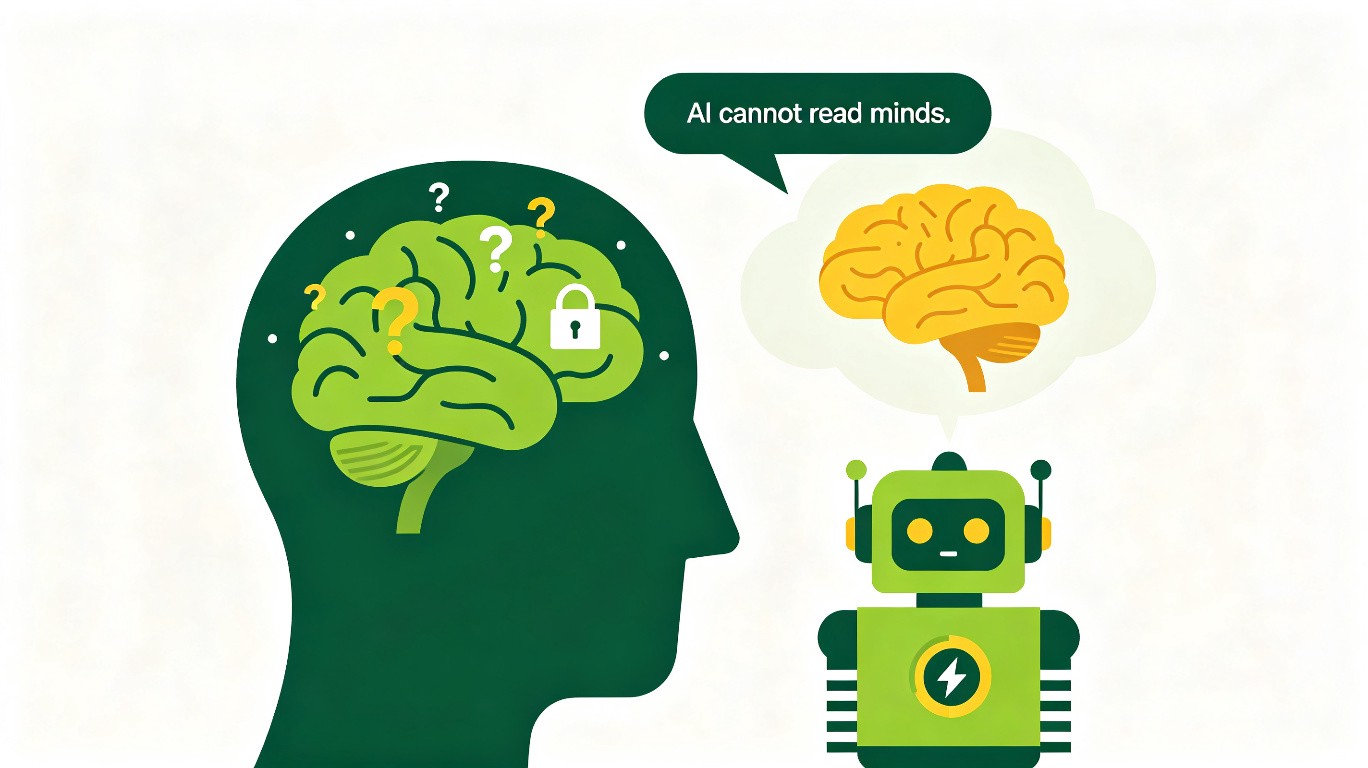
Appendix C · Building a Mini Program? Here's Your Specialized Guide


If you want to build a WeChat Mini Program (or similar platform mini program), this appendix is for you. Mini programs have some unique characteristics that make them different from regular web projects. This guide covers the specific things you need to know.


C.1 What Is a Mini Program?

A mini program is a "lite app" that runs inside a larger app (like WeChat). Users don't need to download it from an app store — they can use it directly by scanning a code or searching.

Why build a mini program instead of a regular website or app?

  • No download required — users can use it instantly.
  • Runs inside WeChat — users don't need to leave the app they're already in.
  • Can access WeChat features — login, payment, sharing, all built-in.
  • Lower development barrier — simpler than building a native app.

When to choose a mini program:

  • You want to reach WeChat users (which is almost everyone in China).
  • Your project is relatively simple (tools, utilities, content display).
  • You want to leverage WeChat's social features (sharing, groups).
  • You don't want users to download a separate app.

C.2 How Mini Programs Differ from Regular Web Projects

Mini programs look like web pages but are technically different. Here are the key differences you need to know:

AspectRegular Web ProjectMini Program
LanguageHTML, CSS, JavaScriptWXML, WXSS, JavaScript (mini program version)
Running environmentBrowserWeChat app
LoginCustom login systemWeChat login (one-tap authorization)
PaymentIntegrate third-party paymentWeChat Pay (built-in)
SharingCustom sharing implementationWeChat sharing (built-in)
DistributionURL linkWeChat scan code / search / share
ReviewNo review neededWeChat platform review required
DeploymentAny serverWeChat platform

What this means for you:

The communication methods in this book all apply to mini programs. But when talking to AI, you need to tell it: "I'm building a WeChat Mini Program, not a regular web project." This ensures AI uses the right technologies and follows the right rules.


C.3 Telling AI You're Building a Mini Program

The most important thing is to tell AI from the very beginning that you're building a mini program.

What to say:

"I want to build a WeChat Mini Program. I'm a complete beginner with no technical background. Please: 1. Tell me what tools I need to develop a mini program. 2. Guide me through setting up the development environment. 3. Explain the differences between mini program development and regular web development. 4. Help me register a mini program account and get the necessary credentials.

Don't write code yet — first help me understand the process."

Why this matters:

If you don't tell AI you're building a mini program, it might use regular web technologies (HTML, CSS, React). Mini programs use different technologies (WXML, WXSS, mini program framework). Starting with the wrong technology means starting over.


C.4 Setting Up the Mini Program Development Environment

Mini program development requires special tools. Here's how to set them up with AI's help.

What to say:

"I need to set up the WeChat Mini Program development environment. I've never done this before. Please guide me step by step:

1. How do I register a WeChat Mini Program account?

What do I need to prepare?

2. How do I download and install WeChat Developer Tools?

3. How do I create a new mini program project?

4. How do I get the AppID and where do I put it?

5. How do I preview the mini program on my phone?

For each step, tell me: what to do,

what to expect, and what to do if something goes wrong."

What AI will guide you through:

1. Register an account: Go to the WeChat Mini Program platform, register with your WeChat account, and get an AppID. 2. Install Developer Tools: Download WeChat Developer Tools (the official IDE for mini program development). 3. Create a project: Open Developer Tools, enter your AppID, and create a new project. 4. Preview: Use the "preview" button in Developer Tools to generate a QR code, scan it with your phone, and see the mini program on your phone.


C.5 Mini Program Project Structure

Mini programs have a specific file structure. Understanding it helps you communicate better with AI.

Basic structure:

`` project/ ├── app.js # Global logic (like the app's "brain") ├── app.json # Global configuration (pages, window settings) ├── app.wxss # Global styles (like global CSS) ├── pages/ # All pages go here │ ├── index/ # Home page │ │ ├── index.js # Page logic │ │ ├── index.json # Page configuration │ │ ├── index.wxml # Page structure (like HTML) │ │ └── index.wxss # Page styles (like CSS) │ └── logs/ # Another page │ ├── logs.js │ ├── logs.json │ ├── logs.wxml │ └── logs.wxss └── utils/ # Utility functions ``

Key differences from web projects:

  • .wxml files replace .html files — they define the page structure.
  • .wxss files replace .css files — they define the styles.
  • .js files are similar but use mini program APIs instead of browser APIs.
  • .json files configure the page (navigation bar, title, etc.).

What to say to AI:

"Please explain the mini program project structure to me. What does each file type do?

How do pages relate to each other?

I'm a beginner — explain in plain language."


C.6 Mini Program-Specific Features

Mini programs have built-in features that regular web projects don't. Here's how to use them with AI.

WeChat Login

What to say:

"I want to add WeChat login to my mini program. Users should be able to log in with one tap using their WeChat account. Please: 1. Explain how WeChat login works in mini programs. 2. Implement the login flow: user taps 'login' → WeChat authorization → get user info → save to backend. 3. Handle the case where the user denies authorization. 4. Keep the user logged in across sessions."

WeChat Pay

What to say:

"I want to add WeChat Pay to my mini program. Users should be able to pay for [product/service]. Please: 1. Explain what I need to set up for WeChat Pay (merchant account, etc.). 2. Implement the payment flow: user taps 'pay' → WeChat Pay popup → payment result. 3. Handle payment success and failure. 4. Verify the payment on the backend (security requirement)."

Sharing

What to say:

"I want users to be able to share my mini program with friends. Please: 1. Add a share button to the [page name] page. 2. When sharing,

include: title, description, and a thumbnail image. 3. When someone opens the shared link,

they should go directly to [page name]. 4. Track share counts (optional)."

Subscribe Messages

What to say:

"I want to send subscribe messages to users. For example,

when [event happens], send a message to the user. Please: 1. Explain how subscribe messages work in mini programs. 2. Implement the subscription flow: user taps 'subscribe' → authorization → save subscription. 3. Implement the sending flow: when [event happens],

send the message. 4. Handle the case where the subscription expires."


C.7 Mini Program Design Guidelines

WeChat has specific design guidelines for mini programs. Following them makes your mini program feel native and professional.

What to say:

"Please design the mini program following WeChat's design guidelines: 1. Use WeChat's default navigation bar style (or a simple custom one). 2. Use WeChat's color scheme and typography as the base. 3. Follow the '3-tap rule' — users should reach any feature within 3 taps. 4. Design for one-handed use — important buttons in the lower half of the screen. 5. Keep pages simple — one main action per page. 6. Use WeChat's built-in components (buttons,

forms, dialogs) where possible.

The design should feel like a natural part of WeChat, not a foreign app."


C.8 Mini Program Performance Optimization

Mini programs have stricter performance requirements than web pages. Here's how to keep your mini program fast.

What to say:

"Please optimize the mini program for performance: 1. Keep the mini program package under 2MB (WeChat's limit). If it's over,

use subpackages. 2. Minimize the number of network requests — batch them where possible. 3. Use lazy loading for images and lists. 4. Avoid unnecessary re-renders — only update data that changed. 5. Use WeChat's storage for caching frequently accessed data. 6. Measure performance: check load time,

render time, and network time.

After optimizing, tell me the before and after metrics."


C.9 Mini Program Submission and Review

Before your mini program can be used by others, it needs to pass WeChat's review. Here's how to prepare.

What to say:

"I'm ready to submit my mini program for WeChat review. Please help me: 1. Check if all required information is filled in (name,

icon, description, category). 2. Check if all pages are complete and functional (no empty pages,

no broken links). 3. Check if the mini program follows WeChat's content guidelines (no prohibited content). 4. Prepare a test account for the reviewer (if login is required). 5. Write a release notes document describing what the mini program does. 6. Upload the code and submit for review.

Tell me what to expect during the review process and how long it typically takes."

What to expect:

  • Review typically takes 1-7 days.
  • You'll receive a notification when the review is complete.
  • If rejected, WeChat will tell you why. Fix the issues and resubmit.
  • Once approved, your mini program is live and users can find it by searching or scanning the code.

C.10 Mini Program Maintenance

After your mini program is live, it needs ongoing maintenance. Here's what to do with AI.

What to say:

"My mini program is now live. Please help me set up a maintenance plan: 1. How do I monitor the mini program's health?

(Crash rate, usage, errors) 2. How do I release updates?

(What's the process for submitting new versions?

) 3. How do I handle user feedback and bug reports?

4. What regular maintenance tasks should I do?

(Weekly, monthly, quarterly) 5. How do I check if my mini program is compatible with new WeChat versions?

Create a maintenance checklist I can follow."


C.11 Common Mini Program Pitfalls

Here are common mistakes beginners make with mini programs, and how to avoid them.

Pitfall 1: Using Regular Web Code

Problem: You tell AI to "build a web page" and it uses HTML/CSS. Mini programs need WXML/WXSS.

Solution: Always tell AI: "I'm building a WeChat Mini Program, use WXML and WXSS, not HTML and CSS."

Pitfall 2: Exceeding the Package Size Limit

Problem: Your mini program is over 2MB and can't be uploaded.

Solution: Tell AI: "The mini program package is over 2MB. Please use subpackages to split the code into smaller parts. Move non-essential pages into subpackages."

Pitfall 3: Not Handling Authorization Denials

Problem: Users deny WeChat authorization (for login, location, etc.) and the mini program crashes or freezes.

Solution: Tell AI: "For every authorization request, handle the case where the user denies. Show a friendly message explaining why the authorization is needed, and provide a way to retry."

Pitfall 4: Forgetting to Update Page Data

Problem: You change the data but the page doesn't update. In mini programs, you must use setData() to update the page.

Solution: Tell AI: "Make sure all data updates use setData() to trigger a re-render. Don't modify data directly."

Pitfall 5: Not Testing on Real Devices

Problem: The mini program works in the simulator but not on real phones.

Solution: Tell AI: "After implementing each feature, I'll test it on my real phone using the preview function. Please tell me what to test and what to look for."


C.12 Mini Program Communication Templates

Here are ready-to-use templates specific to mini program development.

Template: Starting a Mini Program Project

``` I want to build a WeChat Mini Program for [purpose]. I'm a complete beginner.

Before writing code, please: 1. Help me register a mini program account and get the AppID. 2. Guide me through installing WeChat Developer Tools. 3. Help me create the project structure. 4. Explain the basic file types (WXML, WXSS, JS, JSON). 5. Help me understand the mini program lifecycle.

My mini program will: [describe what it does] Target users: [describe who will use it] Key features: [list the main features] ```

Template: Adding a Mini Program Feature

``` I want to add [feature] to my mini program.

Specific requirements: 1. [Requirement 1] 2. [Requirement 2] 3. [Requirement 3]

This feature should use WeChat's built-in capabilities where possible:

  • [If login is needed: use WeChat login]
  • [If payment is needed: use WeChat Pay]
  • [If sharing is needed: use WeChat sharing]

Constraints:

  • Must work on both iOS and Android WeChat.
  • Must handle authorization denials gracefully.
  • Must not exceed the 2MB package size limit.

Before writing code, tell me your plan. After implementing, test on the simulator and tell me how to test on a real device. ```

Template: Preparing for Review

``` I'm ready to submit my mini program for WeChat review. Please help me check:

1. Mini program info: name, icon, description, category — all filled in? 2. All pages: complete, functional, no broken links? 3. Content: follows WeChat's content guidelines? 4. Test account: prepared for the reviewer? 5. Release notes: describing what the mini program does? 6. Package size: under 2MB? 7. Permissions: only requesting necessary permissions?

List anything that needs to be fixed before submission. After fixing, guide me through the submission process. ```


C.13 Quick Reference: Mini Program vs. Web Project

What you needWeb ProjectMini Program
Page structureHTMLWXML
StylesCSSWXSS
LogicJavaScriptJavaScript (mini program APIs)
LoginCustom systemWeChat login
PaymentThird-party integrationWeChat Pay
SharingCustom implementationWeChat sharing
StorageLocal storage / cookiesWeChat storage API
Network requestsfetch / axioswx.request
NavigationURL routingMini program page navigation
DistributionURL linkWeChat code / search / share
ReviewNot requiredWeChat platform review

C.14 Final Tips for Mini Program Development

1. Always tell AI it's a mini program: The very first thing you say should include "WeChat Mini Program." This prevents AI from using the wrong technologies.

2. Use WeChat's built-in components: Don't reinvent the wheel. WeChat provides buttons, forms, dialogs, and more. Tell AI: "Use WeChat's built-in components where possible."

3. Test on real devices early and often: The simulator is not the same as a real phone. Tell AI: "After each feature, I'll test on my real phone. Tell me what to look for."

4. Keep it simple: Mini programs are meant to be "mini." Don't try to build a complex app. Tell AI: "Keep the design simple — one main action per page."

5. Follow WeChat's guidelines: WeChat has specific design and content guidelines. Tell AI: "Follow WeChat's official design guidelines for mini programs."

6. Handle edge cases: Users might deny permissions, have slow networks, or use old phones. Tell AI: "Handle all edge cases: permission denials, network errors, and low-end devices."

7. Use the four-step formula: Just like every other project, use Goal, Scope, Constraint, Verification for every communication with AI.


Summary

Building a mini program is different from building a regular web project, but the communication principles are the same:

  • Express clearly: Goal, Scope, Constraint, Verification.
  • One thing at a time: Build one feature, confirm, then the next.
  • Describe facts: When something's wrong, describe what happened, not how you feel.
  • Let AI self-check: Before submitting, have AI check its own work.

The key difference is: always tell AI you're building a mini program, so it uses the right technologies and follows the right rules.

With this guide and the methods from the rest of the book, you're ready to build your first mini program. Go for it!


**Building a mini program?

Tell AI from the first sentence: "I'm building a WeChat Mini Program." Everything else follows from there.**

FAQ

You might also want to know these things about communicating with AI

Why does AI always misunderstand what I mean?

AI can't read minds. It can only understand what you've actually said. If you're vague, it guesses. Wrong guesses lead to rework. The problem usually isn't the AI — it's that you didn't explain clearly. Expression quality determines result quality.

How can I make AI understand my needs precisely?

Use the Goal-Scope-Constraint-Verification formula. Goal: what you want to accomplish. Scope: which parts to work on. Constraint: what must not be touched. Verification: what counts as success. State these four clearly and AI won't go off track.

Can people who can't code use AI well?

Yes. Coding ability and communication ability are completely different skills. Many programmers also experience AI going off track. The key isn't whether you can code — it's whether you can express yourself clearly.

What should I do when I'm not satisfied with AI's results?

Don't just say "that's wrong" or "try again." Describe specifically what's wrong. State the current behavior, expected behavior, the scope of changes needed, and how to verify the fix. The more specific your description, the more accurately AI can fix it.

What if every time I ask AI to modify code it gets messy?

Set working rules with AI at the start of the project: do one feature at a time, explain the plan before modifying, report what was changed after modifying, ask first when unsure. Once rules are set, the whole process becomes controllable.

How do I collaborate with AI on large projects?

Break large projects into small stages, each doing one thing. First ask AI to help you break it down, listing goals and tasks for each stage, then complete them one by one. Confirm results after each step before moving to the next.

Copied to clipboard